Different authorisations on transponders - SmartRelay 3 system
A transponder with an integrated MIFARE chip is regarded as two different identification media for both LSM and the SREL3 ADV system from a logic viewpoint. You can make use of this characteristic and activate different outputs on the controller and the SmartOutput modules using the same transponder by assigning different authorisations to the MIFARE chip than to the transponder.
- Controller has already been programmed.
- Components wired correctly (see wiring).
- Components connected to power.
- Matrix open for the corresponding locking system.
- Click on the New transponder button.

- The New transponder window will open.
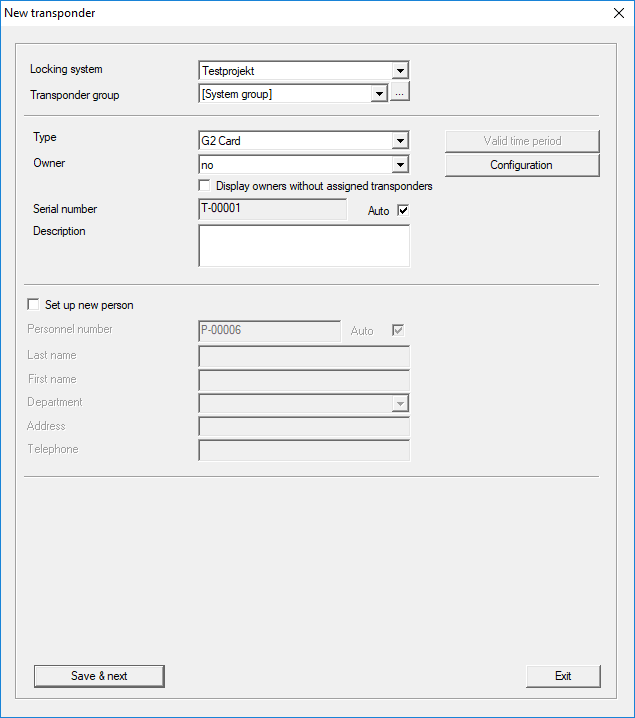
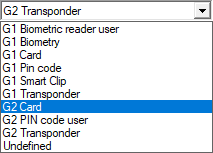
- Open the drop-down menu.
- Select the G2 Card item.
- Complete the form.
- Click on the Save & next button.
- Open the drop-down menu.
- Select the G2 Transponder item.
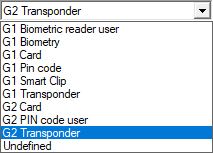
- Complete the form.
- Click on the Save & next button.
- Click on the Exit button.
- Window closes.
- Assign the required authorisations.
- Click on the Apply button.

- Programme the MIFARE chip (see LSM manual).
- Programme the transponder (see LSM manual).
- When the MIFARE chip is used to log on to the reader, only those relays which the MIFARE chip is authorised to use are actuated.
- When the transponder is used to log on to the reader, only those relays which the transponder is authorised to use are actuated.