Change length of PINs in PinCode AX - LSM 3.6 SP1 Basic Online
NOTE

Changing the PIN length deletes previous PINs
If you change the length of the PINs, LSM automatically deletes all previously created PINs. These must then be created again.
- Set the PIN length before creating PINs.
- PIN code keypad AX is created (see Create PinCode AX).
- Use to select the input.
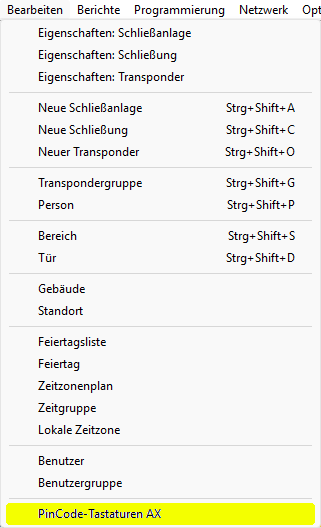
- The window will open.
- Select the PIN code keypad AX whose PIN length you want to change.
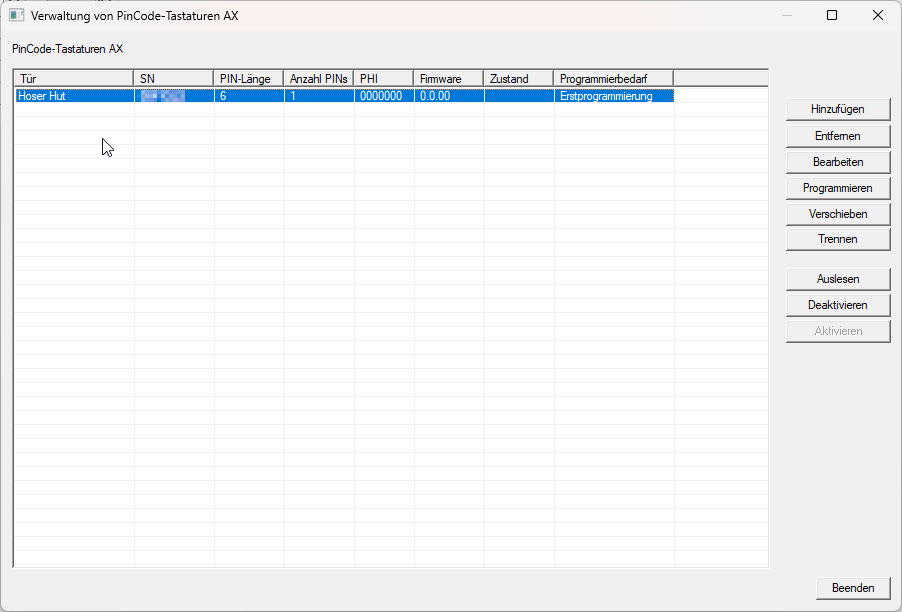
- Click the button.
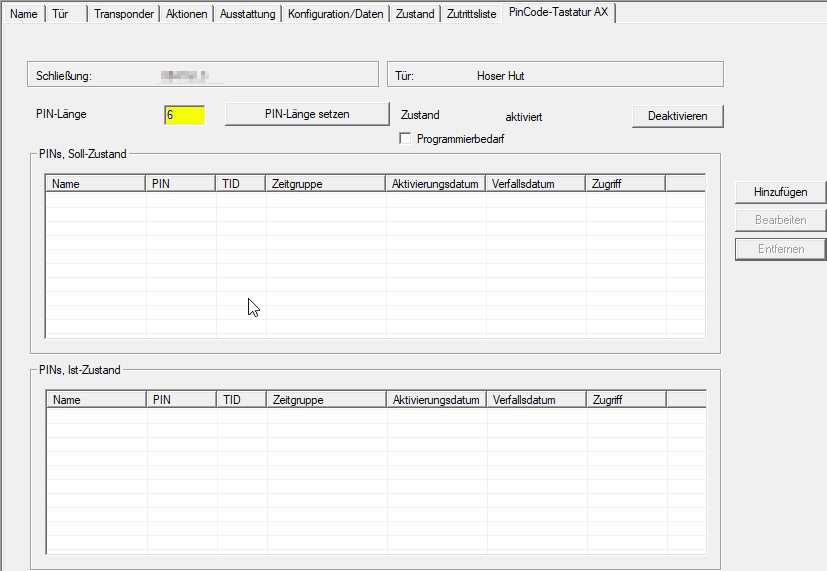
- LSM switches to the locking device properties tab .
NOTE
Alternative: Open the locking device by double-clicking
You can also access the properties of the PIN code keypad AX by opening the properties of the connected locking device and then switching to the tab.
- Enter the desired PIN length (4-10 digits) in the field and click the button .

- LSM indicates that existing PINs may have to be deleted and that new PINs must be created.
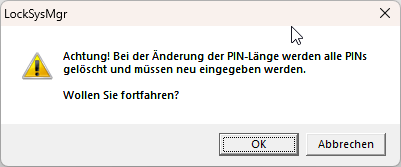
- Click on the OK button.
- PINs can now be created with the changed PIN length (see Creating PINs for PinCode AX).