New locking device - LSM 3.6 SP1 Basic Online
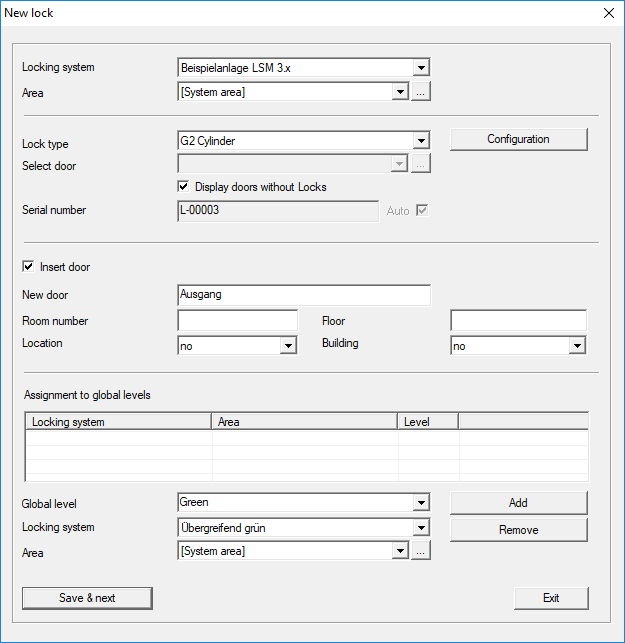
Use this option to add a new locking device manually.
If several locking systems and common locking levels have already been created, the new locking device can be assigned to them directly. Drop-down lists provide corresponding options for this purpose.
- Optionally select a locking system and area to assign the locking device correctly immediately. Locking systems and areas must be defined beforehand. It is possible to change these settings at a later stage at any time.
- You can use the "Add door" button to create a new door. A door can contain a number of locking devices.
- You can use the "Save & next" button to add a new locking device to the locking plan. Select "Finish" to return to the matrix or add another door.
Different locking devices can be managed in the LSM software, depending on the hardware used. Select the type of locking device that you wish to add from Locking device type in the drop-down menu.