Creating communication nodes - LSM 3.6 SP1 Basic Online
The communication node forms the interface between the CommNode server and the LSM software. You must launch the LSM software using an administrator account to add the configuration XMLs.
- Open the LSM software.
- Select Network/.
- Add "Name", "Computer name" and "Description",
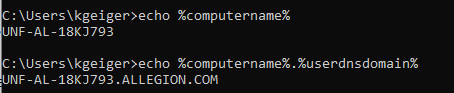
- e.g. UNF-AL-18KJ793; UNF-AL-18KJ793.ALLEGION.COM; communication node for the WaveNet radio network 123
- Click on the Config files button.
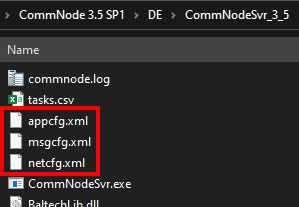
- Ensure that the path links to the CommNode server's installation directory and click on the OK button.
- Press No to deny the prompt and confirm your selection by clicking on OK. The three configuration XMLs (appcfg, msgcfg and netcfg) must be located directly in the CommNode server's installation directory.
- Click on the Apply button to save your settings.
- Click on the OK button to close the prompt.
- Click on the Exit button to close the dialogue.