Create database - LSM 3.6 SP1 Basic Online
The first step in LSM software is to create a new database.
- Launch the LSM software, e.g. using Start/Programme/SimonsVoss/Locking System Management.
- The LSM software launches and the main menu appears with the items "Log on", "Log off" and "Setup".
- Click on "Setup".
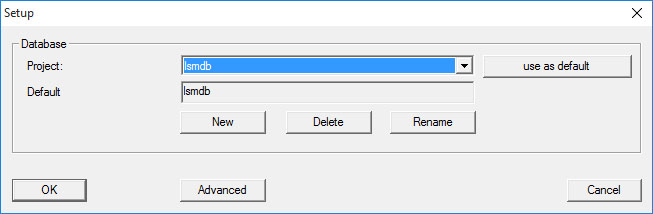
- Click on "New" to create a new project.
- Advanced uses cans used the "Advanced" button to make advanced settings, such as establishing the database directory or backups.
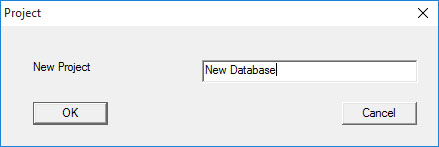
- Enter a name for the project and confirm by pressing "OK".
Click on the "Use as default" button to select this database automatically on starting up.
NOTE

You can use the "Advanced" button in the "Setup" window in LSM Basic to set an alternative file path up as a database store. Locking plans should not be stored in user-specific files such as "Own files" or "Desktop", especially if several users access a copy of LSM Basic on the same computer.
NOTE
Only hide local directories as file storage locations in LSM Basic. To ensure the integrity of the locking system, it is not possible to install on network drives.