DS variant (reader on both sides) - Digital SmartHandle AX
Remove fittings
- Disassemble electronic cylinders if necessary.
- Unscrew the set screws of both handles.
- If necessary, remove the escutcheon covers with a slotted screwdriver.
- If necessary, remove the escutcheon covers.
- If necessary, unscrew the escutcheon bases.
- Remove the cover of the SmartHandles AX that is attached to the adapter plate.
- Unscrew the screw above the card reader.
- Turn the entire SmartHandle AX clockwise until it can be removed.
- Remove the SmartHandle AX.
- Unscrew the adapter plate.
- Pull out the second SmartHandle AX.
- SmartHandle AX are removed from the door.
- Push the locking pin of the square inward and pull the square out of the assembly.
Removing the handle from the assembly
- Insert the Allen wrench into the hole provided in the square socket.
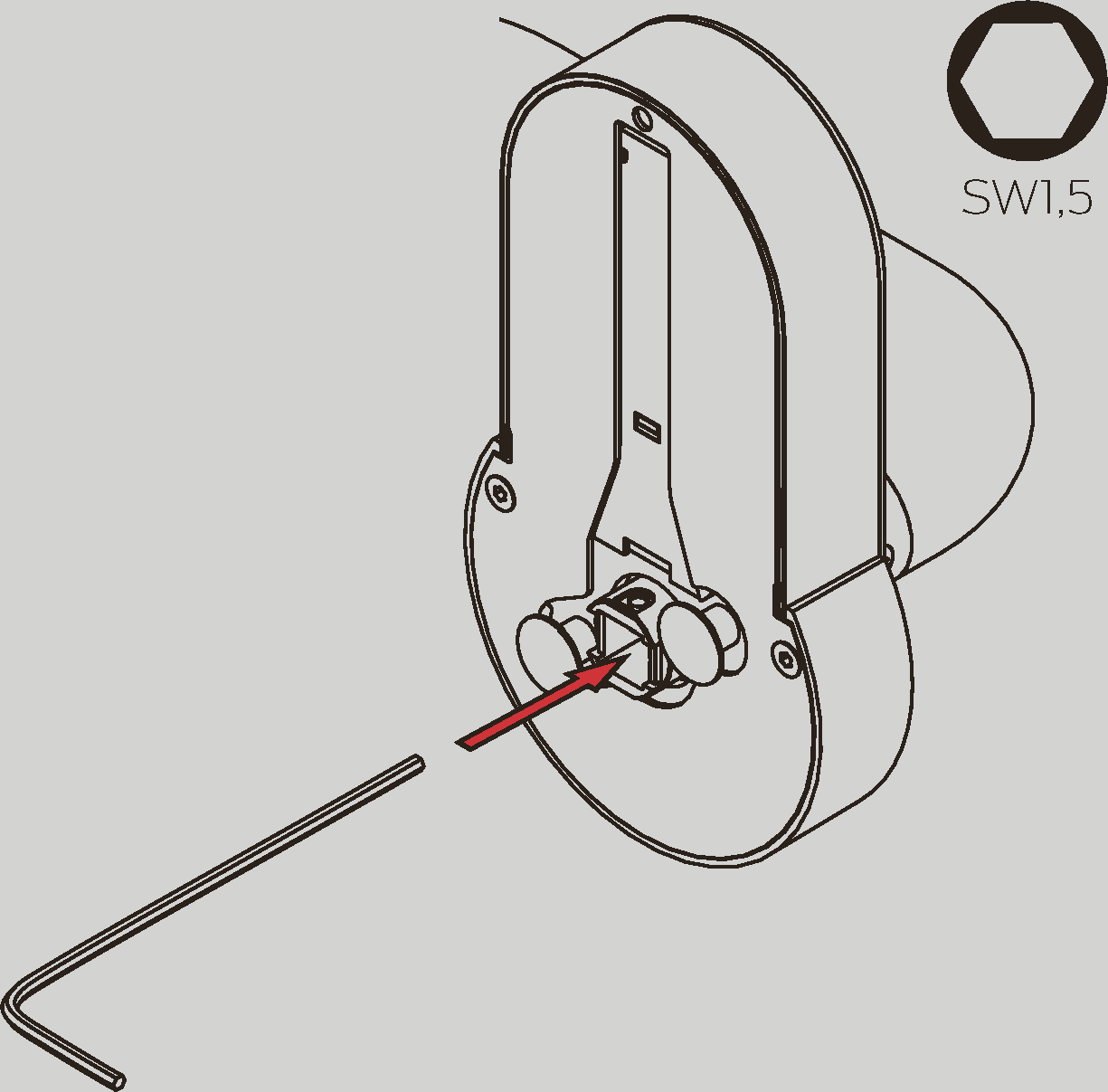
- Push the Allen wrench towards the nearer edge and hold it pressed.
- Remove the handle from the assembly.
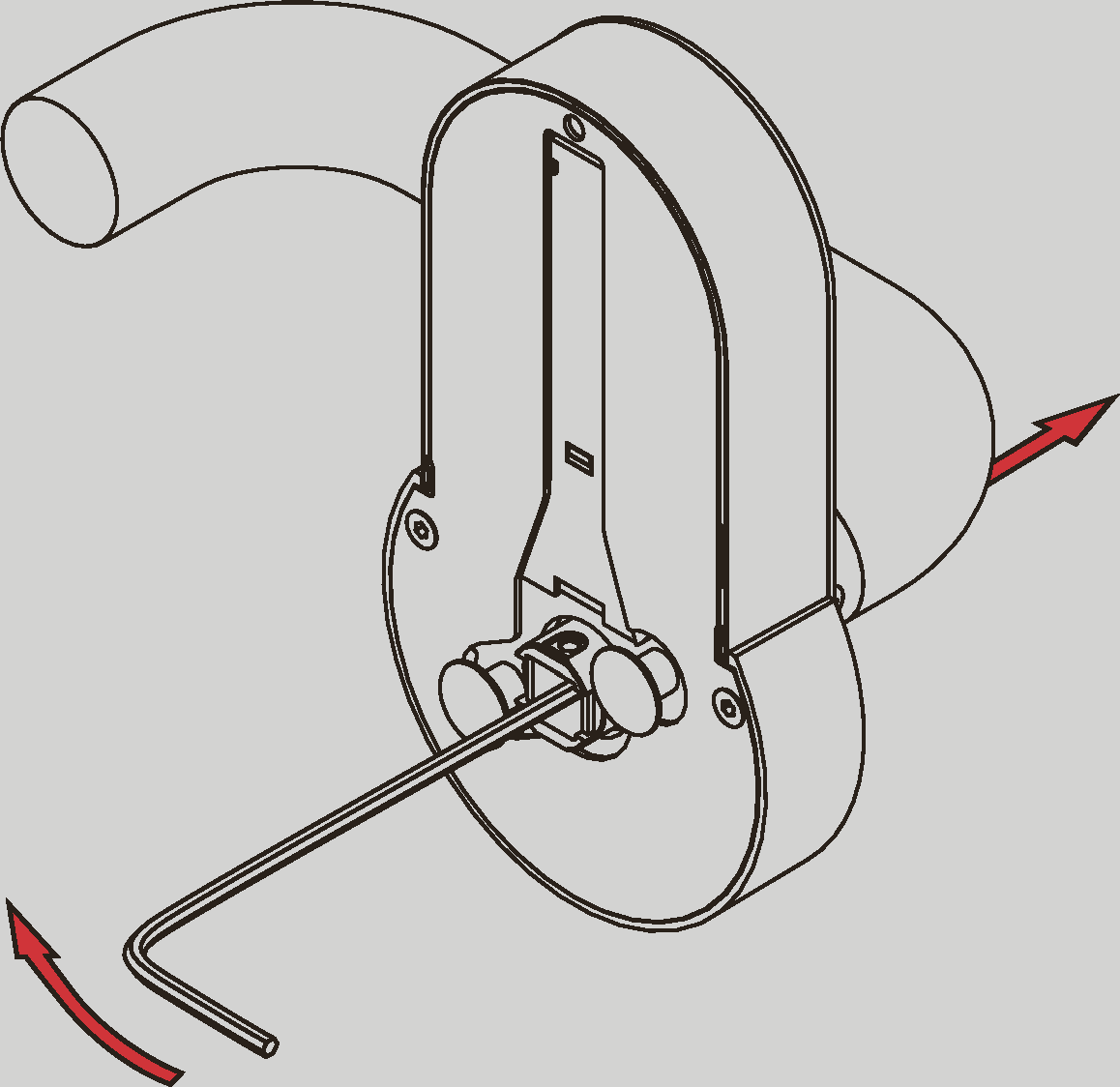
- SmartHandle AX is disassembled.