Enable SNMP - RouterNode 3
The RouterNode 3 contains an SNMP agent that responds to SNMP queries. This agent only allows SNMP read activities and is disabled by default. It can be enabled in the port and protocol settings:
- The configuration interface opens, (see Configuration interface).
- Use Konfiguration to select the input.
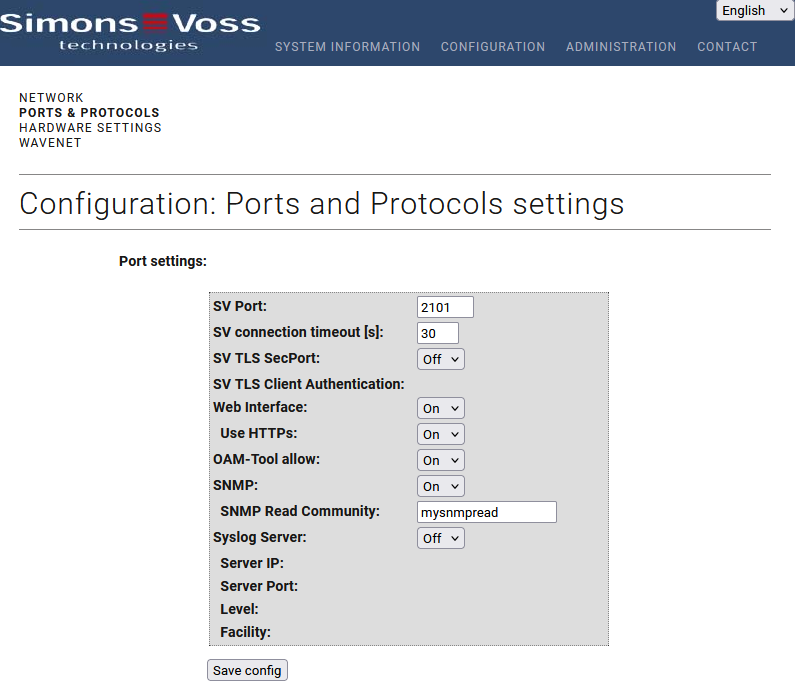
- From the drop-down menu, select item Ein.
- Enter an SNMP read community in the TypeSNMP Lesen Community field.
- Click the button Save, to apply the changes.
- RouterNode 3 restarts.
The following SNMP OIDS are supported:
- System (1.3.6.1.2.1.1.*)
- Interfaces (1.3.6.1.2.1.2.*)