Remove control device AX - LSM 3.6 SP1 Basic
IMPORTANT
Unauthorised control due to a lost Control Device AX
The Control Device AX transmits control signals via a dedicated BLE (Bluetooth Low Energy) channel, containing the lock’s PHI and the access control system password. A lost Control Device AX cannot be reset and will continue to transmit signals.
As soon as the lock’s BLE channel is opened, the lock can also receive signals from the lost Control Device AX. The BLE channel remains open if a BLE function is used again after the lock has been reset (e.g. Control Device AX, PIN code keypad AX or AX2Go).
The action Opening uses a standard TID (transponder ID). In this case, you can deactivate the Control Device AX and then programme the locking function to prevent control via the lost Control Device AX.
The actions Emergency release, End of emergency release / emergency opening, Deactivation or Activation use specific TIDs that cannot be deactivated.
Simply resetting the lock is therefore not sufficient if any of the actions mentioned have been carried out. You can secure the affected door again using one of the following methods:
- Do not programme any BLE functions on the lock that was paired with the lost Control Device AX.
- Replace the lock that was paired with the lost Control Device AX with another lock.
- You can continue to use the replaced lock in your existing locking system without BLE functions, or use it in a different locking system with a different system password.
- Change the system password for the access control system in which the lost Control Device AX is used.
- LSM open.
- Control Device AX connected to the power supply.
- SmartStick AX connected.
- Control Device AX is reset (see Reset control device AX).
- Use to select the input.
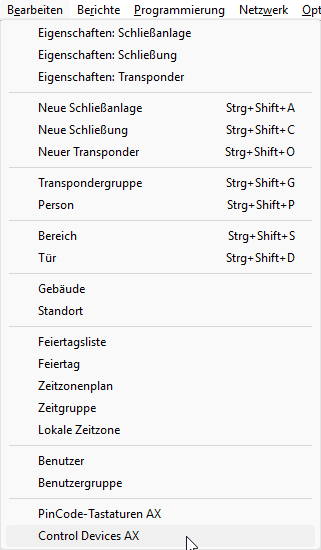
- The Management of Control Devices AX window will open.
- Select the Control Device AX to be removed.
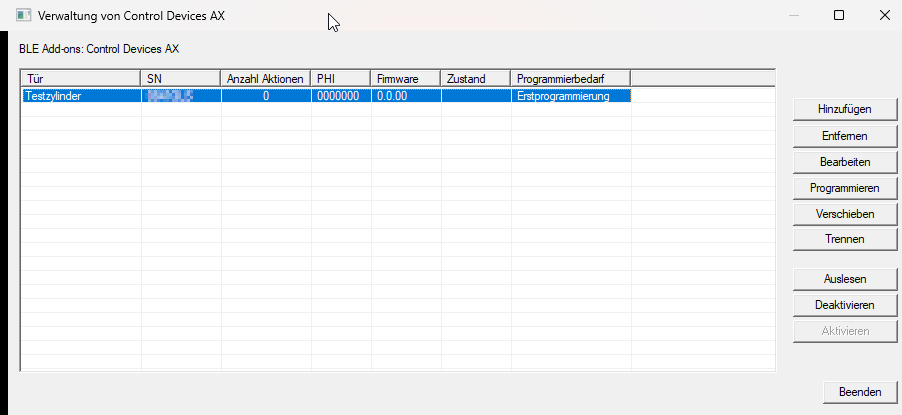
- Click the Remove button.
- The security prompt appears.
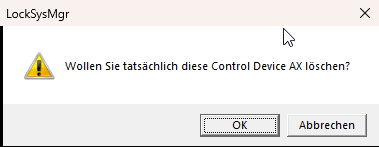
- Click on the OK button.
- Control Device AX is deleted and is therefore no longer displayed in the Management of Control Devices AX window.
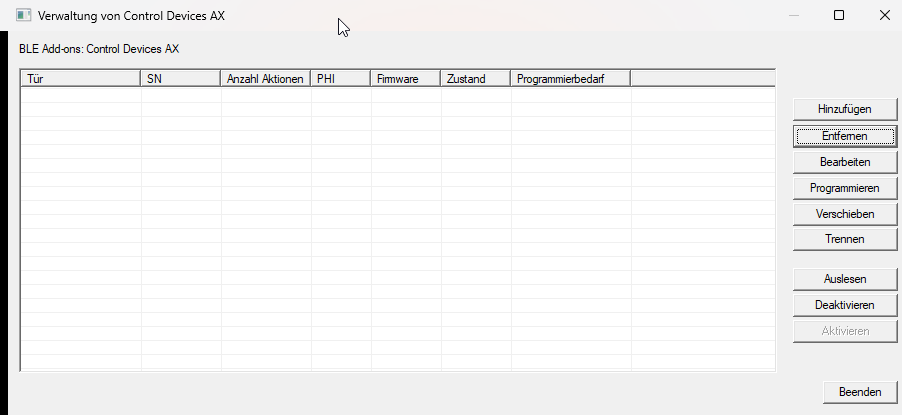
Deleting the Control Device AX causes the locking device to require some programming. Then programme the locking device (see Programme locking device).