Backing up the database manually - LSM 3.6 SP1 Basic
- Log on as the Windows user who also manages locking system management.
- Launch LSM.
- Click the Setup button (
 ).
). - The setup opens.
- Click the button Advanced.
- Window Setup opens.
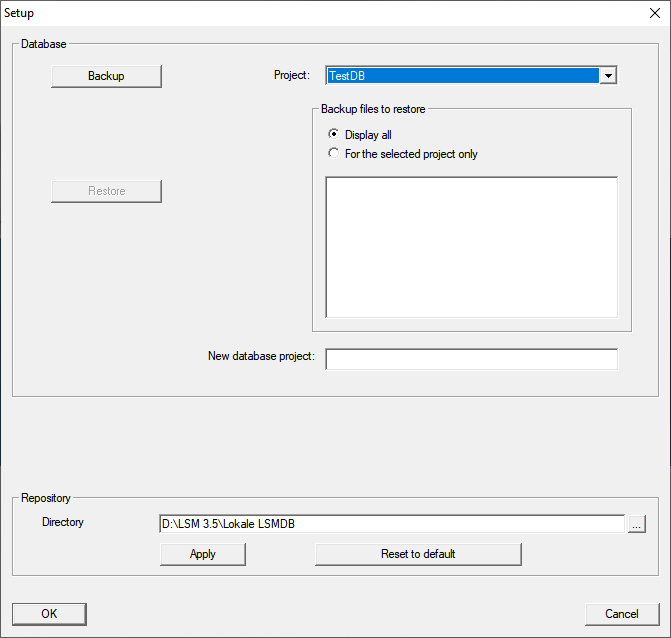
- Use the dropdown menu to select your project.
- Click the button Backup
- Backup is created.
- Click on the OK button.
- Window Setup closes.
- Copy the created backup (.zip) to a separate data carrier.
NOTE

The backup is saved to C:\ProgramData\SimonsVoss\Repository by default.