New transponder - LSM 3.6 SP1 Basic
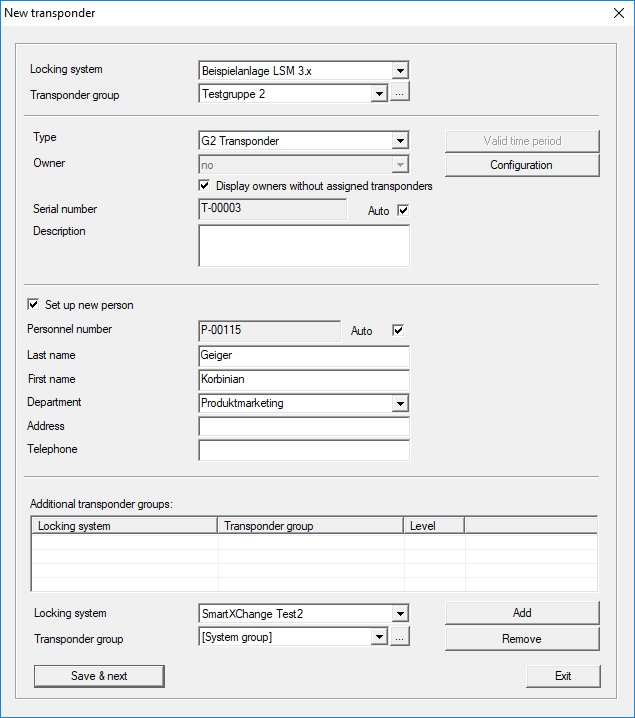
Use this option to add a new transponder manually.
If several locking systems and transponder groups have already been created, the new transponder can be assigned to them directly. Drop-down lists provide corresponding options for this purpose.
- Optionally select a locking system and transponder group to assign the transponder correctly immediately. Locking systems and transponder groups must be defined beforehand. It is possible to change these settings at any time.
- You can use the "Configuration" button to make advanced settings such as the transponder validity.
- You can use the "Save & next" button to add the transponder to the locking plan. Select "Finish" to return to the matrix or add another transponder.
Ensure that each ID medium is basically marked as a transponder in the LSM software. Different ID media can be managed in the LSM software, depending on the hardware used:
G1 biometrics | Biometric transponder |
G1 biometric reader user | Biometric reader user in G1 standard |
G1 card | Card in G1 standard |
G1 SmartClip | SmartClip in G1 standard |
G1 transponder | Transponder in G1 standard |
G2 card | Card in G2 standard |
G2 PIN code user | User of a PIN code terminal |
G2 transponder | Transponder in G2 standard |
Undefined | Not yet determined G1 transponder |
NOTE

Transponder must never be assigned to a locking system and a common level at the same time.