Search matrix - LSM 3.6 SP1 Basic
The search enables you to search easily for different items, such as a specific door or a specific transponder.
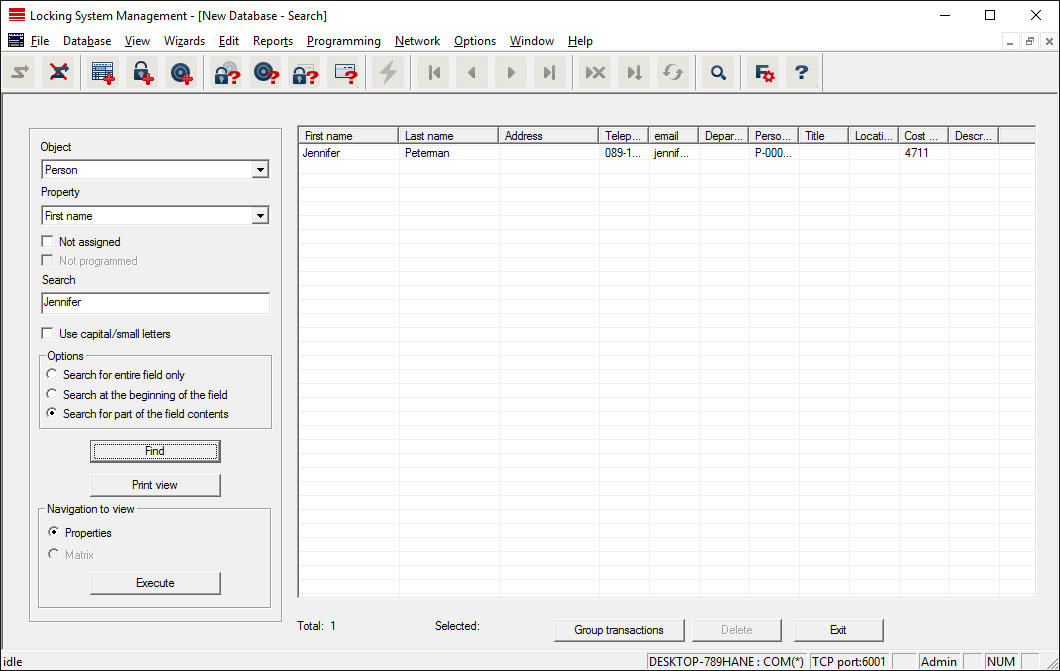
- Elements have already been added to the locking system, which you can search for.
- Click on the magnifier icon in the icon bar.
- Select the object that you wish to look for, such as persons, transponders, doors or locking devices.
- Select a characteristic of the object that you are looking for, such as a last name or first name.
- Enter a search term into the search field.
- Click on the "Search" button to start the search process.