Installation with clip-on cover plates - Digital Cylinder AX (Z5)
This option allows you to combine the Digital Cylinder AX with specific cover plates. Some cover plates are mounted on the cylinder and are located between the thumb-turn and the door. If you want to use such orifices, you have to dismantle both thumb-turn.
- Special tool available.
- 1.5 mm hexagonal wrench available.
- PH2 screwdriver at hand.
- Align the thumb turn horizontally.
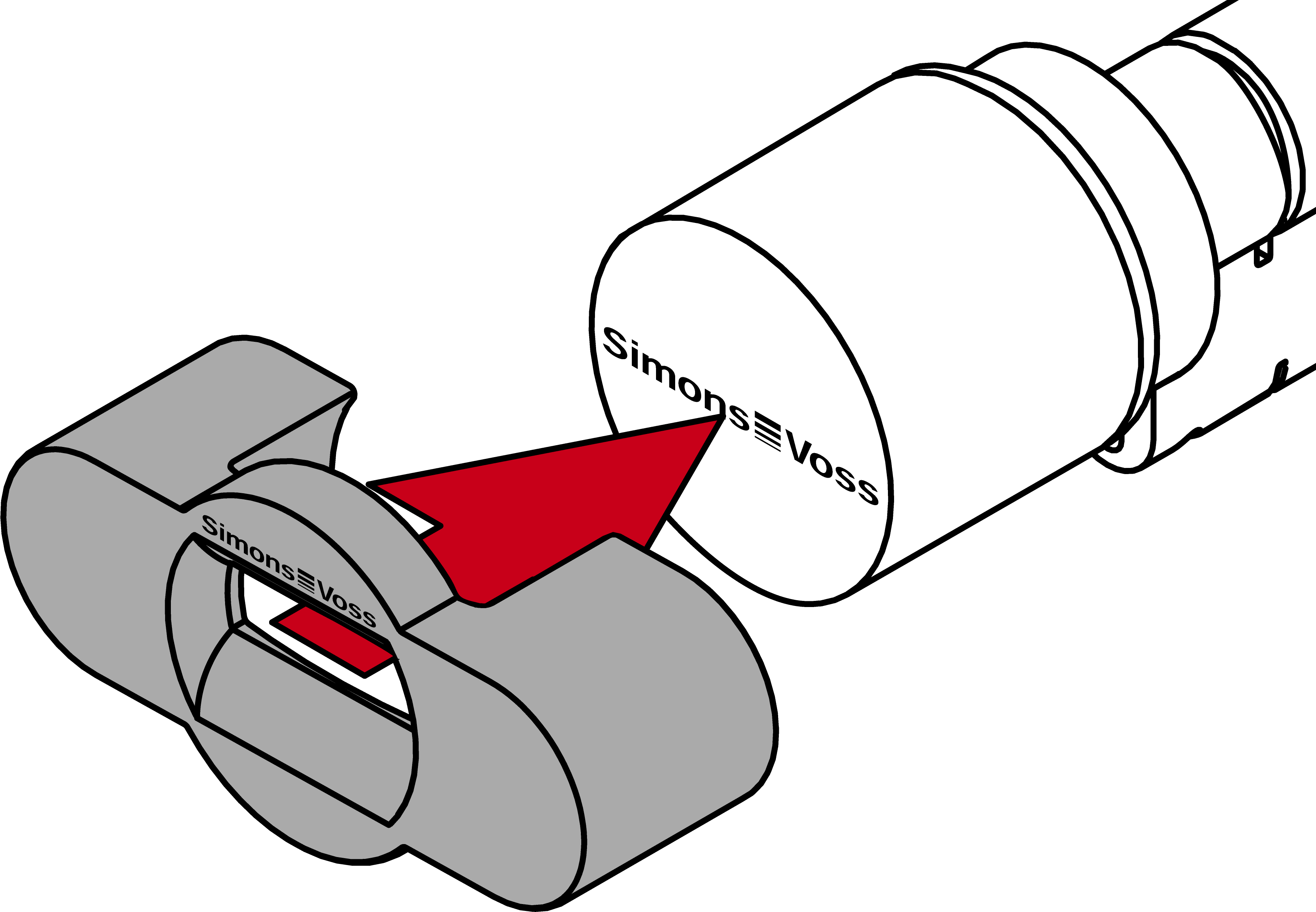
- Attach the special tool.
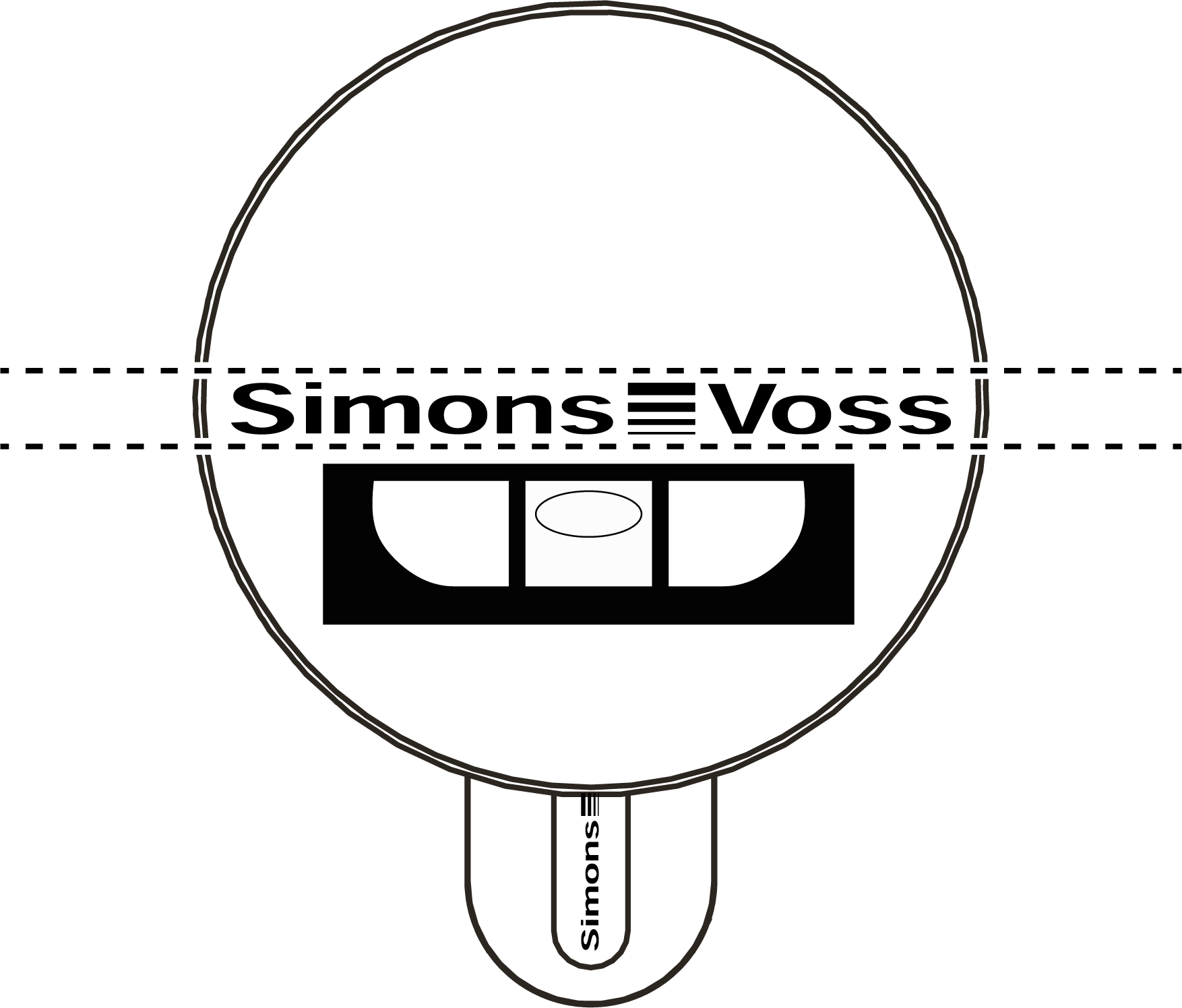
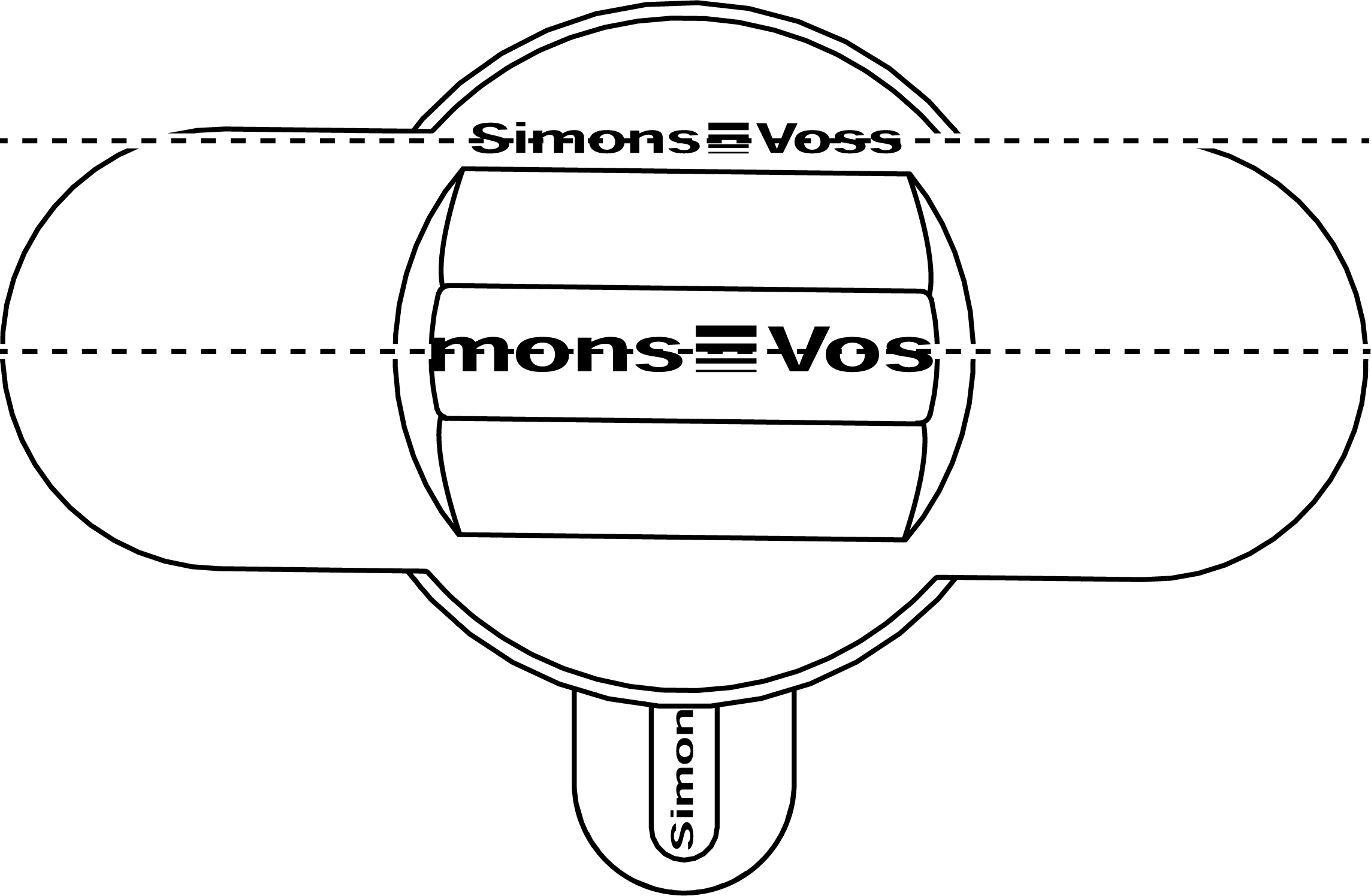
- Align the special tool so that the logo is parallel to the recess.
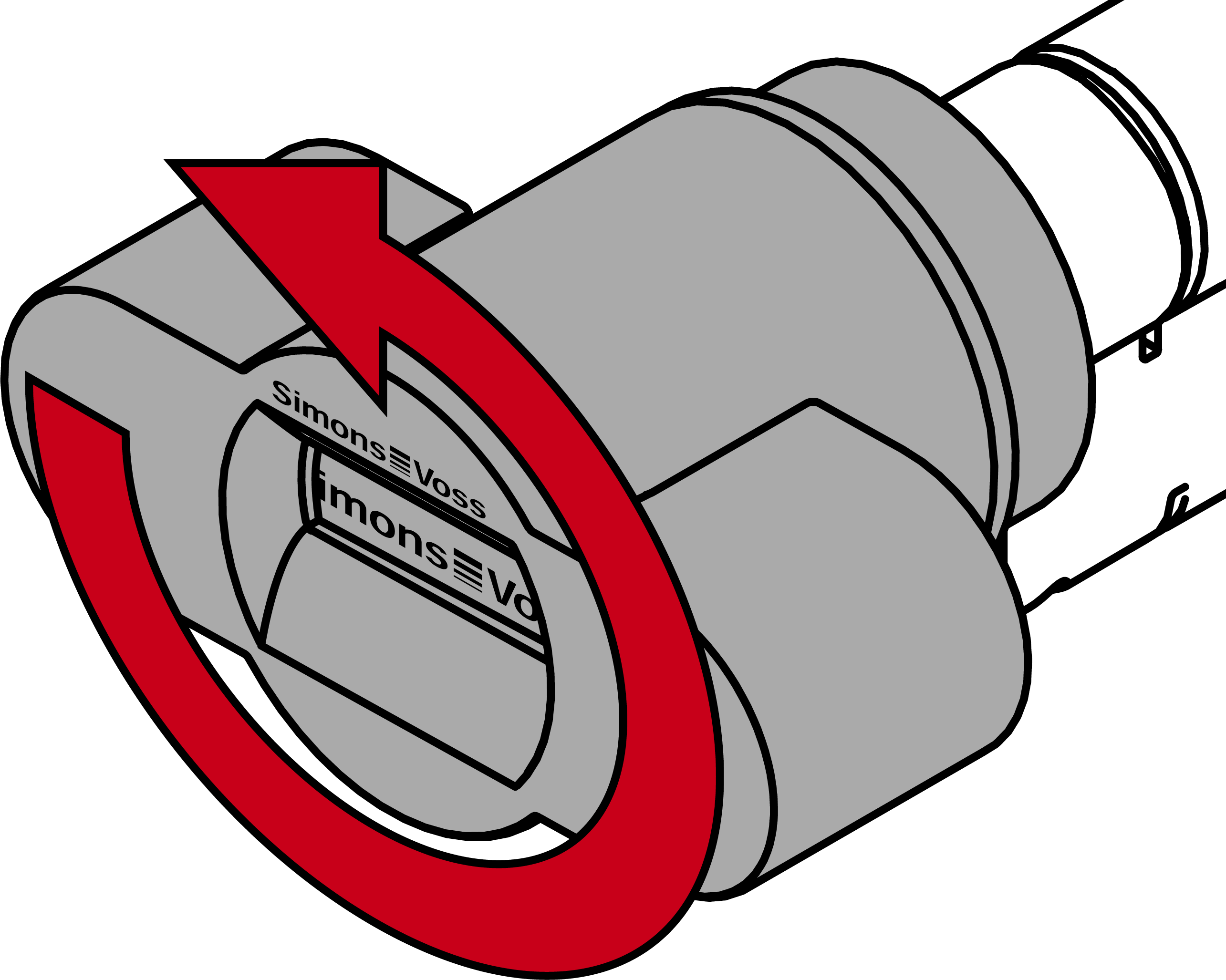
- At the same time turn the special tool and the thumb-turn counterclockwise.
- Remove the special tool and the thumb-turn at the same time.
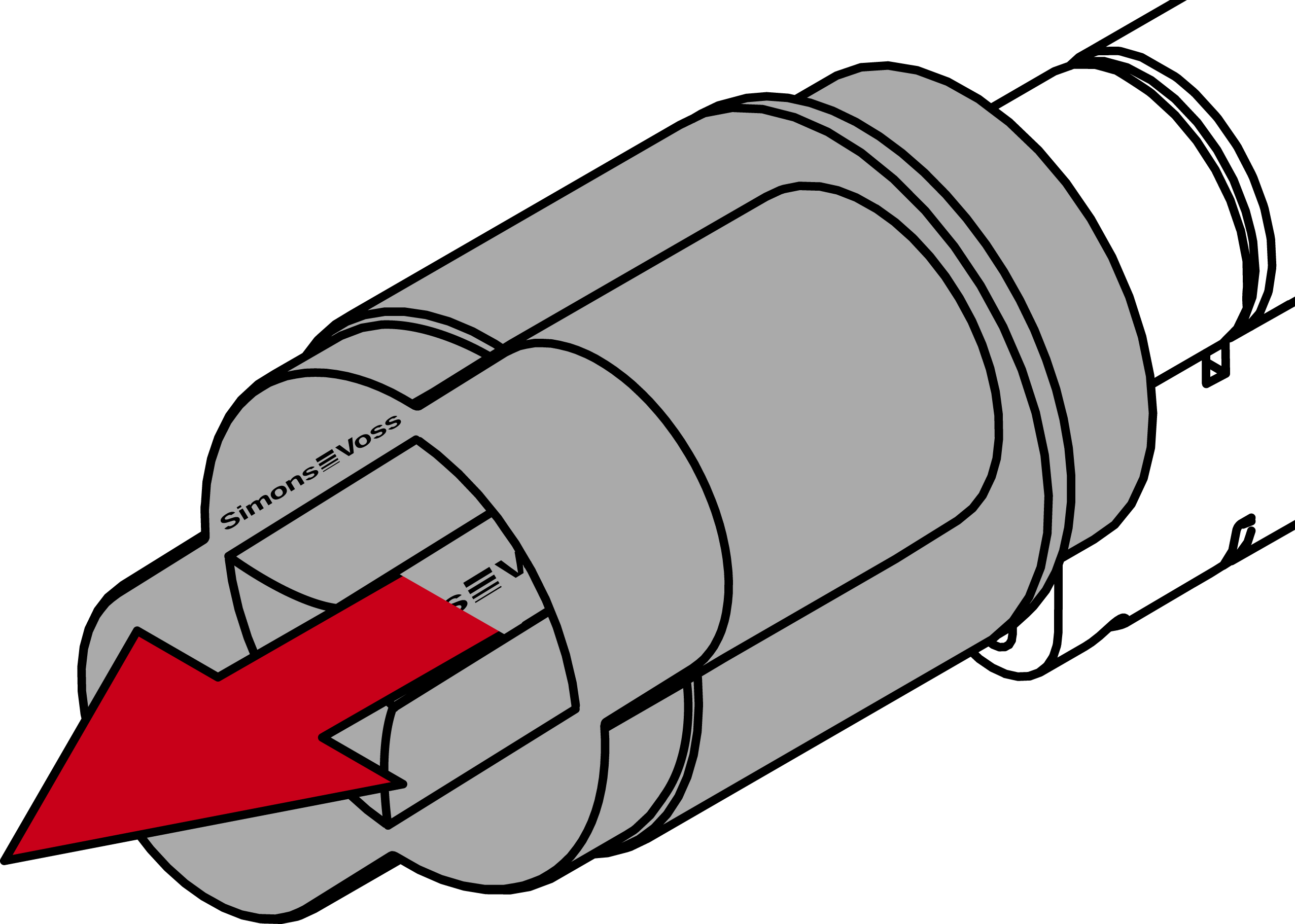
- The mechanical thumb-turn is disassembled.
- Align the thumb turn horizontally.
- Attach the special tool.
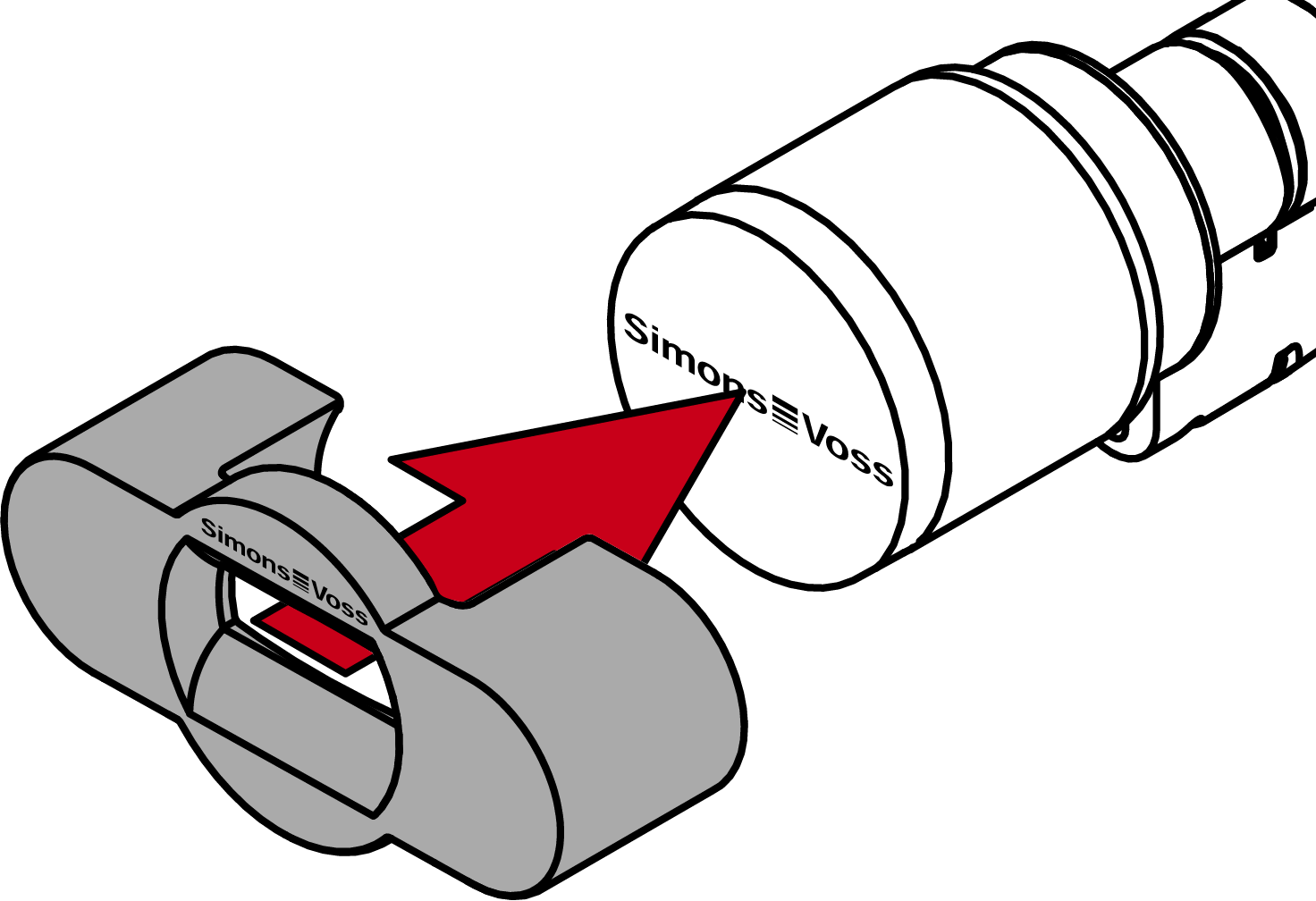
- Align the special tool so that the logo is parallel to the recess.
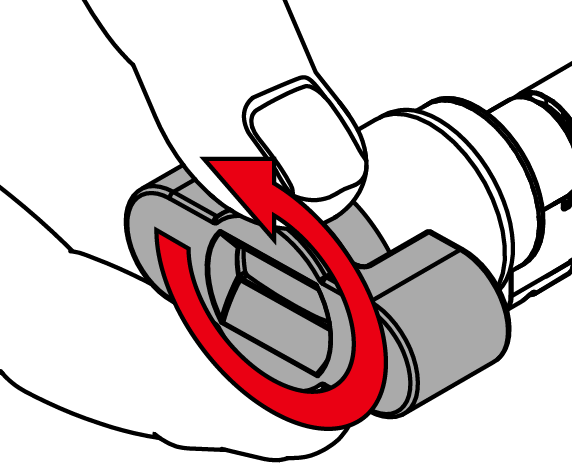
- Hold the special tool and thumb turn cap firmly at the same time and turn them together 1-2° clockwise first and then counter-clockwise.
NOTE

Slipping when turning
The surface of the thumb turn cap can be slippery and the cap can be difficult to turn (especially with WP versions, recognizable by the blue cylinder neck ring or the lasered marking on the inner side of the cylinder profile).
- Wear non-slip gloves.
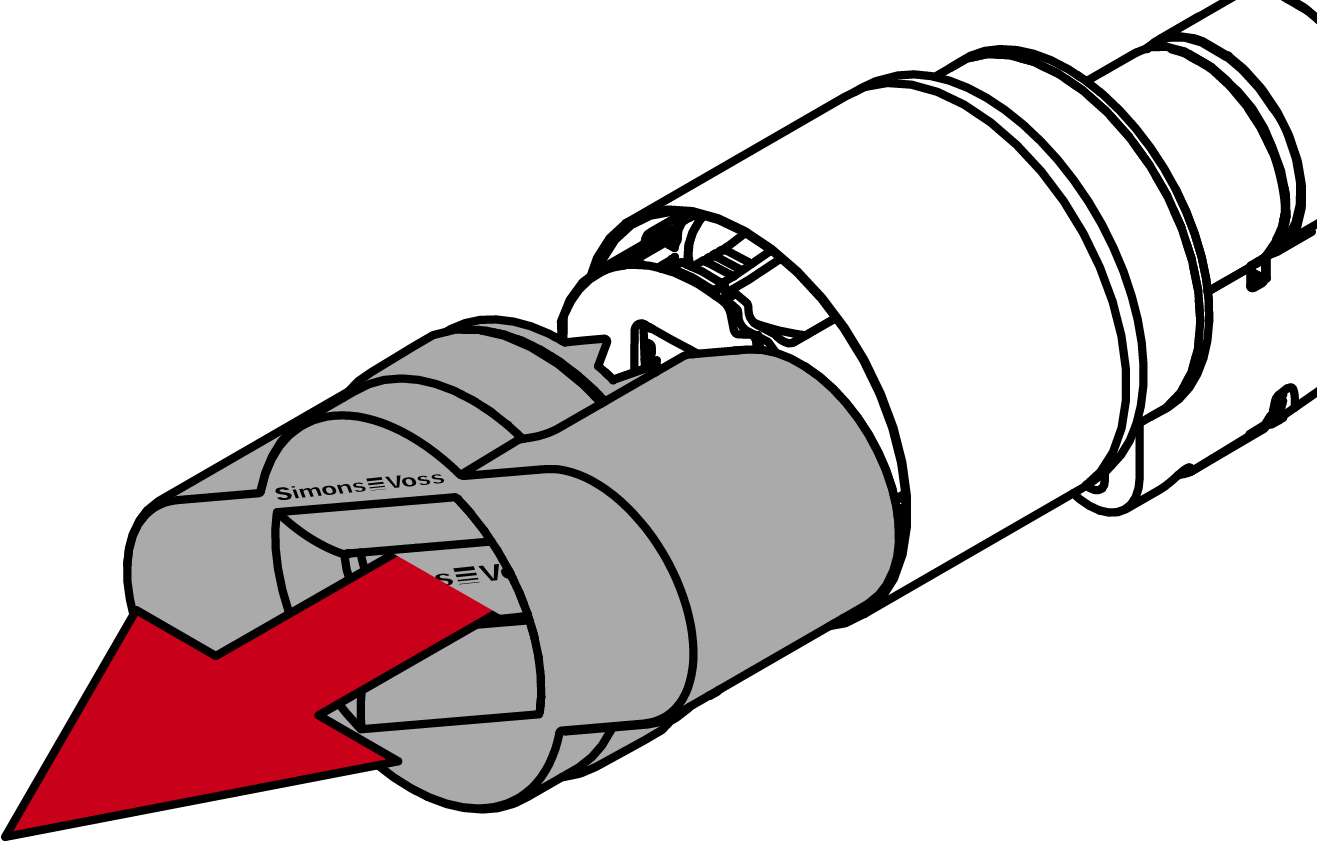
- Remove the tool and cover.
NOTE
Use the supplied hexagonal wrench.
The special tool is supplied with a hexagonal wrench.
- Use this hexagonal wrench to mount and dismount the electronic thumb turn.
- Insert the hexagonal wrench into the hole provided until it stops.
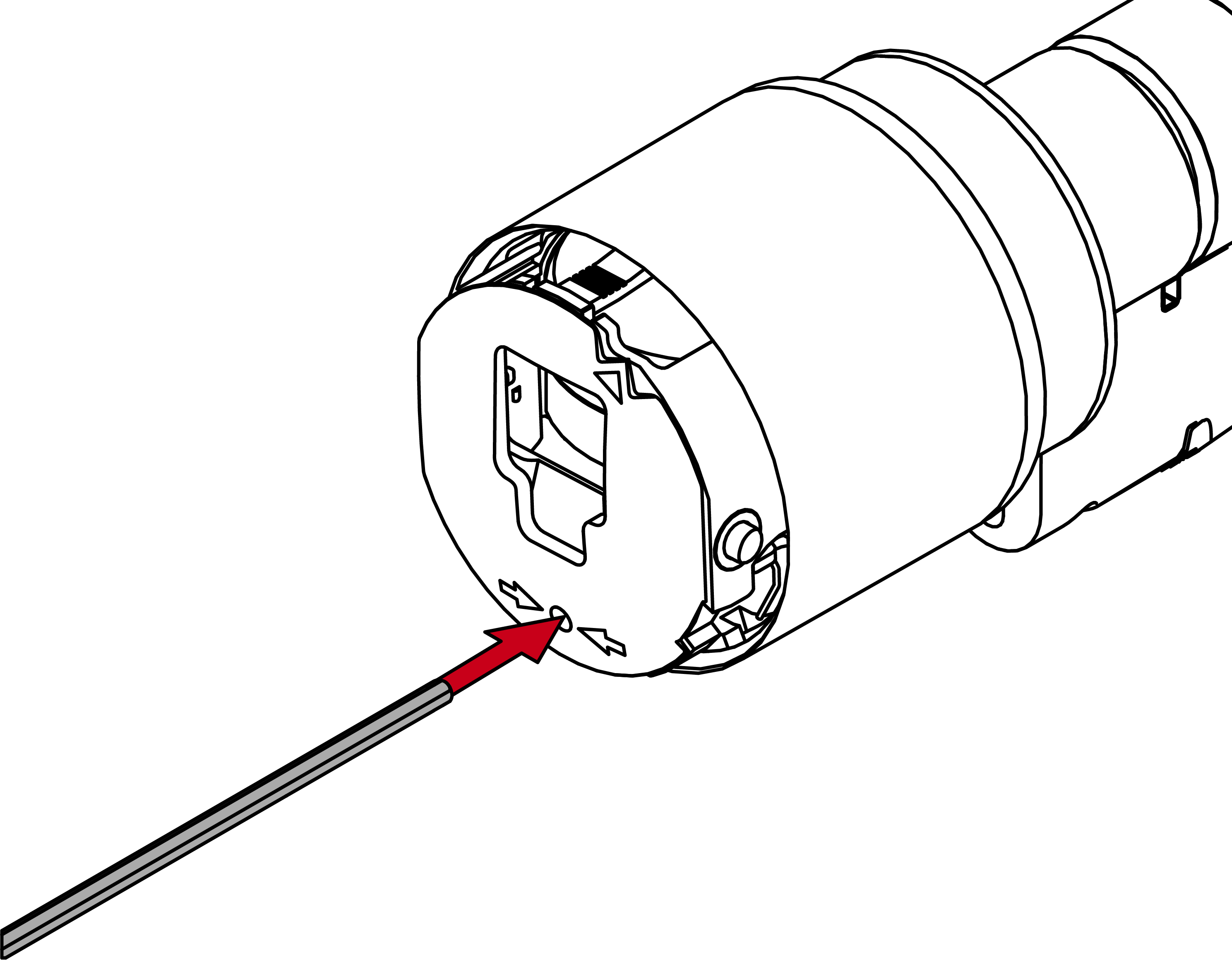
- Turn the hex wrench 270 degrees counterclockwise.
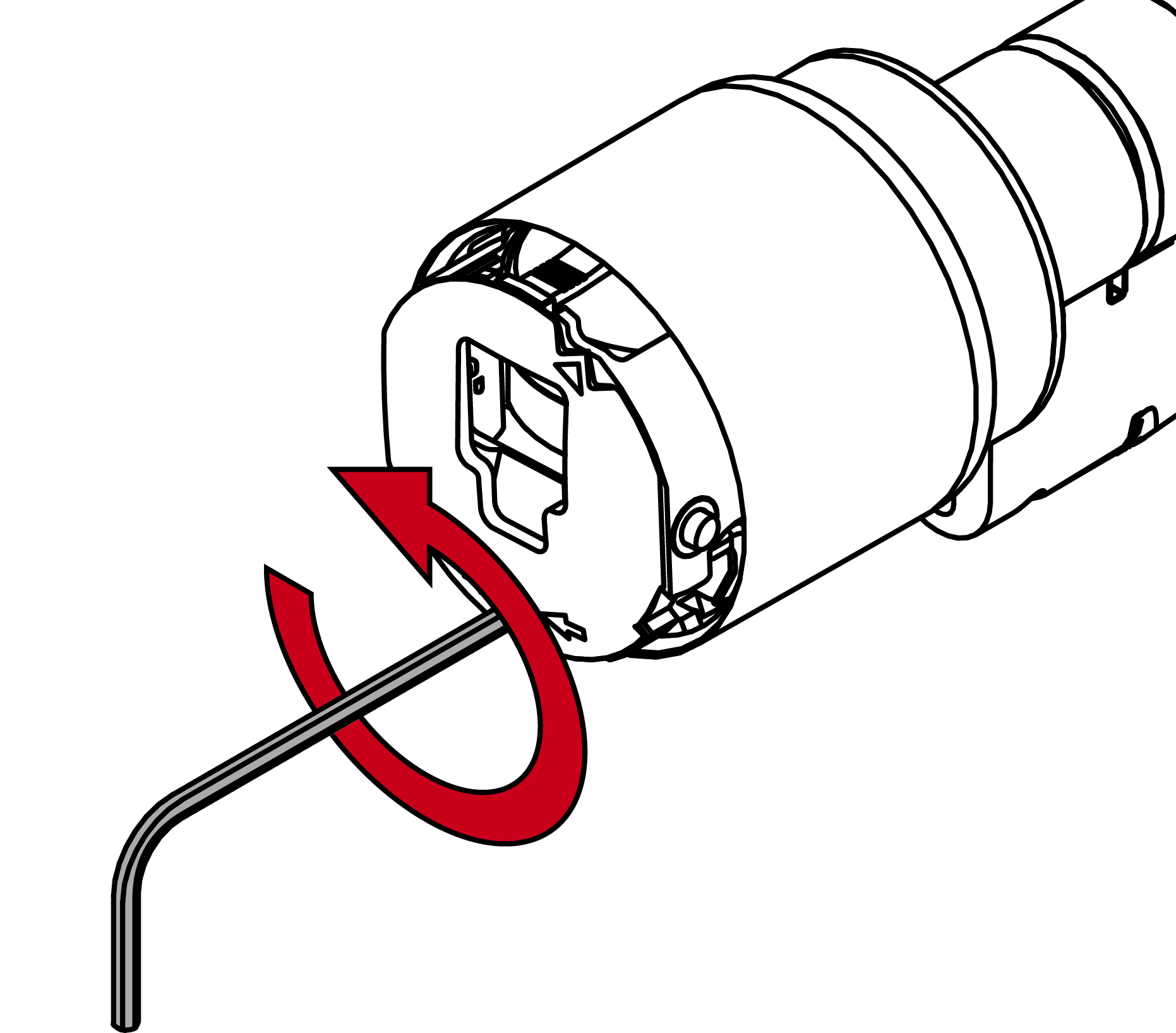
- Pull out the hexagon wrench again.
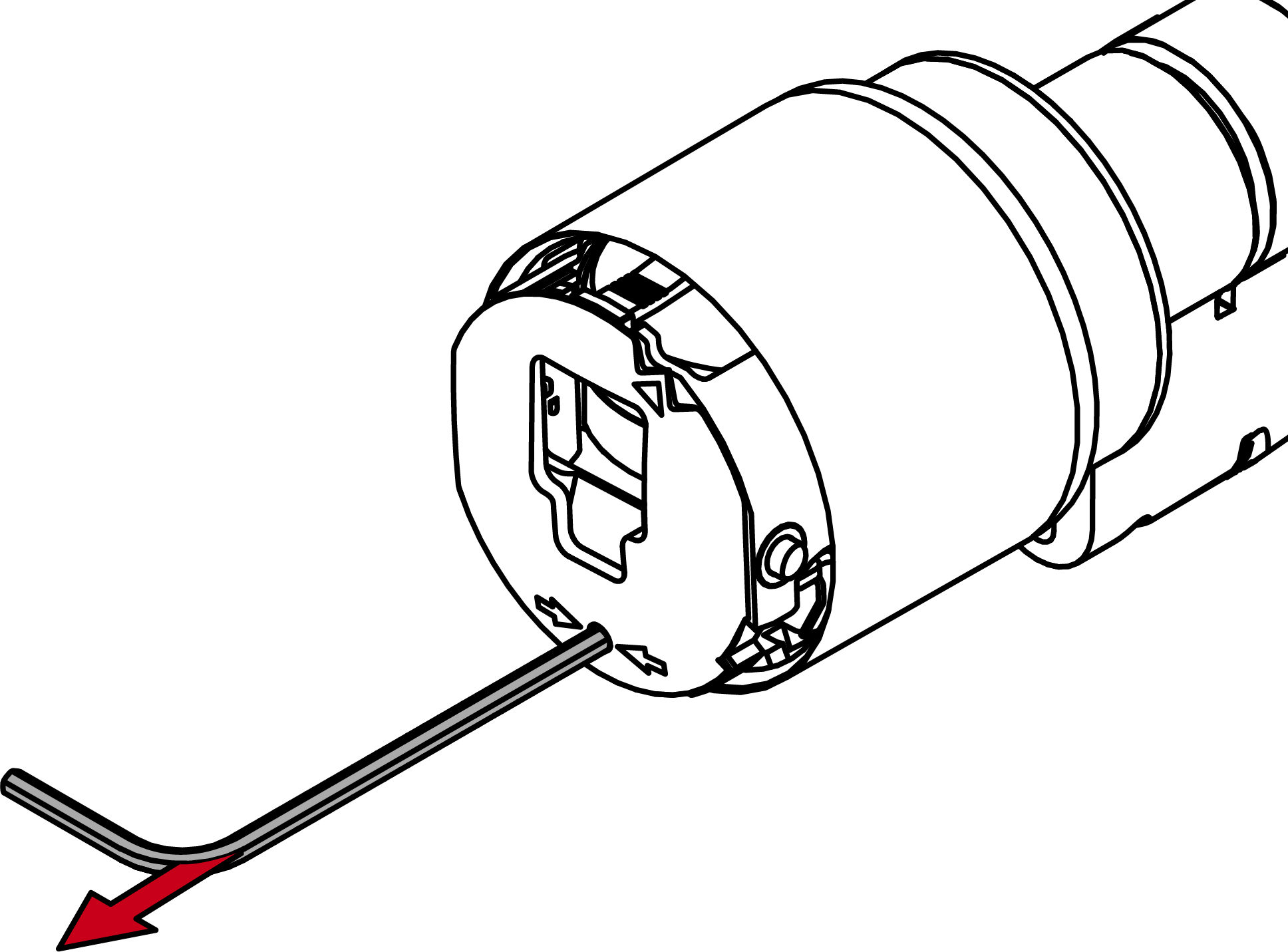
- Pull off the thumb turn.
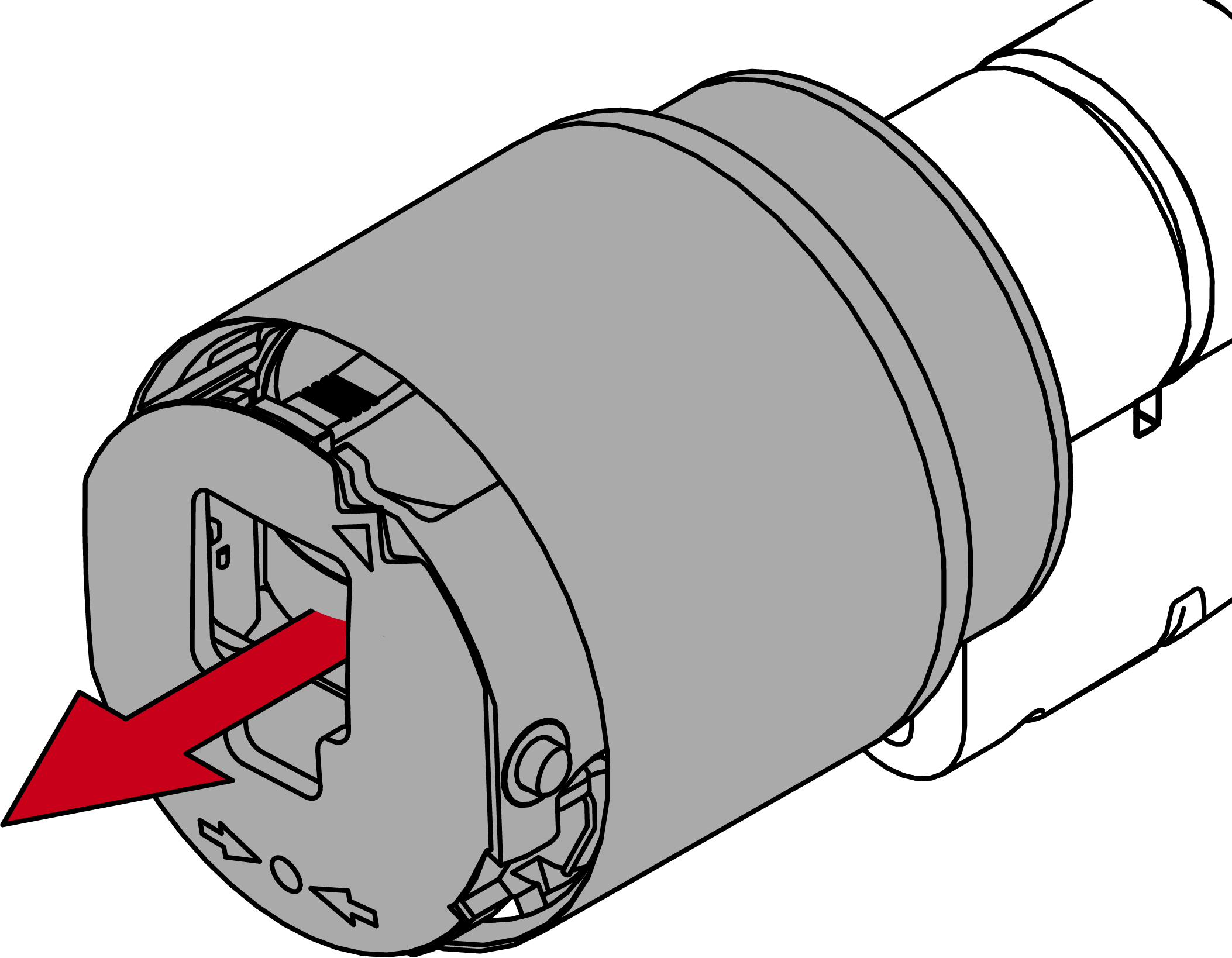
- Electronic thumb-turn is disassembled.
- Insert the Digital Cylinder AX into the mortise lock.
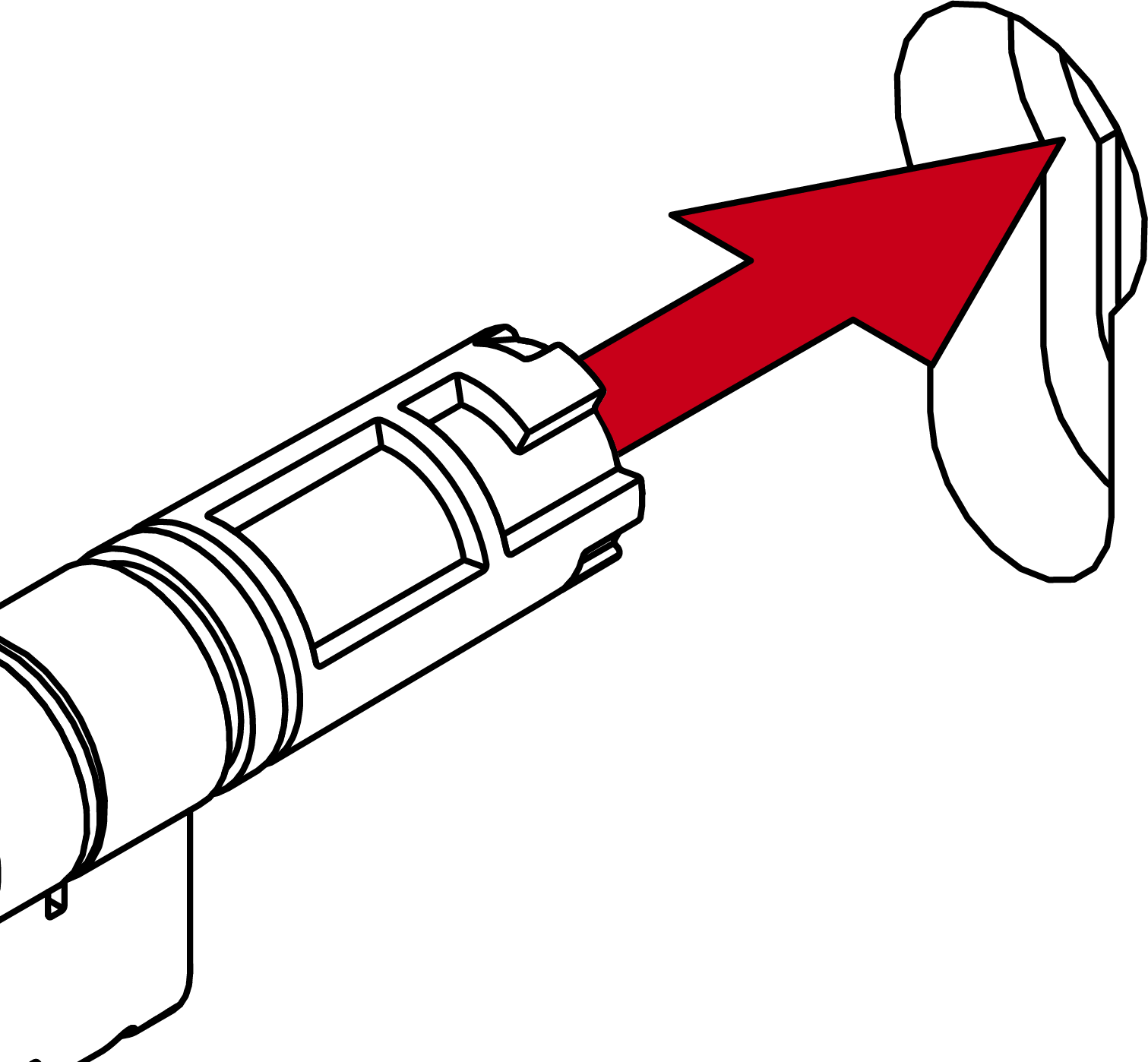
- Digital Cylinder AX is positioned in the mortise lock.
- Screw the Digital Cylinder AX tight with the face plate screw.
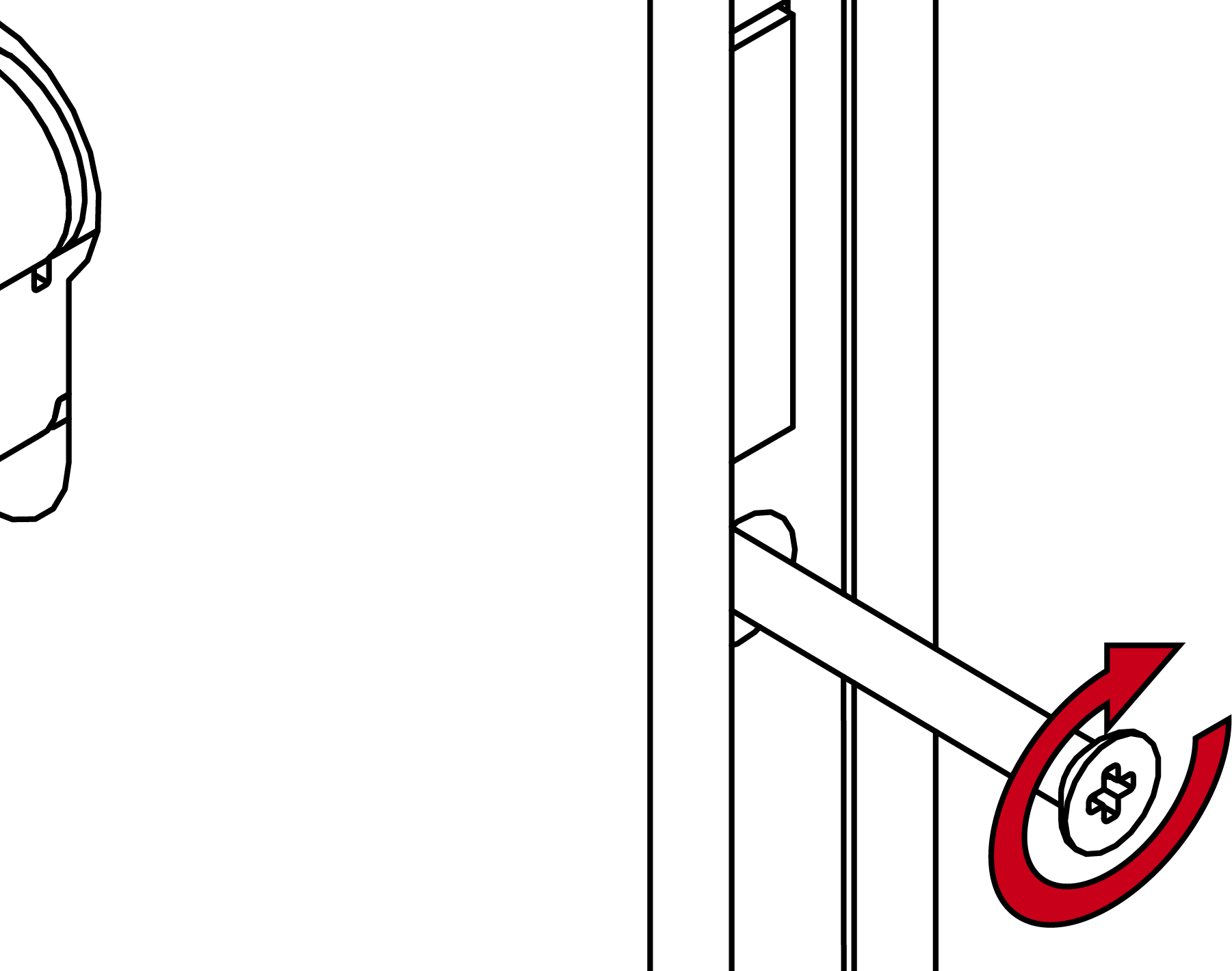
- Digital Cylinder AX is fixed in the mortise lock.
- Mount the cover plates if necessary.
- Align the thumb-turn mount horizontally.
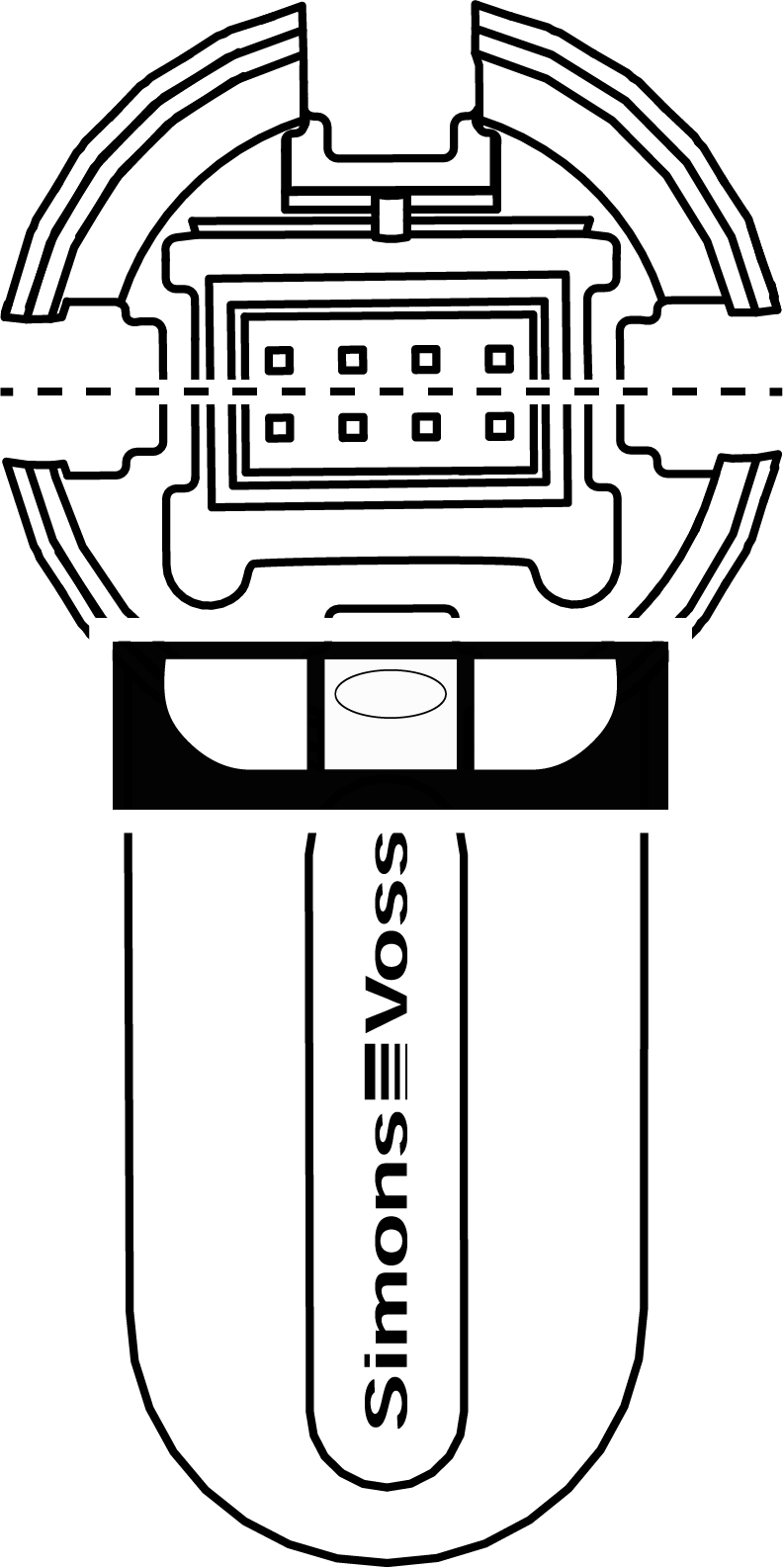
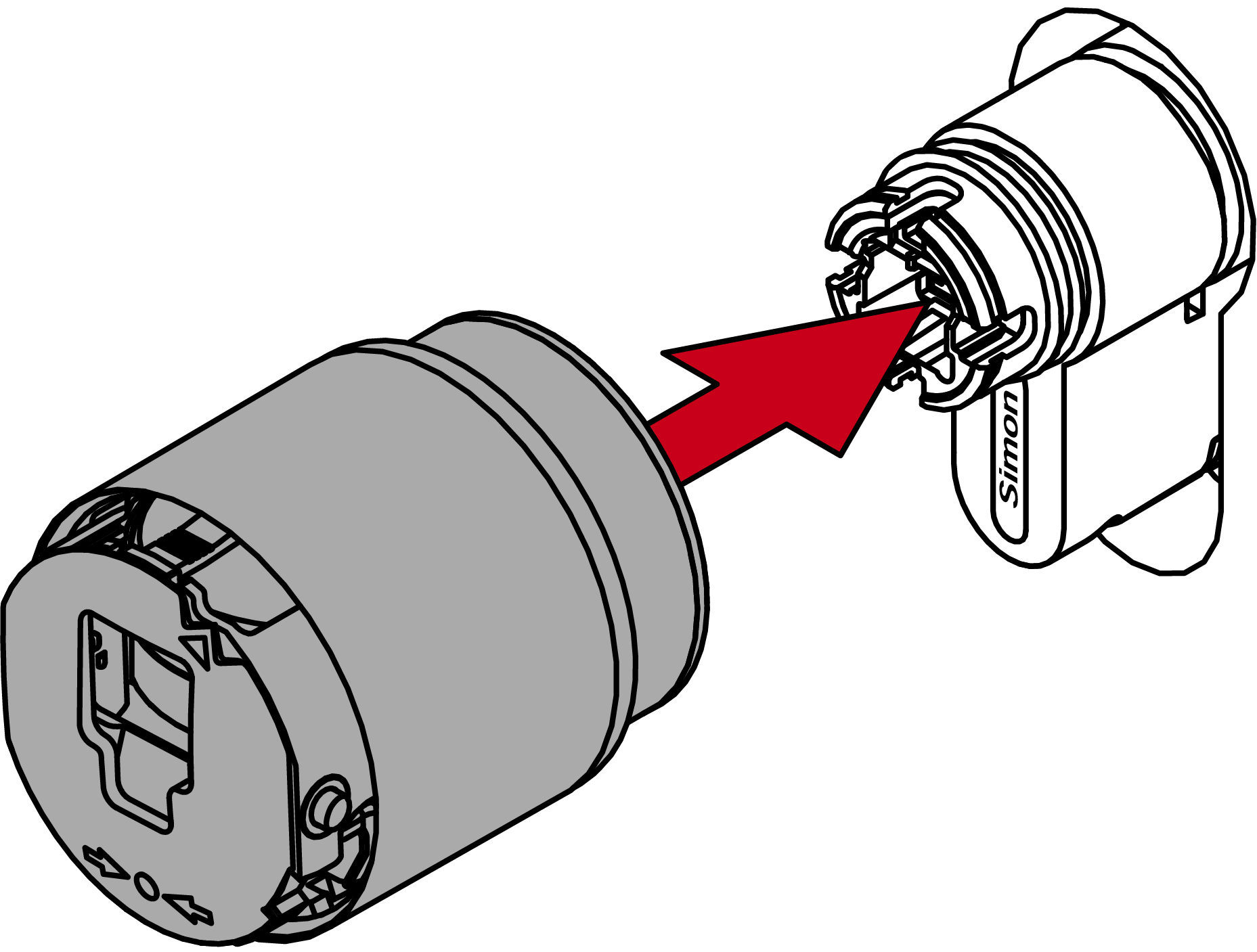
- Attach the thumb turn.
NOTE
Use the supplied hexagonal wrench.
The special tool is supplied with a hexagonal wrench.
- Use this hexagonal wrench to mount and dismount the electronic thumb turn.
- Insert the hexagonal wrench into the hole provided until it stops.
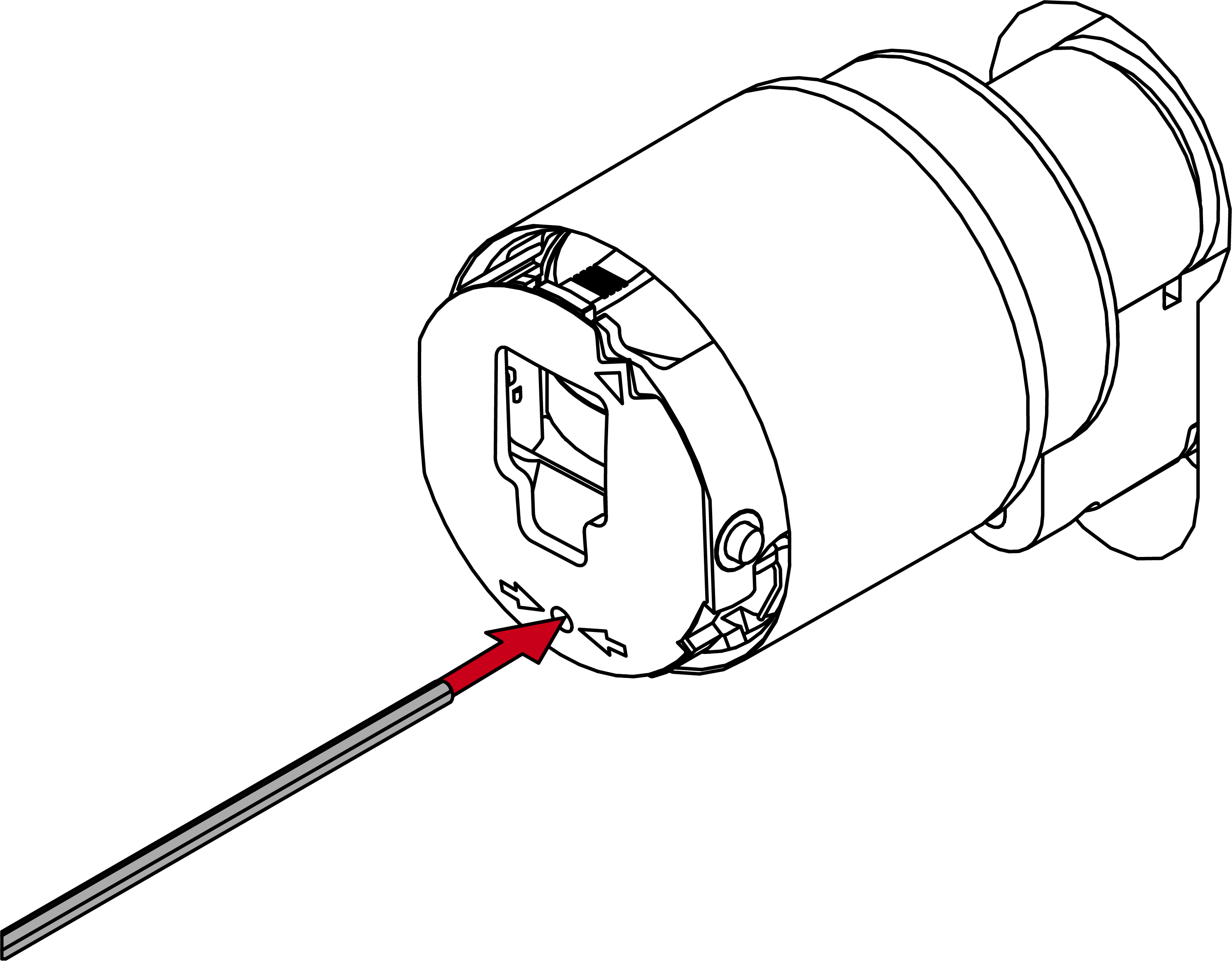
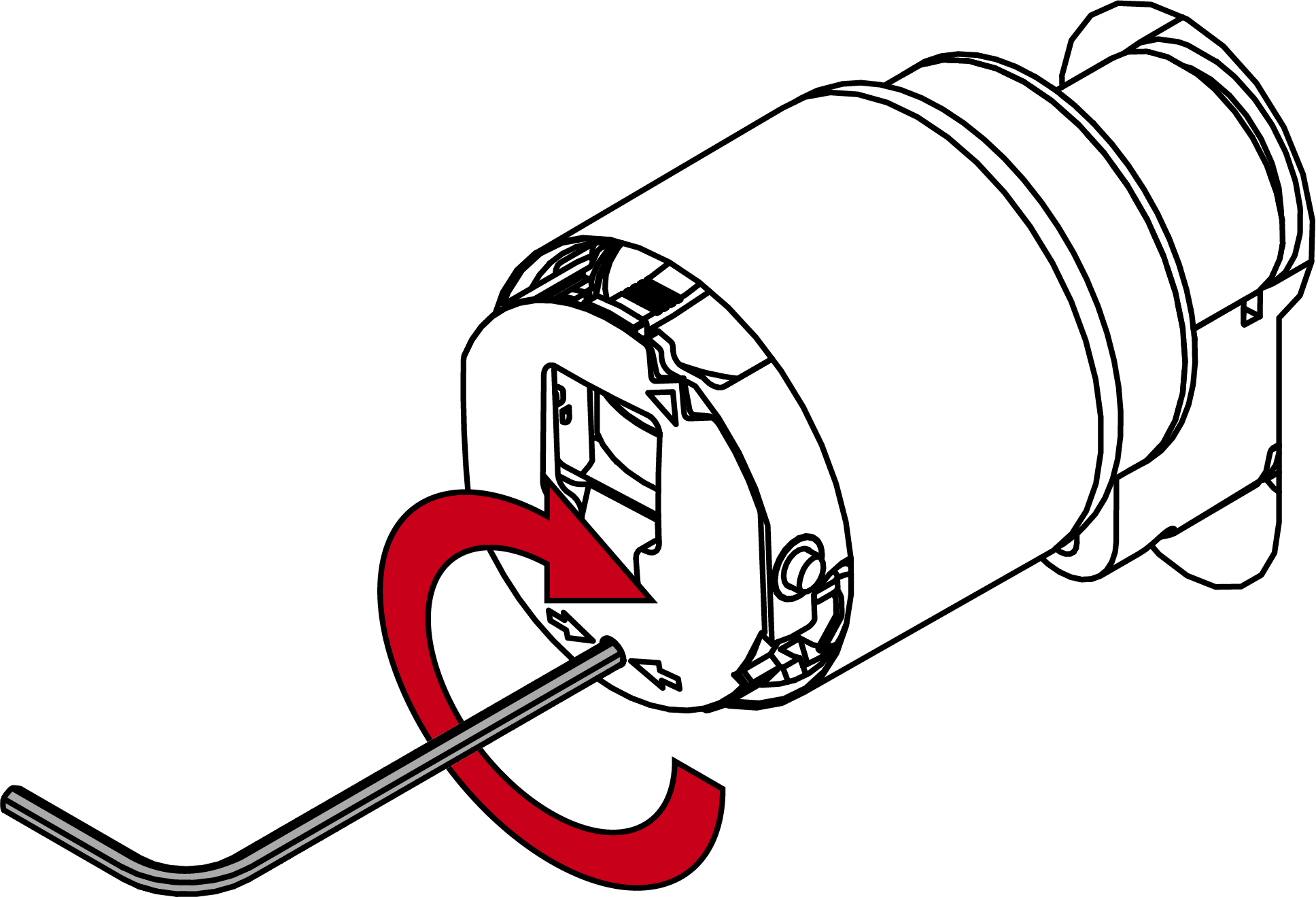
- Turn the hex key 270 degrees clockwise.
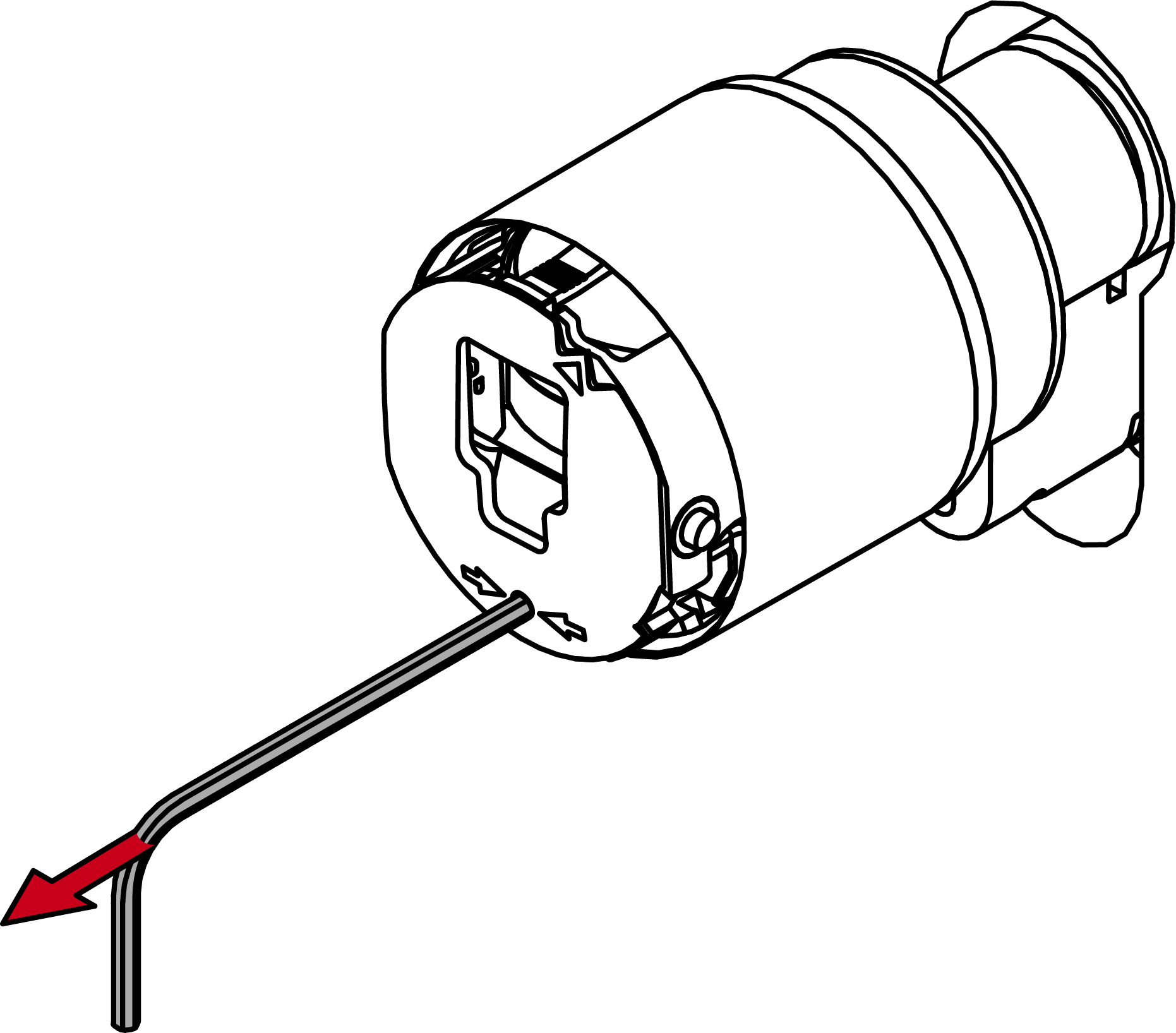
- Pull out the hexagon wrench again.
- Put on the cover.
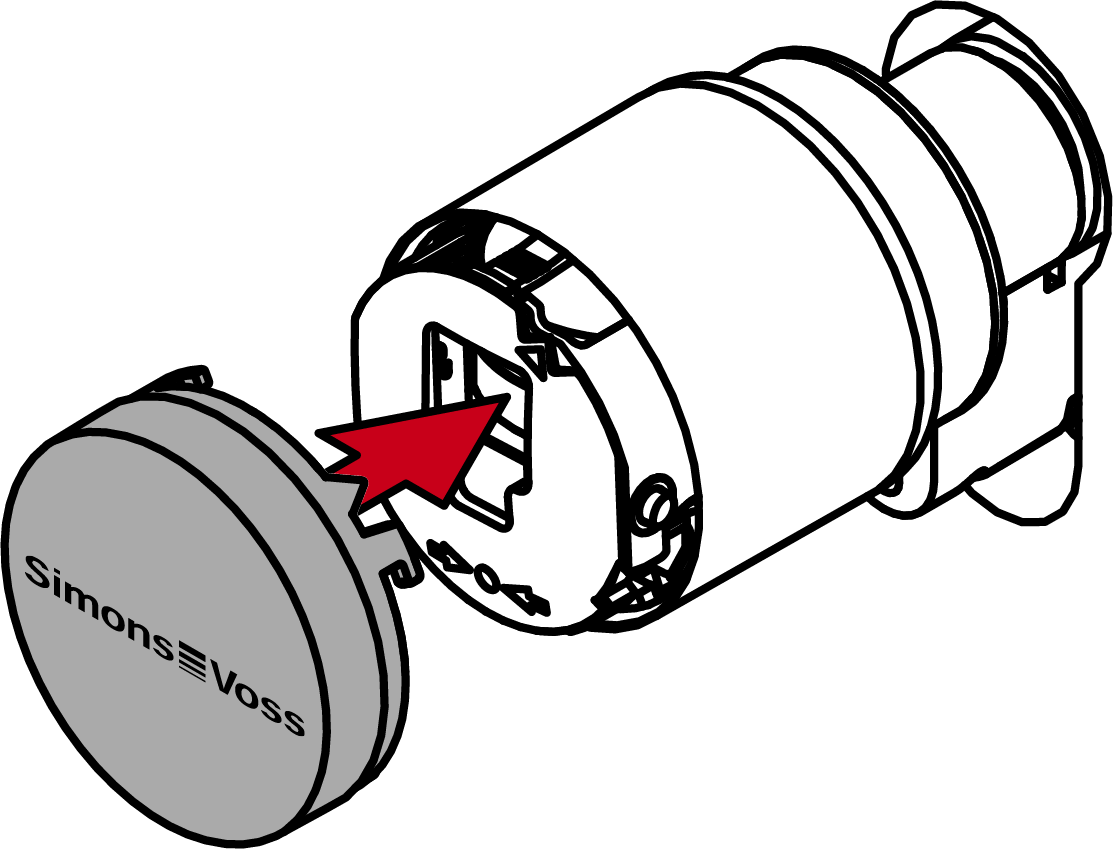
- Turn the cover clockwise.
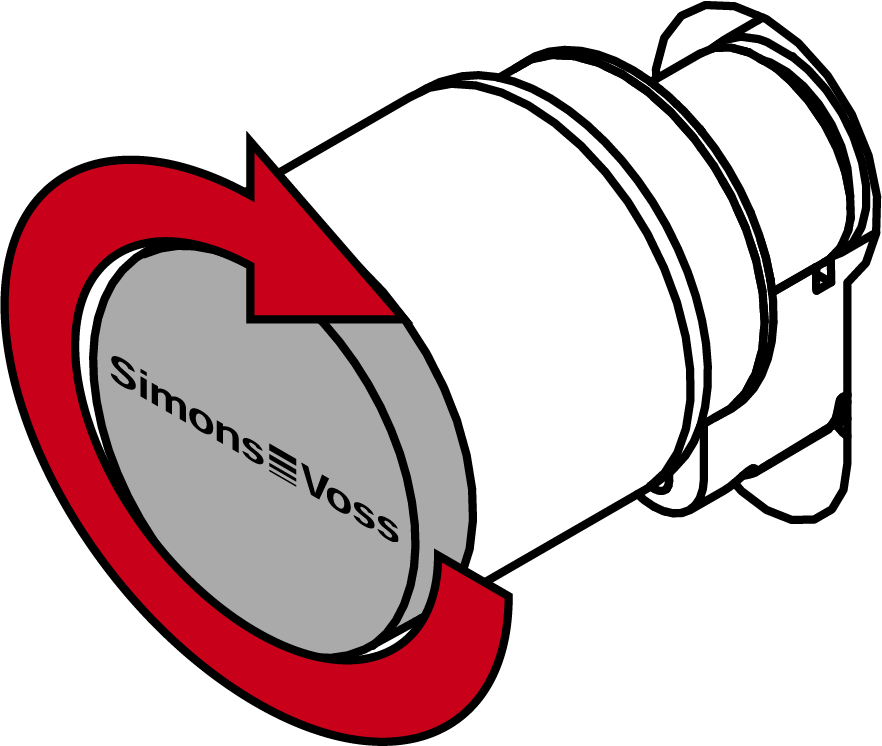
- The cover snaps into place with one click.
- The electronic thumb-turn is installed.
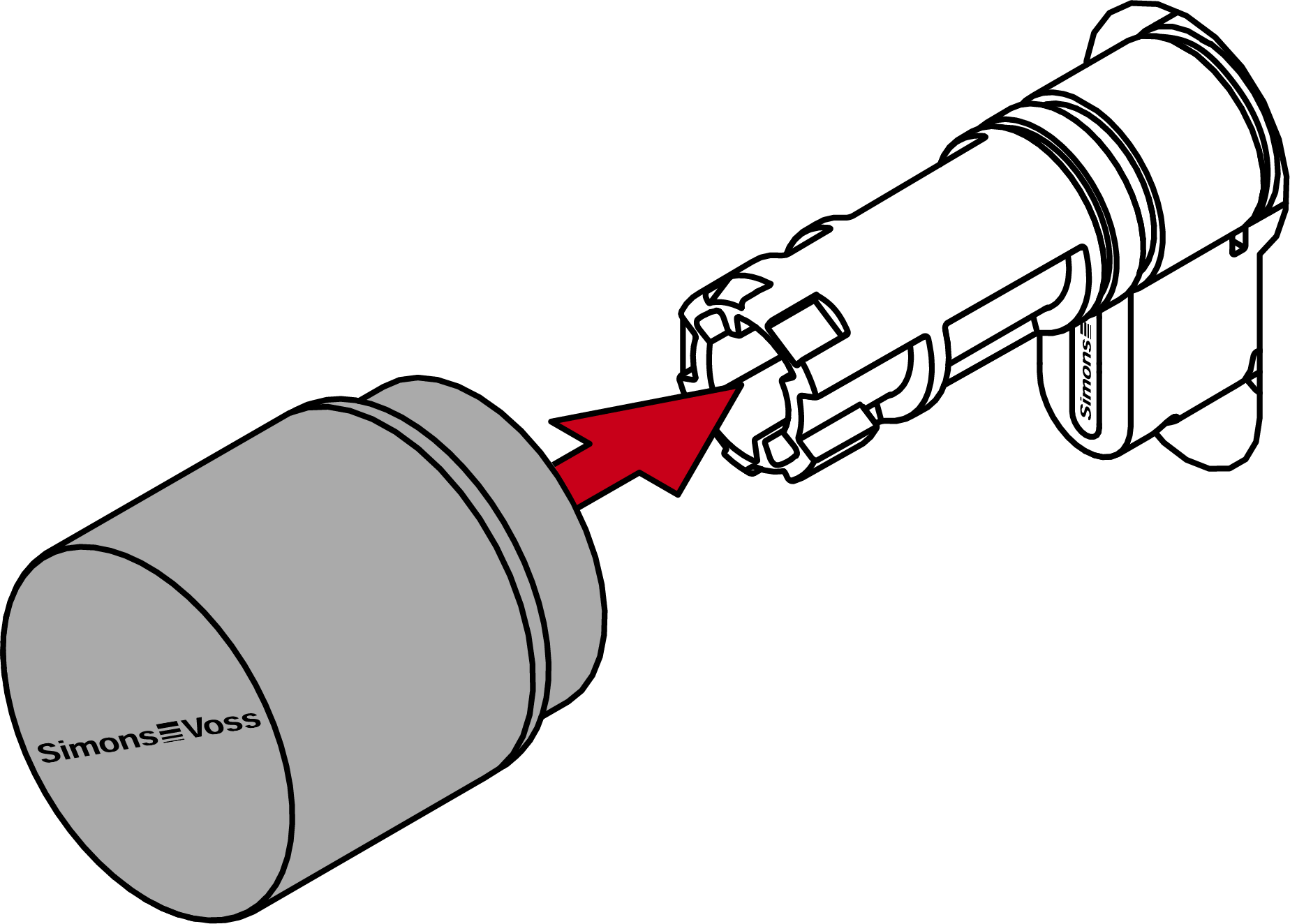
- Attach the thumb turn.
- Turn the thumb-turn clockwise.
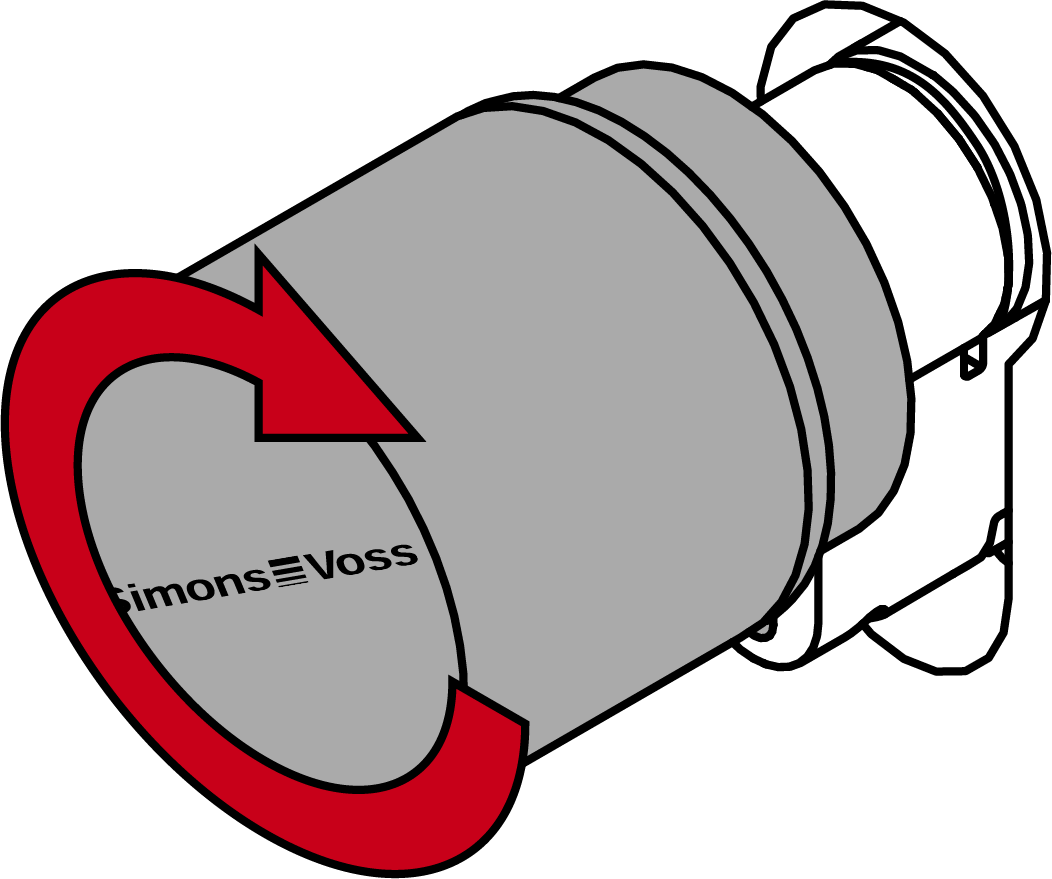
- The thumb-turn snaps into place with a click.
- The mechanical thumb-turn is installed.
- Carry out a functional test (see Functional test).
- You must also carry out the anti-panic function test on anti-panic cylinders (see AP functional test).
- Digital Cylinder AX is installed with clip-on cover plates.