Remove cap - Digital Cylinder AX (Z5)
- Special tool available.
- Align the thumb turn horizontally.
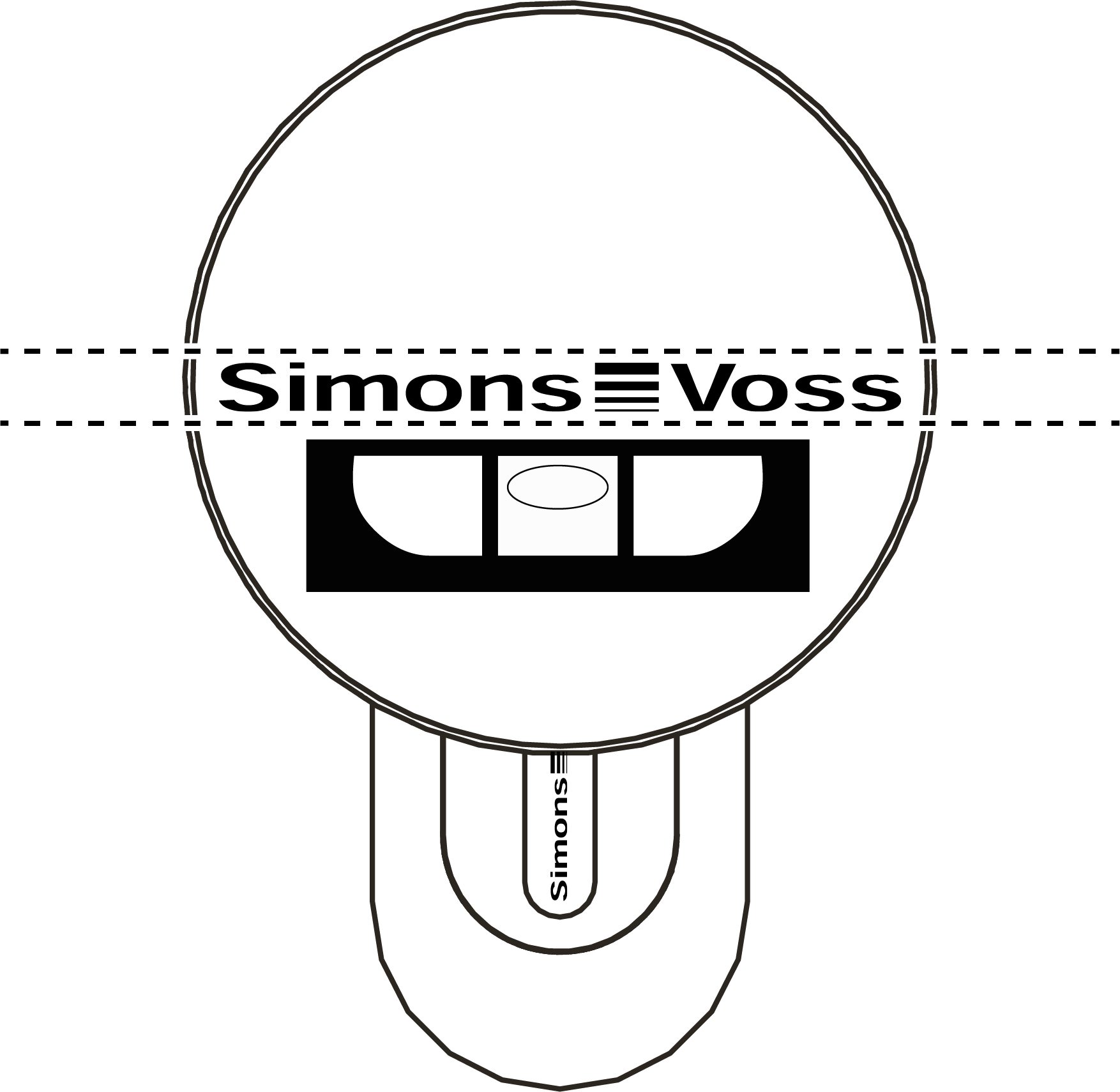
- Attach the special tool.
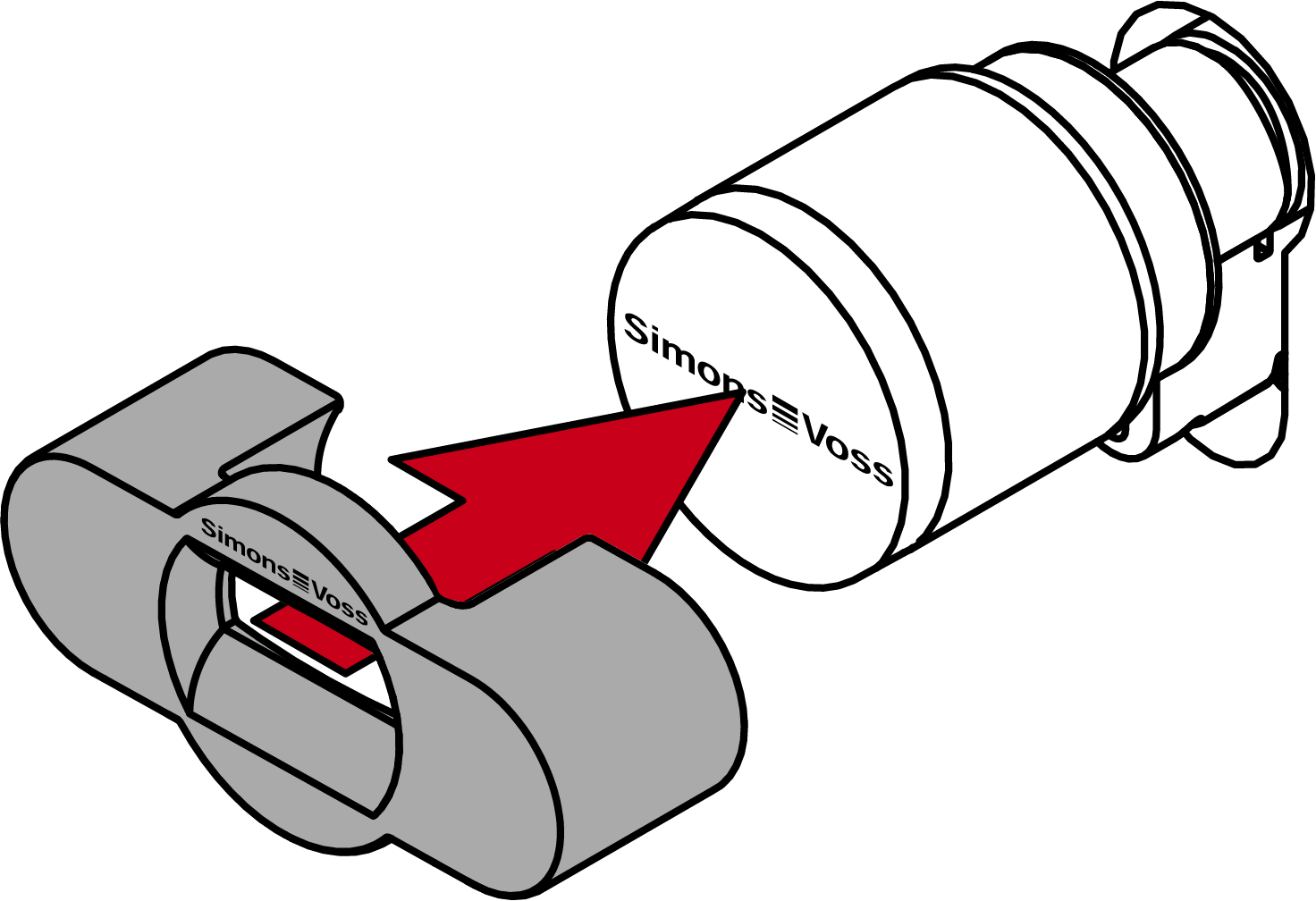
- Align the special tool so that the logo is parallel to the recess.
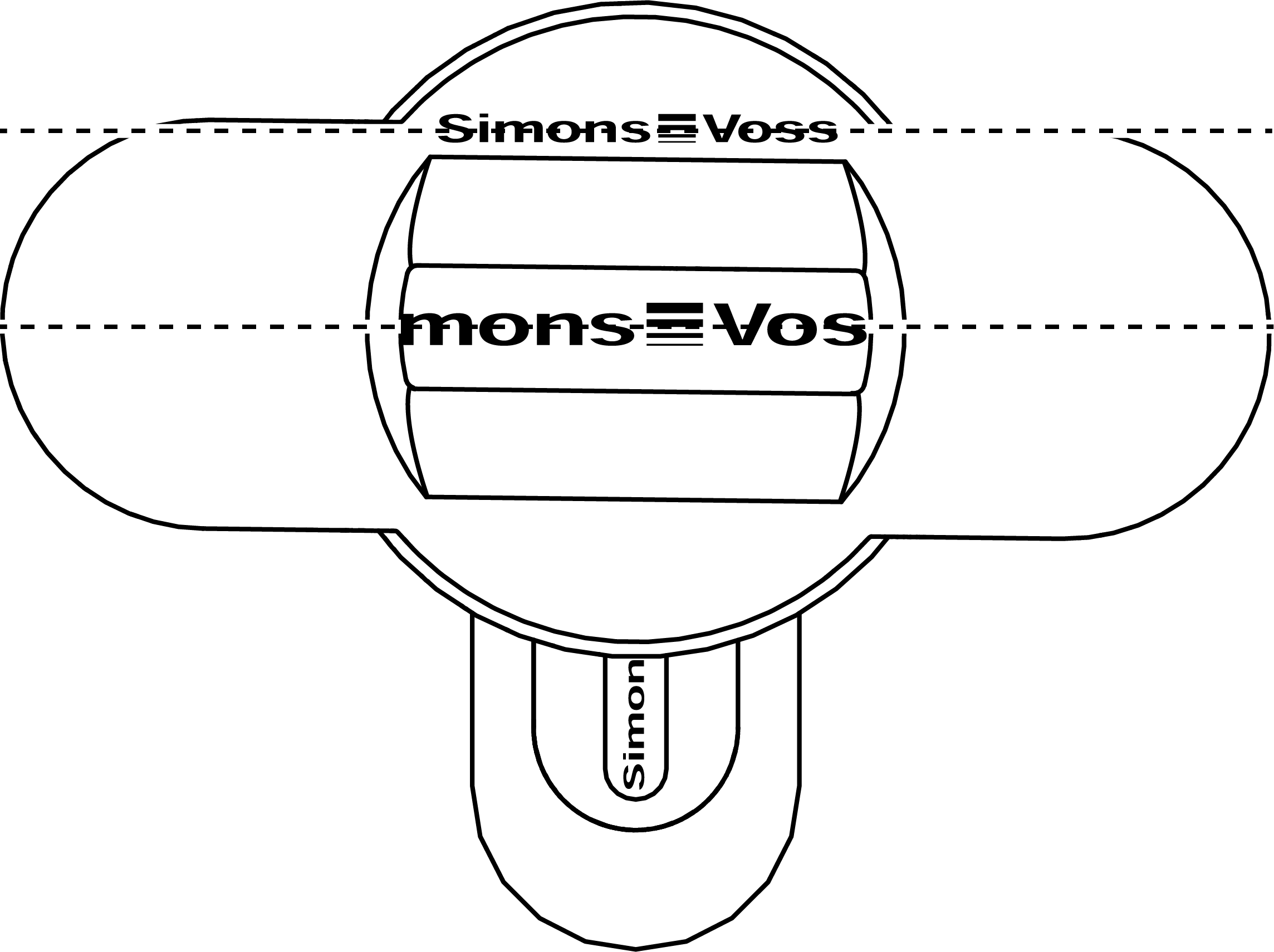
- Hold the special tool and thumb turn cap firmly at the same time and turn them together 1-2° clockwise first and then counter-clockwise.
NOTE

Slipping when turning
The surface of the thumb turn cap can be slippery and the cap can be difficult to turn (especially with WP versions, recognizable by the blue cylinder neck ring or the lasered marking on the inner side of the cylinder profile).
- Wear non-slip gloves.
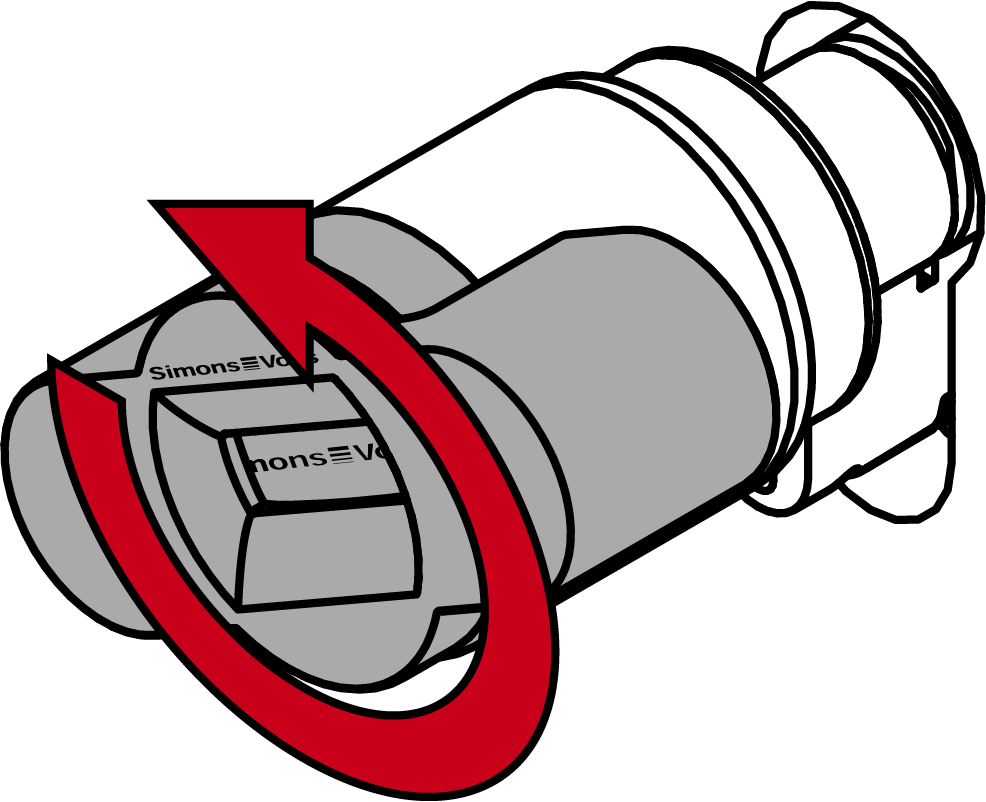
- Remove the tool and cover.
- Cap is disassembled.