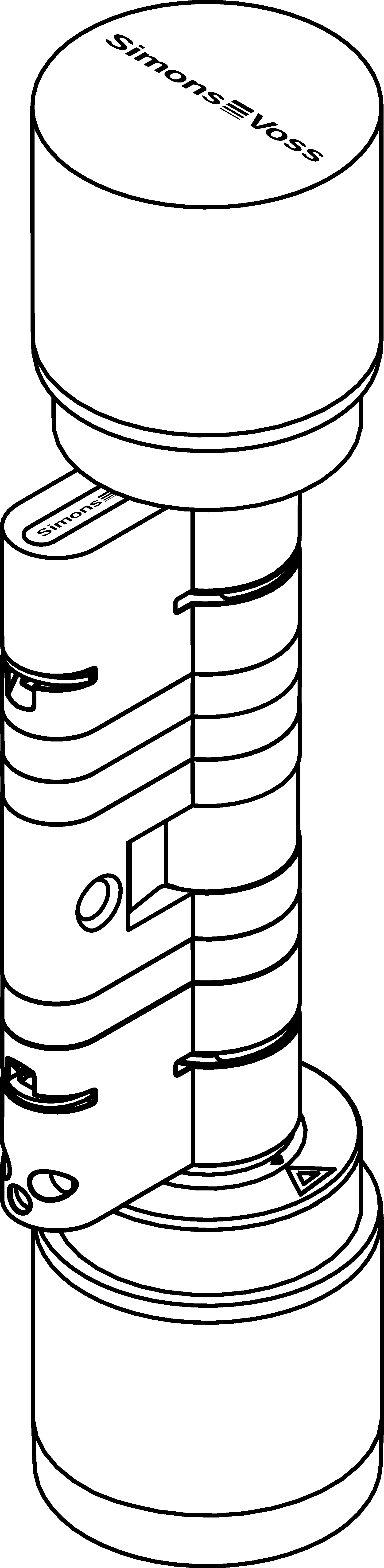
Extend the cylinder - Digital Cylinder AX (Z5)
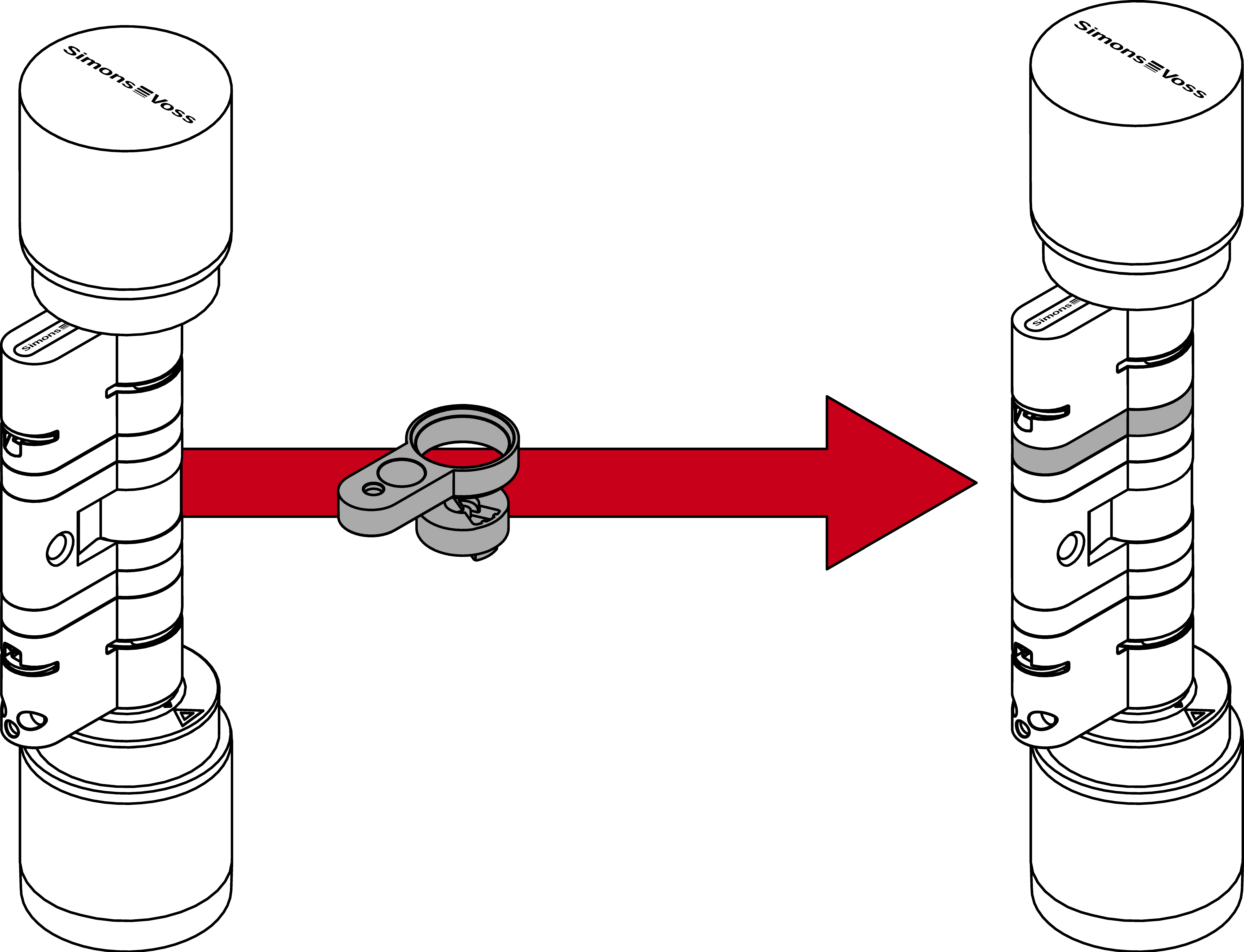
The core extension and the profile extension must be the same length. You will also need an extension bolt to achieve the required length.
- Lever for releasing the clip
- Spacer for aligning the extension bolt
- Clamp block for inserting the clip
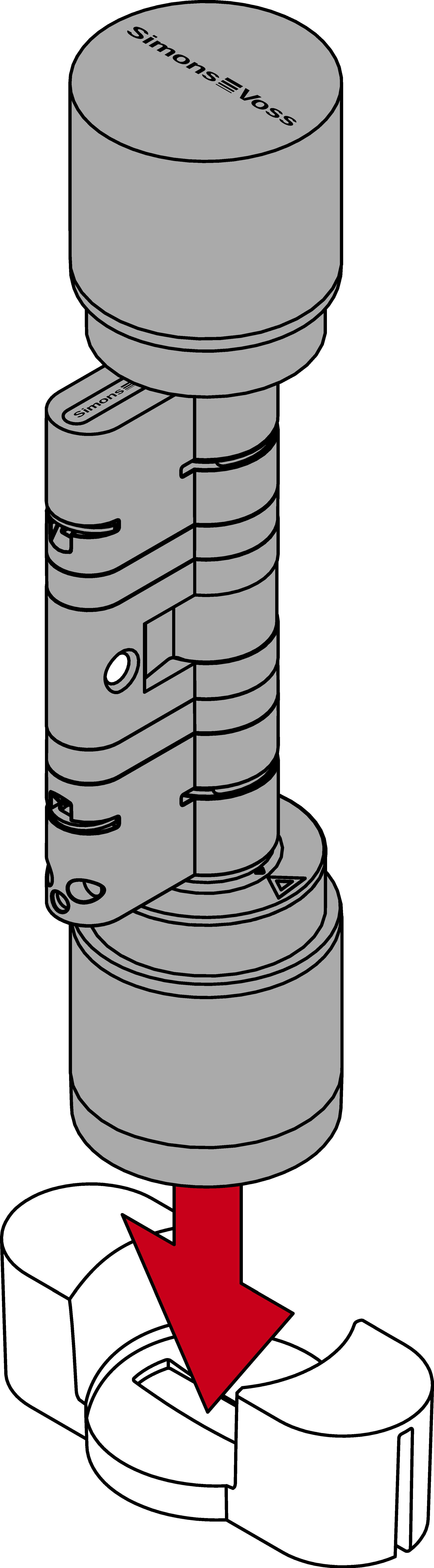
- Place the Digital Cylinder AX into the knob tool.
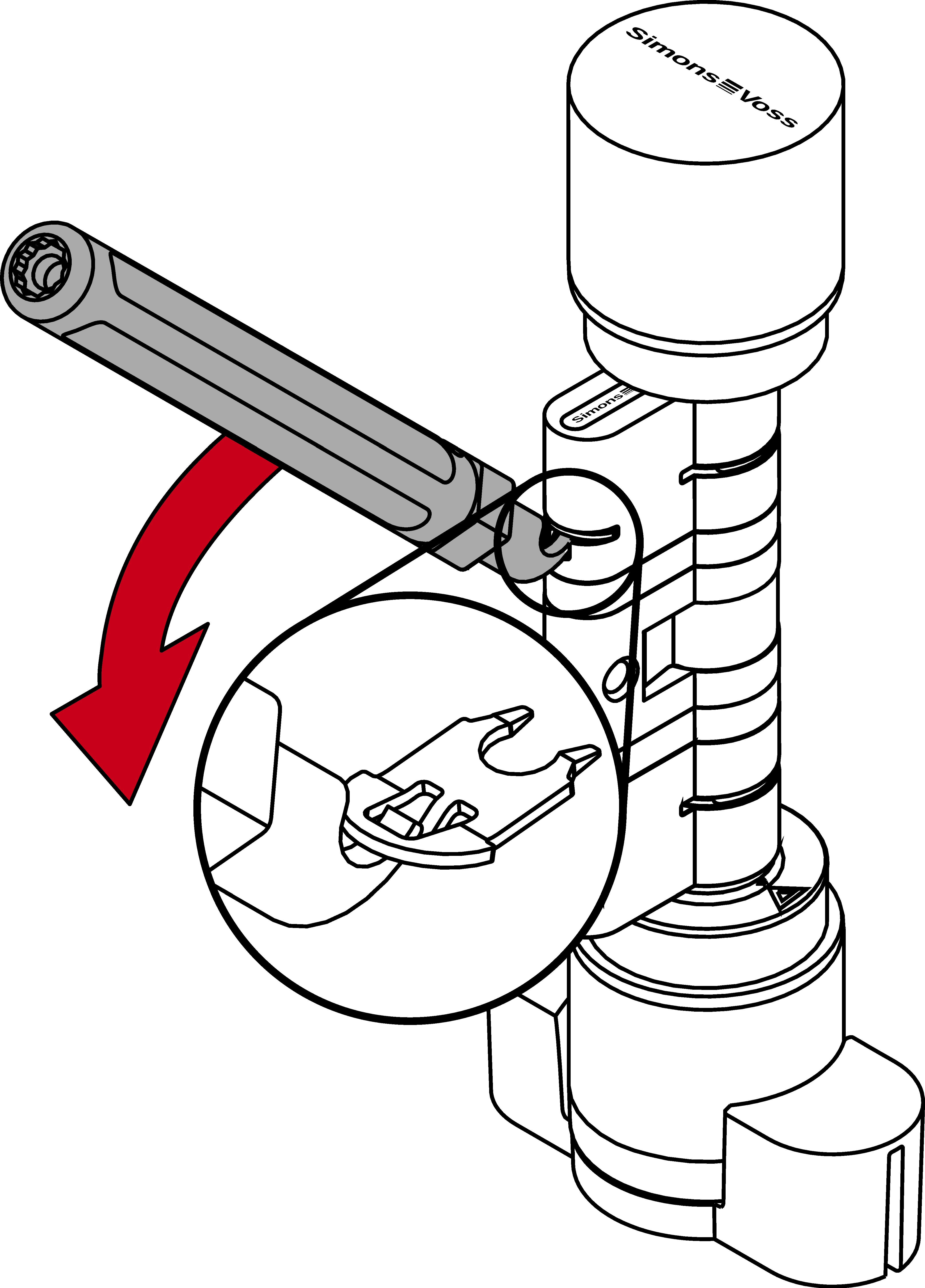
- Hook the tip of the lifter into the clip.
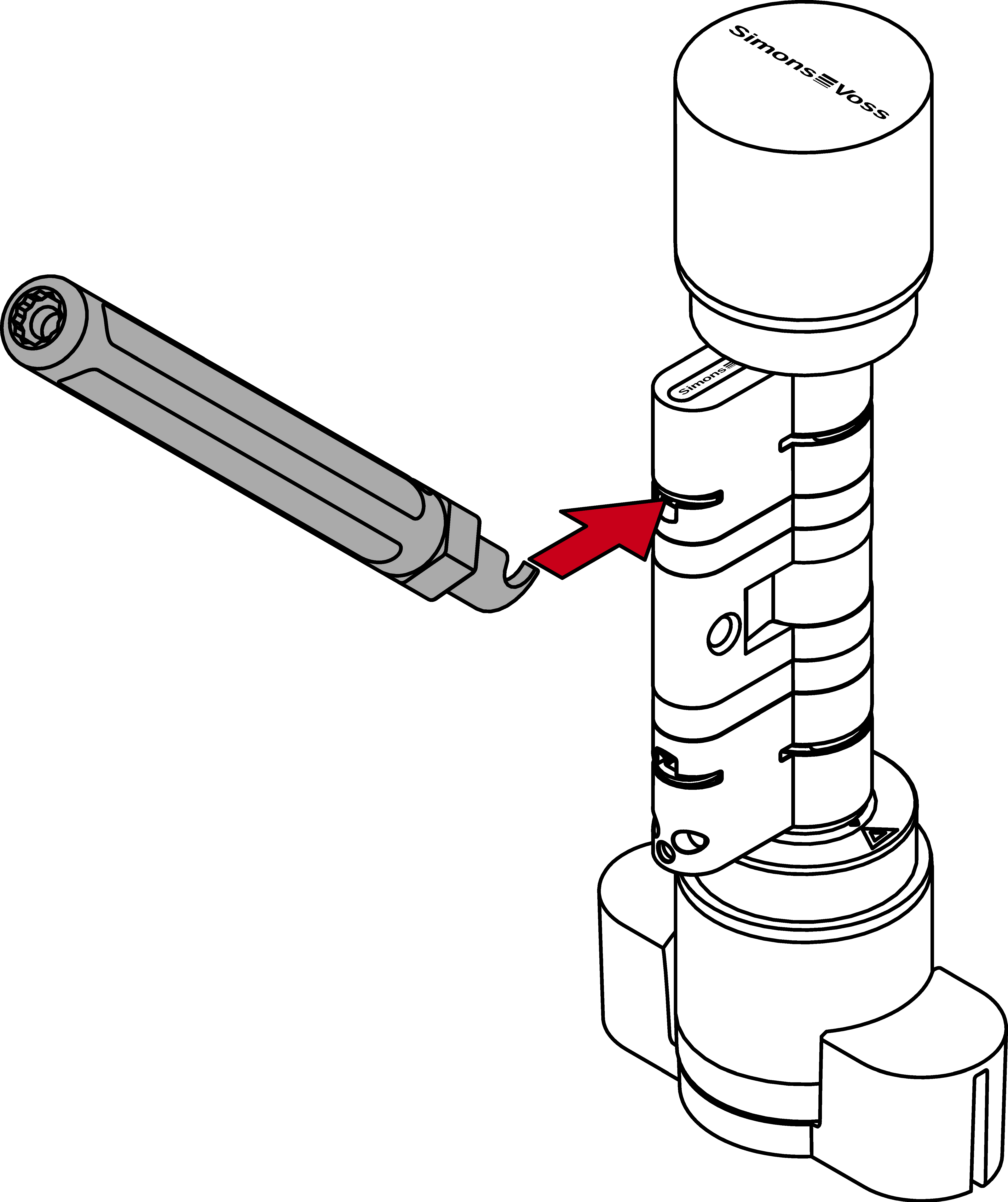
- Pry the clip out of the profile cylinder by moving the extractor to the centre of the cylinder.
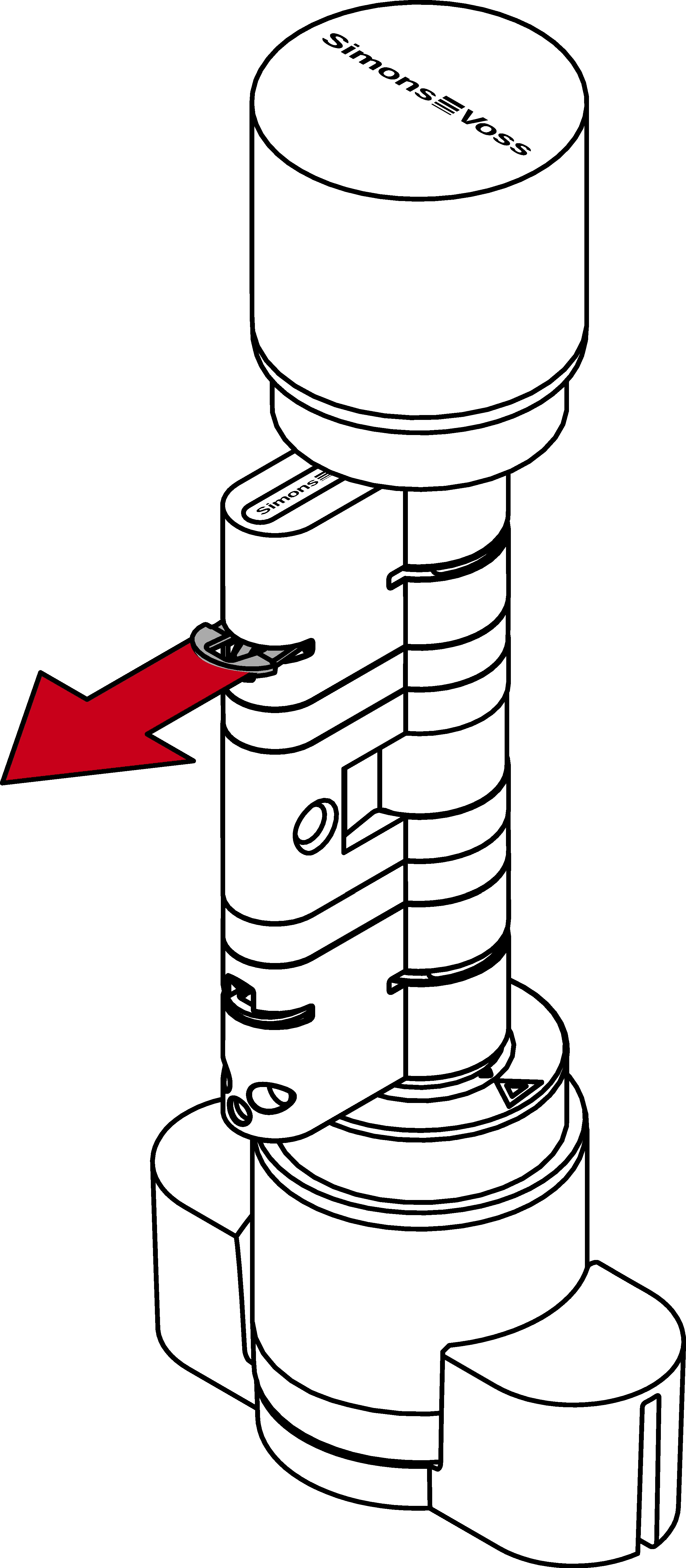
- Pull the clip completely out of the profile cylinder.
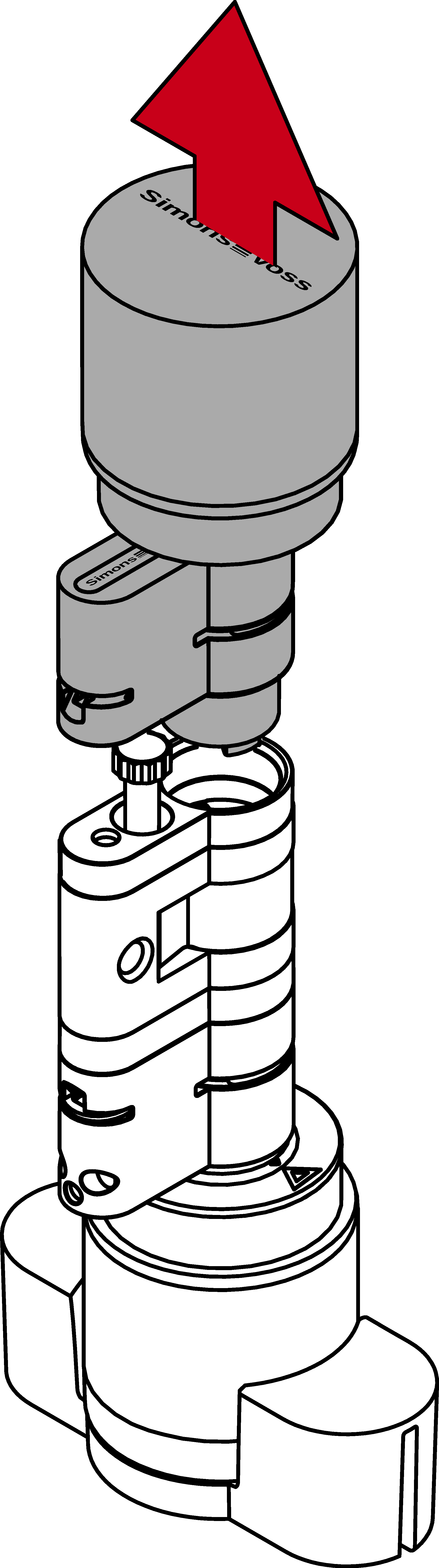
- Separate the two halves of the cylinder.
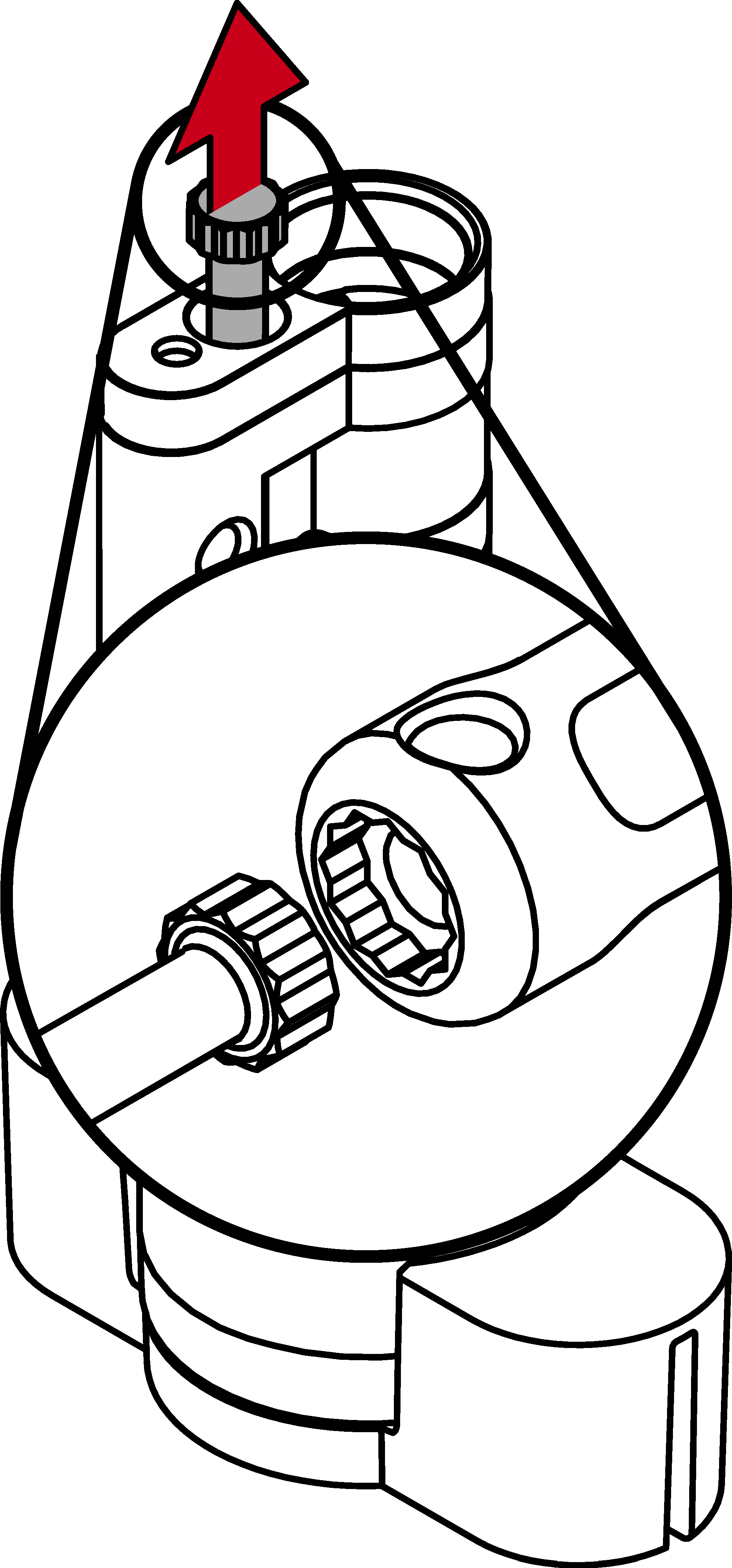
- Use the extractor to unscrew the extension bolt.
- Fit the appropriate core extensions.
- Fit the appropriate profile extensions.
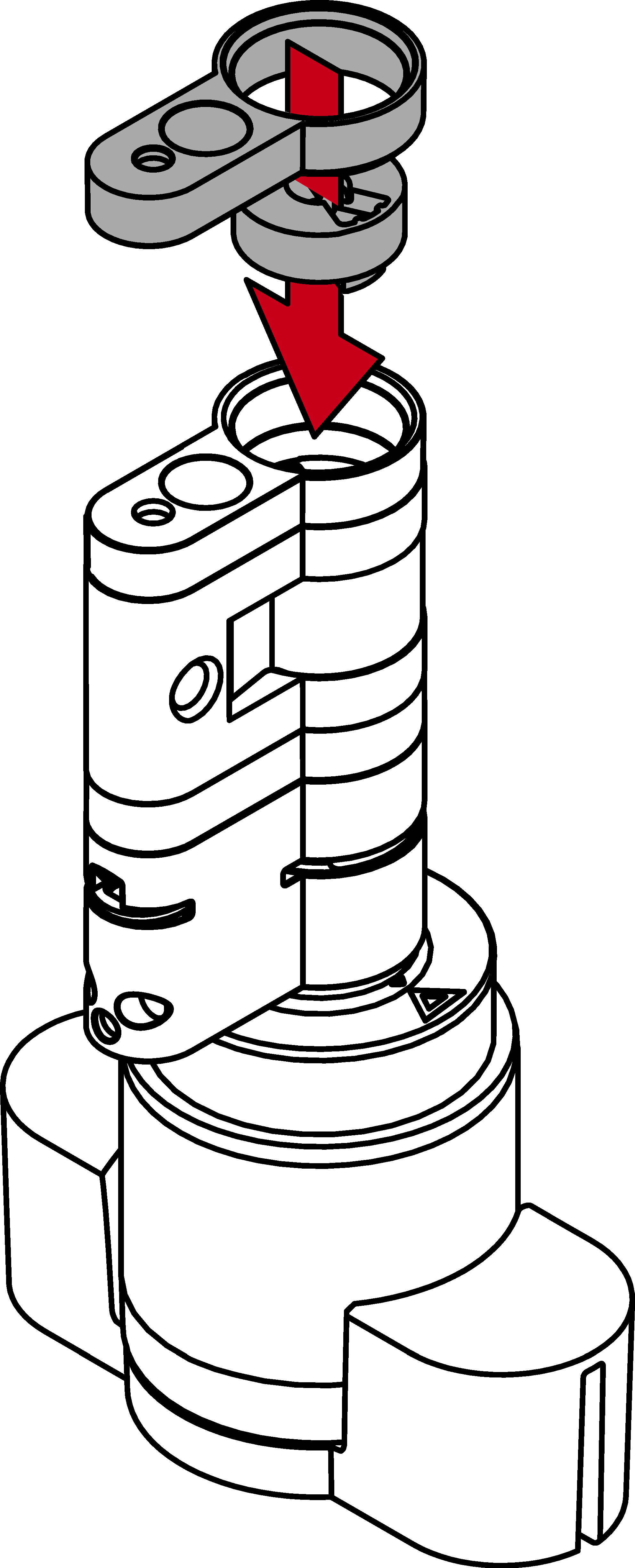
- Fit the spacer.
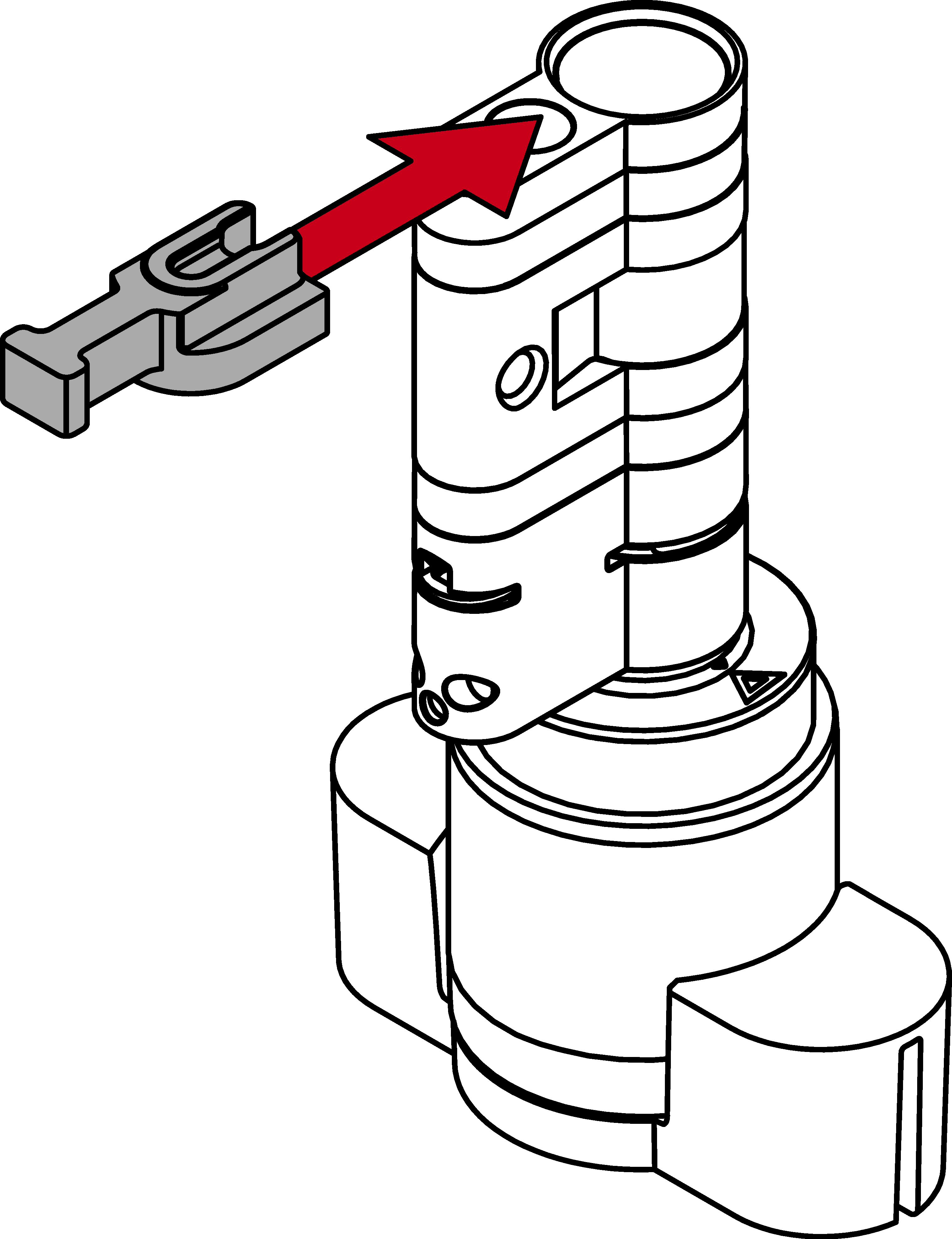
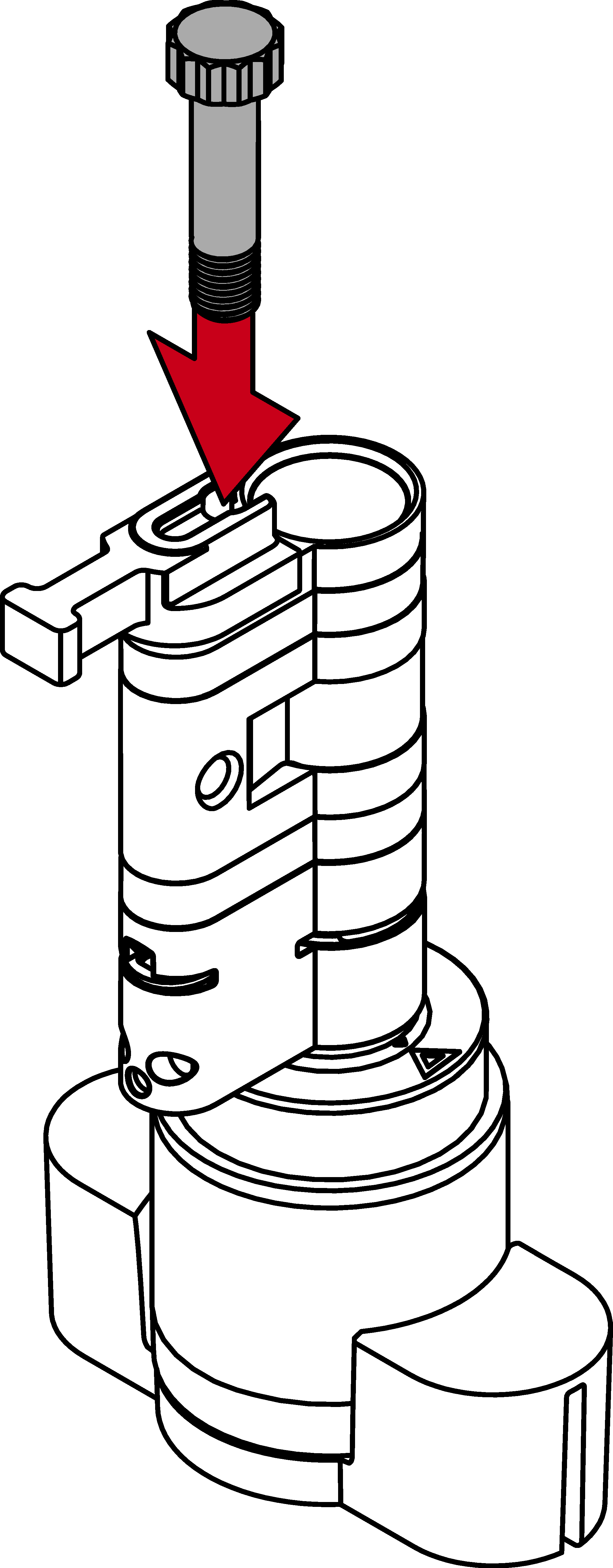
- Using the extractor, screw in a suitable extension bolt until it rests against the spacer.
NOTE

Length on bolt head
You will find a number on the bolt head. This number is the length of the cylinder profile to which the bolt fits.
- Put the two cylinder halves back together.
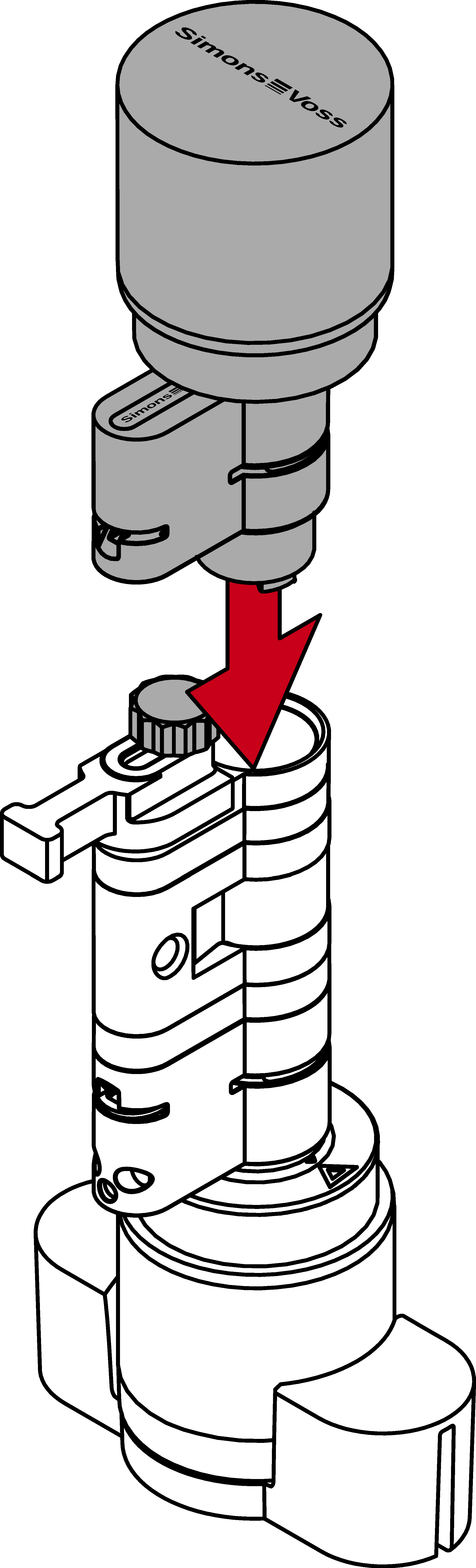
- Verlängerungsbolzen ist gegen Verdrehen geschützt.
- Remove the spacer.
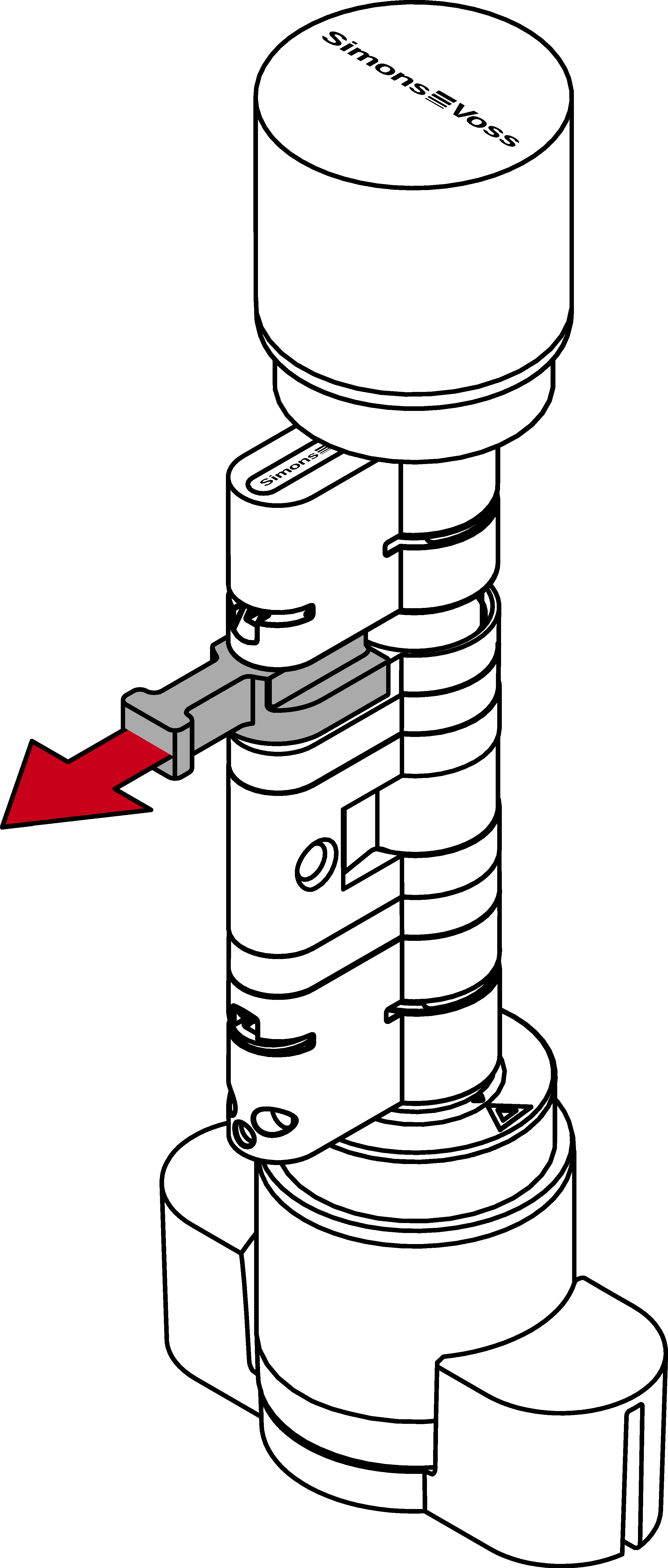
- Push the two halves together completely.
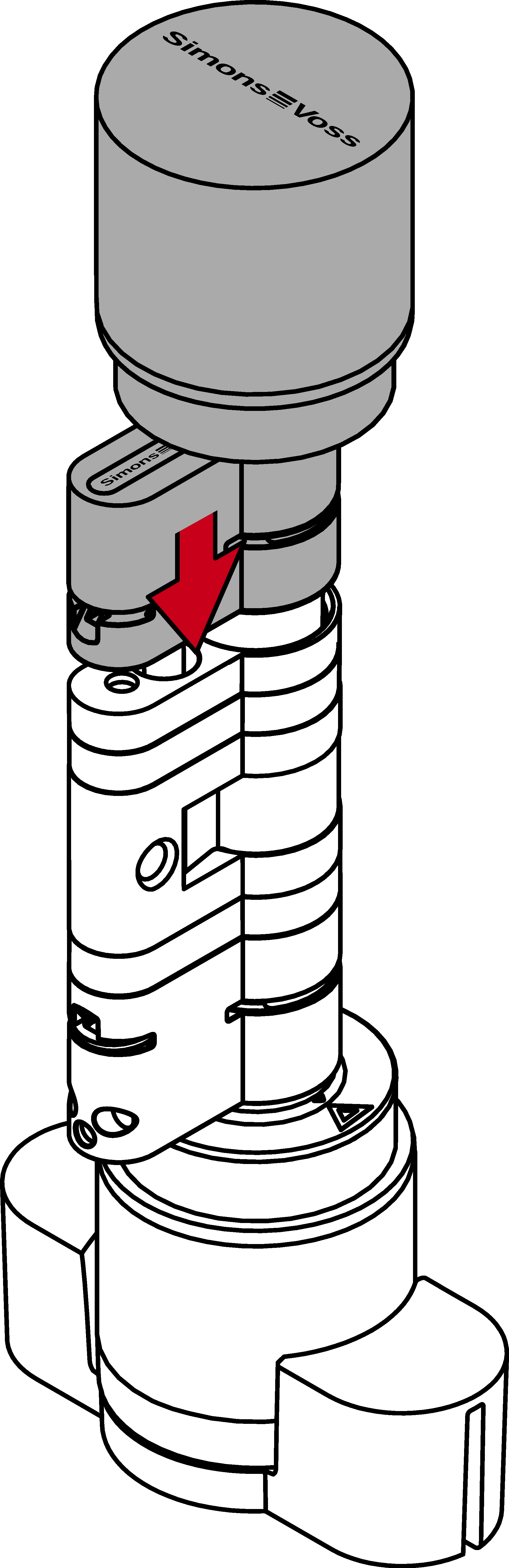
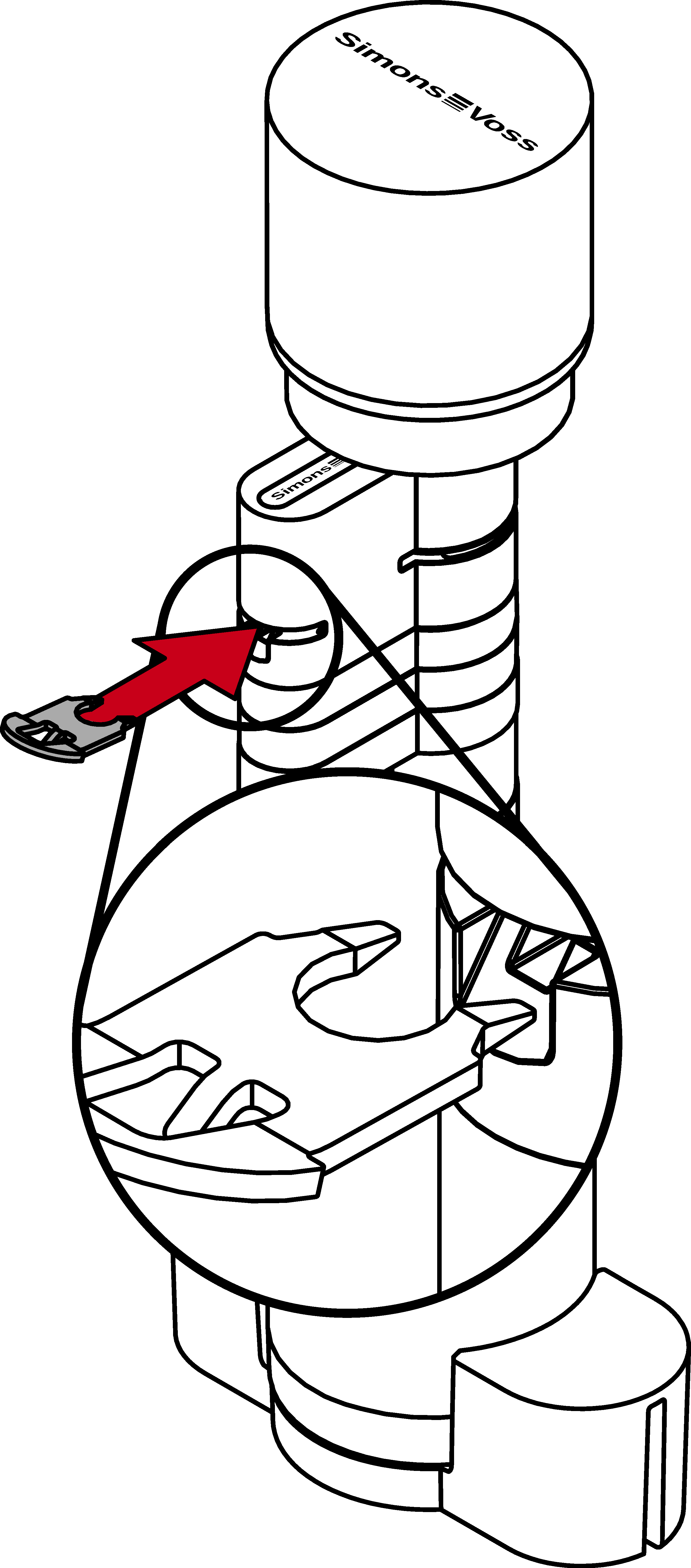
- Reinsert the clip, with the nose facing the faceplate screw, into the slot in the profile cylinder and press it firmly into place with your thumb so that it cannot fall out.
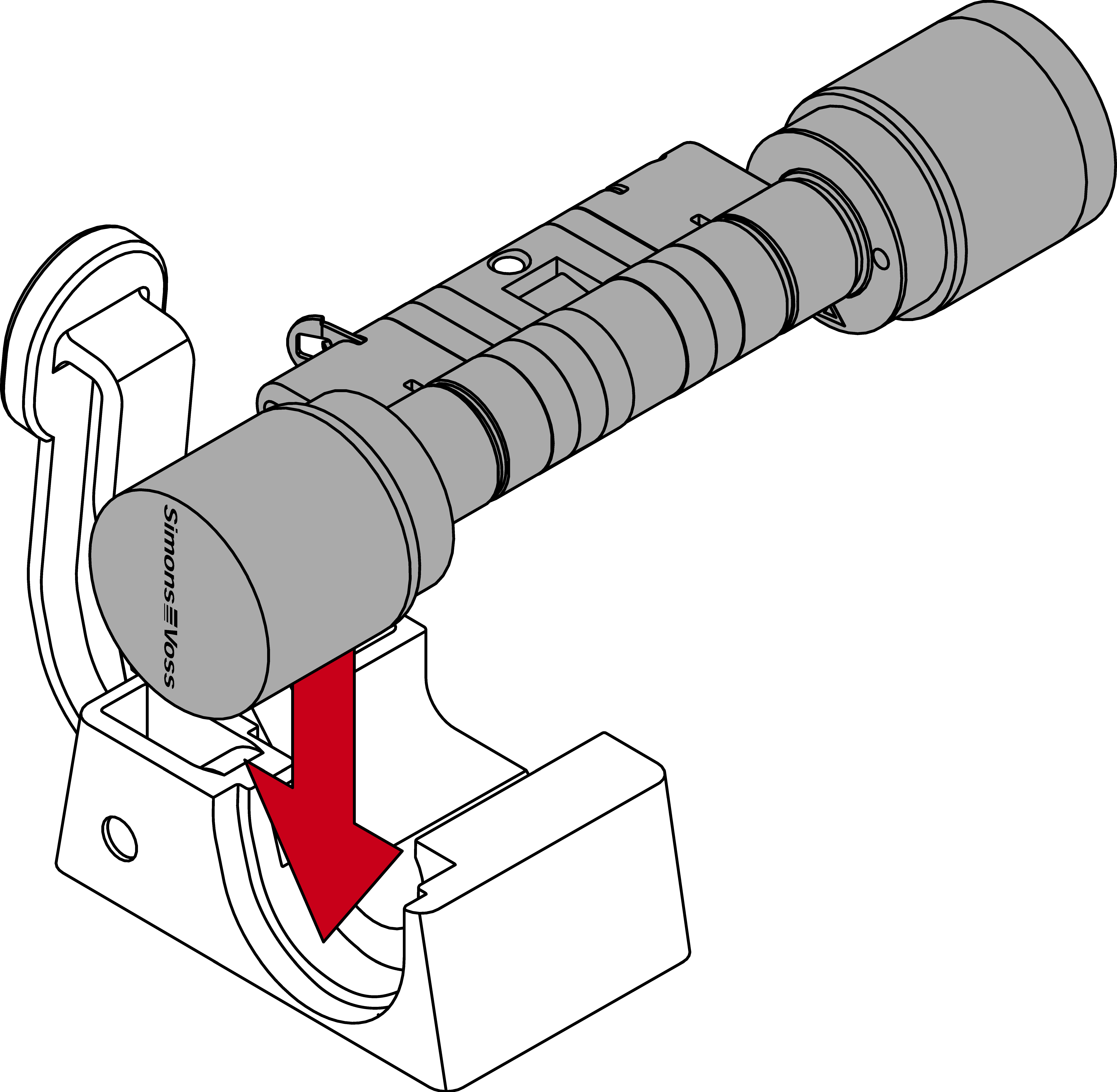
- Insert the cylinder into the clamping block so that the profile cylinder and the knob sit flush with the recesses.
- Der Hebel des Klemmblocks ist an einer Stelle mit einem Metallplättchen verstärkt. Die vorhin eingeschobene Klammer liegt gegenüber dieses Metallplättchens.
- Press the lever on the clamping block towards the base plate until the clamp is fully seated in the profile cylinder again.
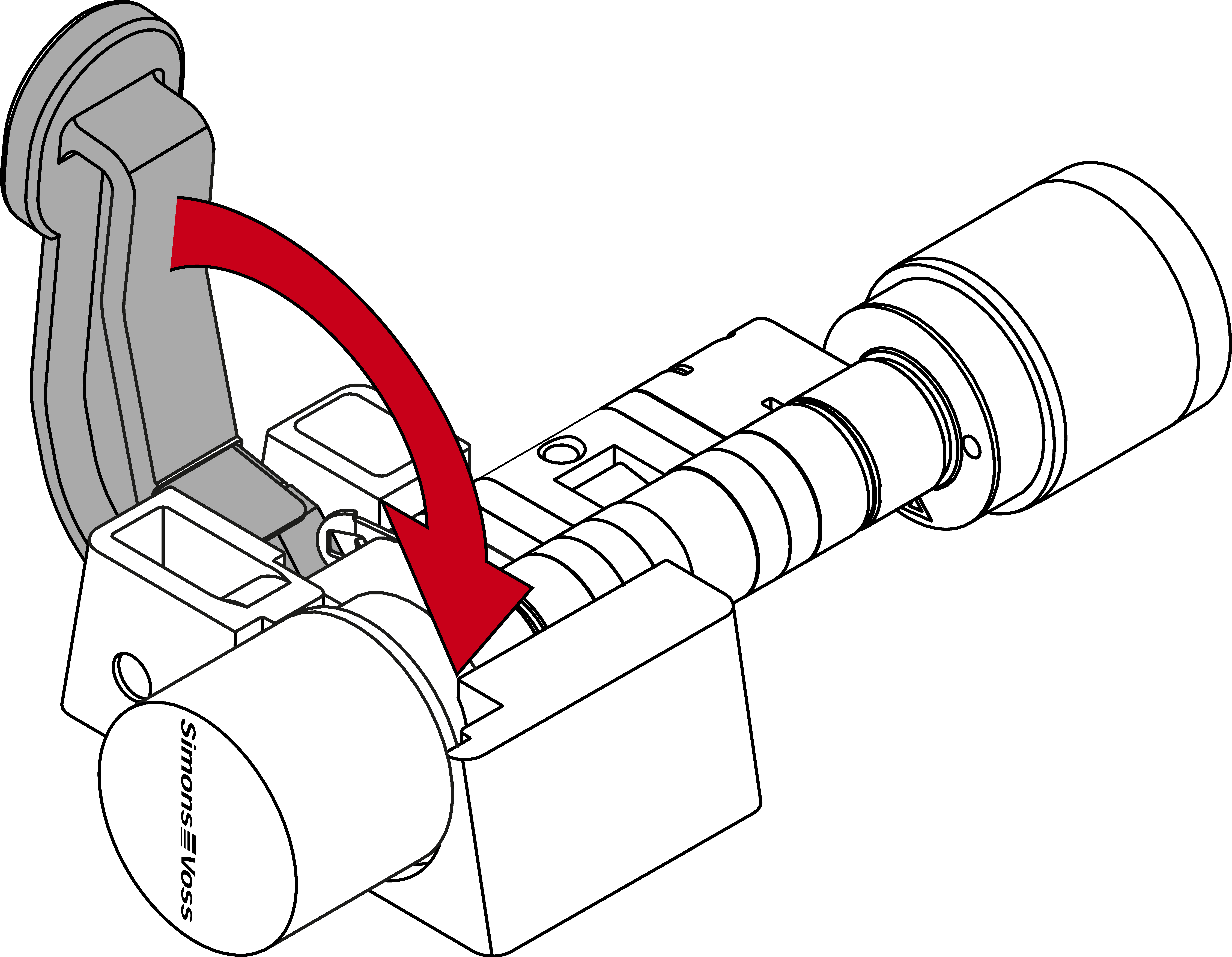
- Digital Cylinder AX is extended.