Replacing the cam - Digital Cylinder AX (Z5)
- Lifter for releasing clamp present.
- Spacer for aligning the extension bolt are present.
- Suitable tool for pressing the clamp in (e.g. clamping block or fitting pliers) is available.
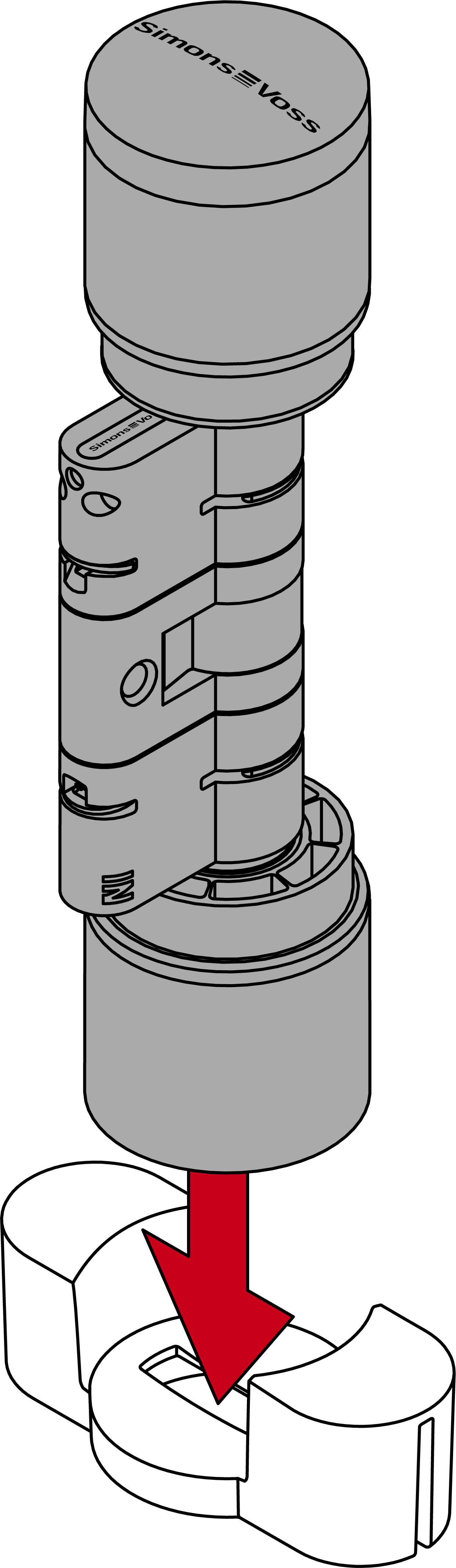
- Place the Digital Cylinder AX in the thumb turn installation tool.
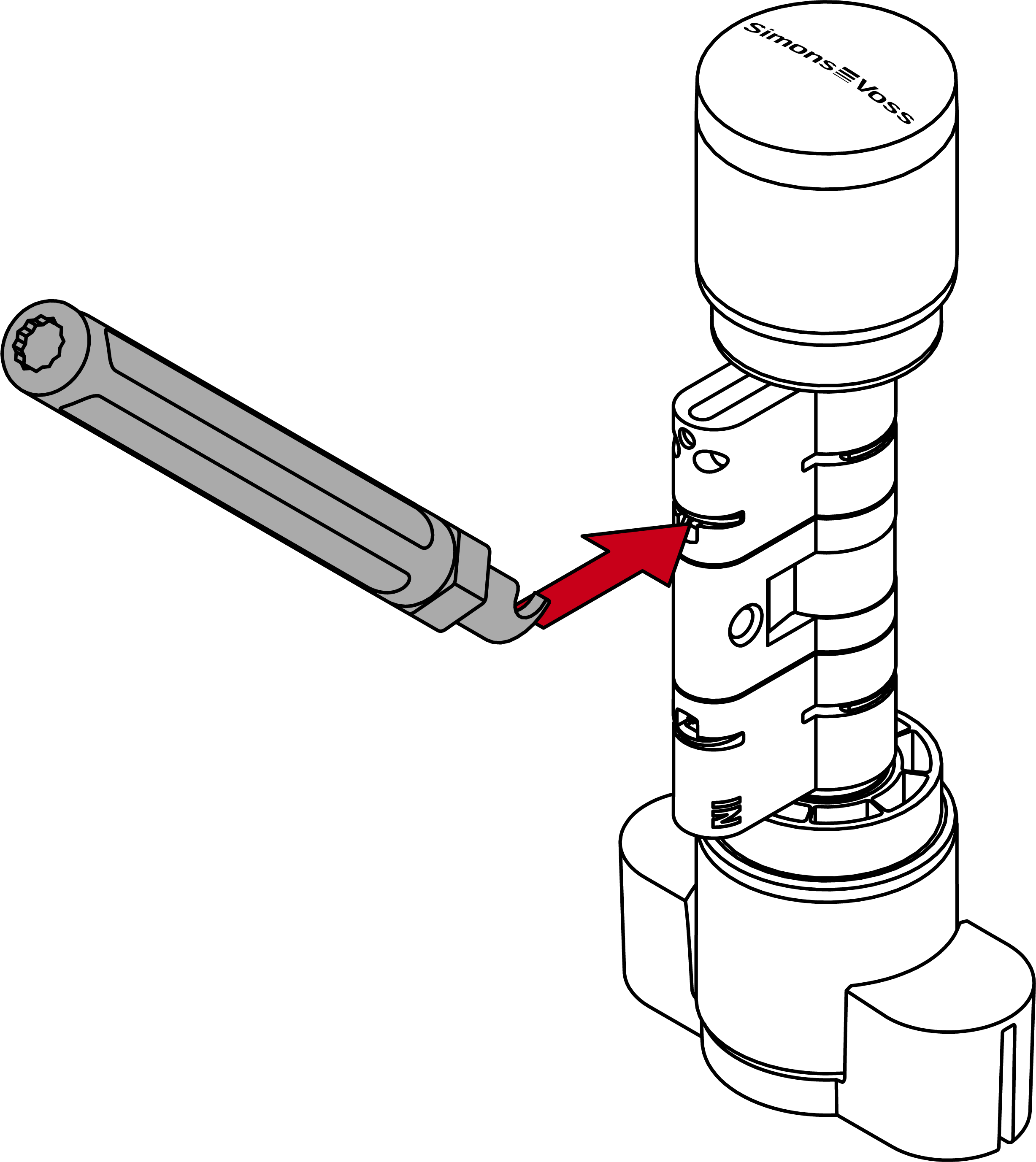
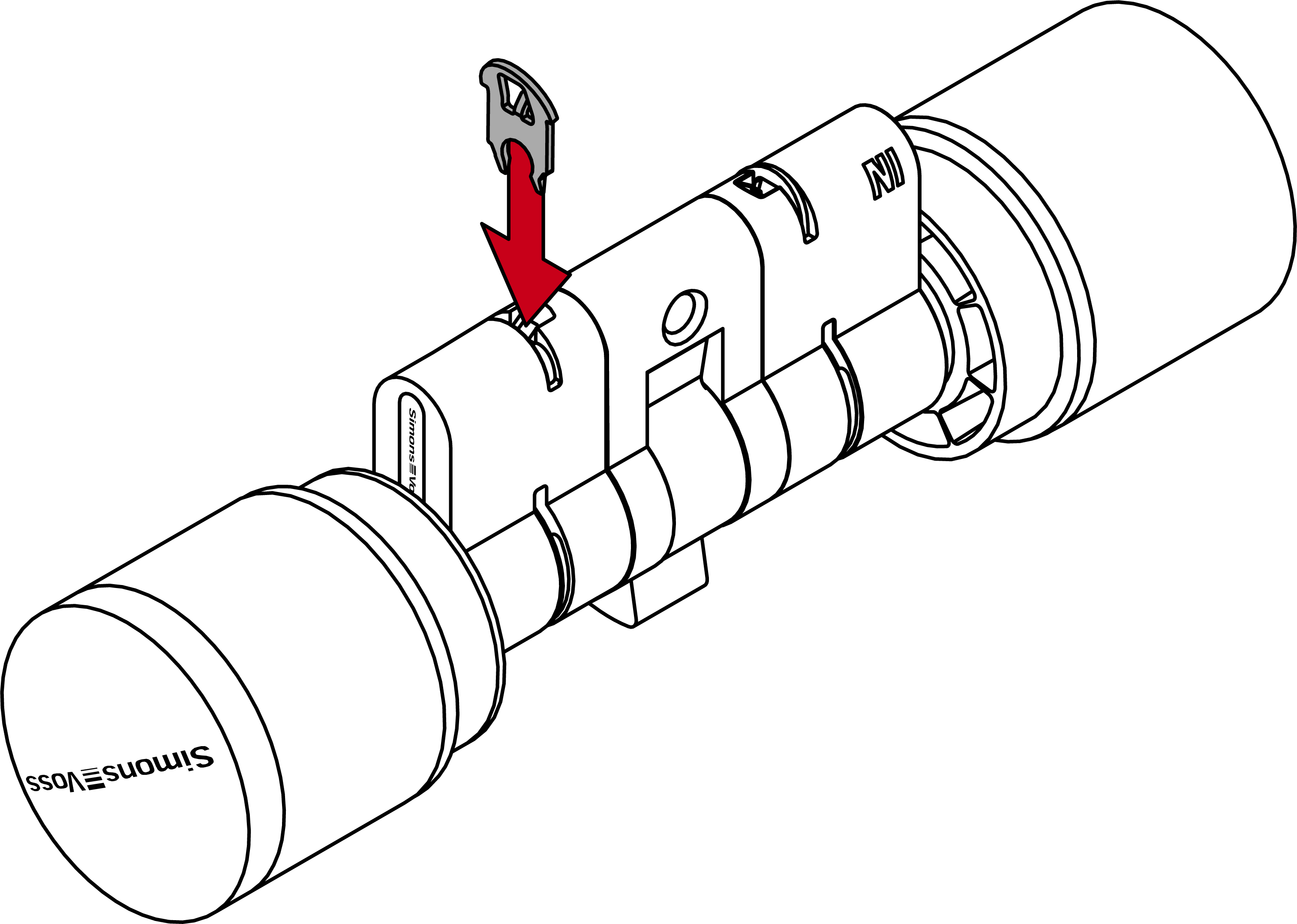
- Attach the tip of the lifter into the clamp.
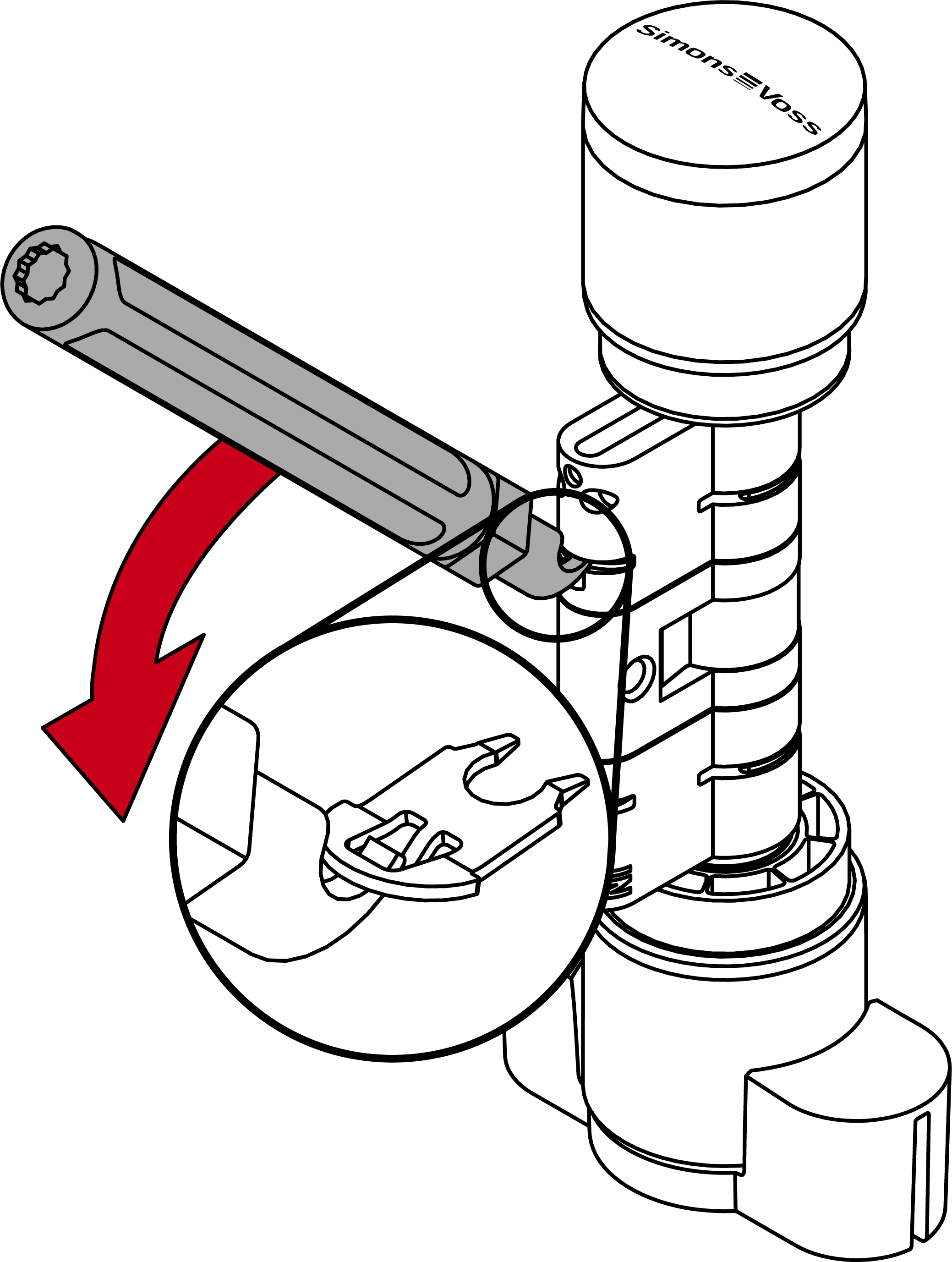
- Lever the clamp out of the profile cylinder by positioning the lifter in the centre of the cylinder.
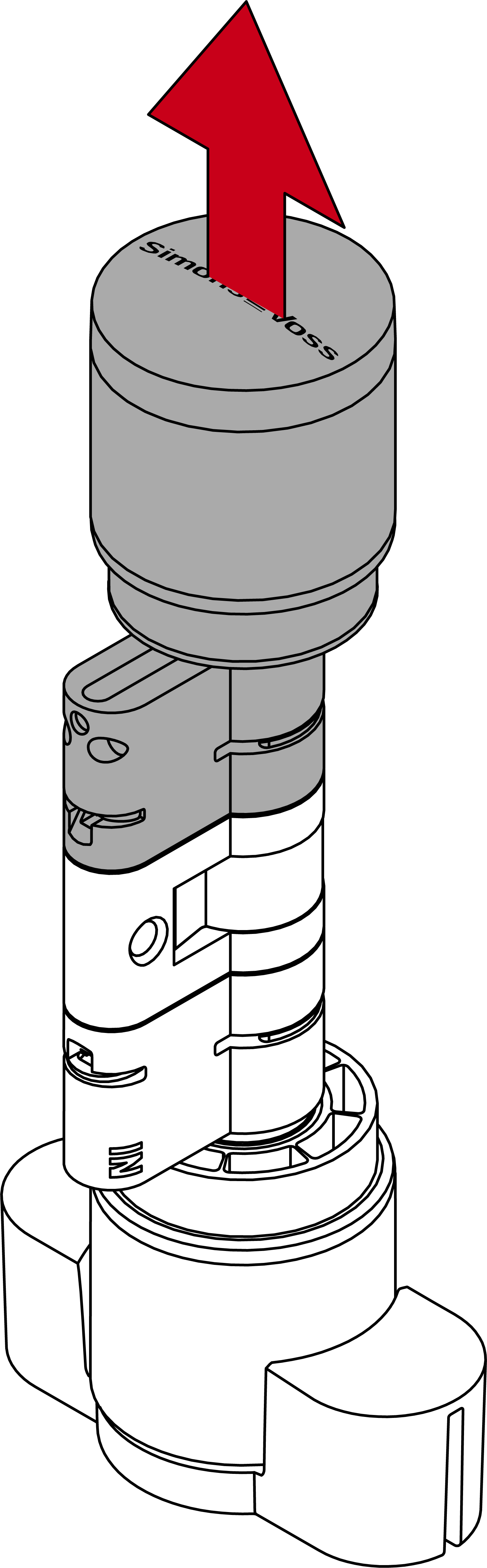
- Pull the clamp out of the profile cylinder completely.

- Disassemble the two halves of the cylinder.
- Attach the tip of the lifter into the second clamp.
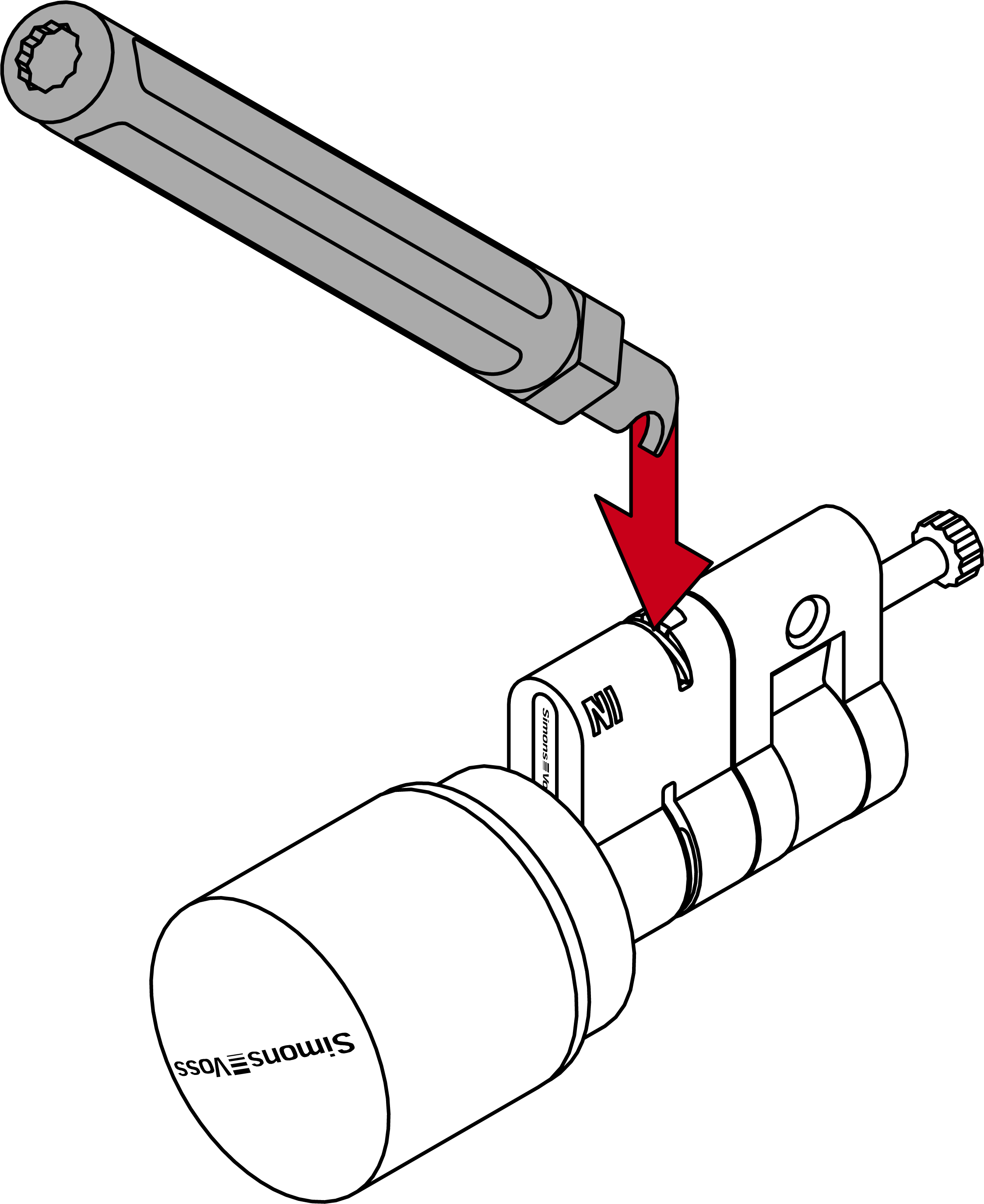
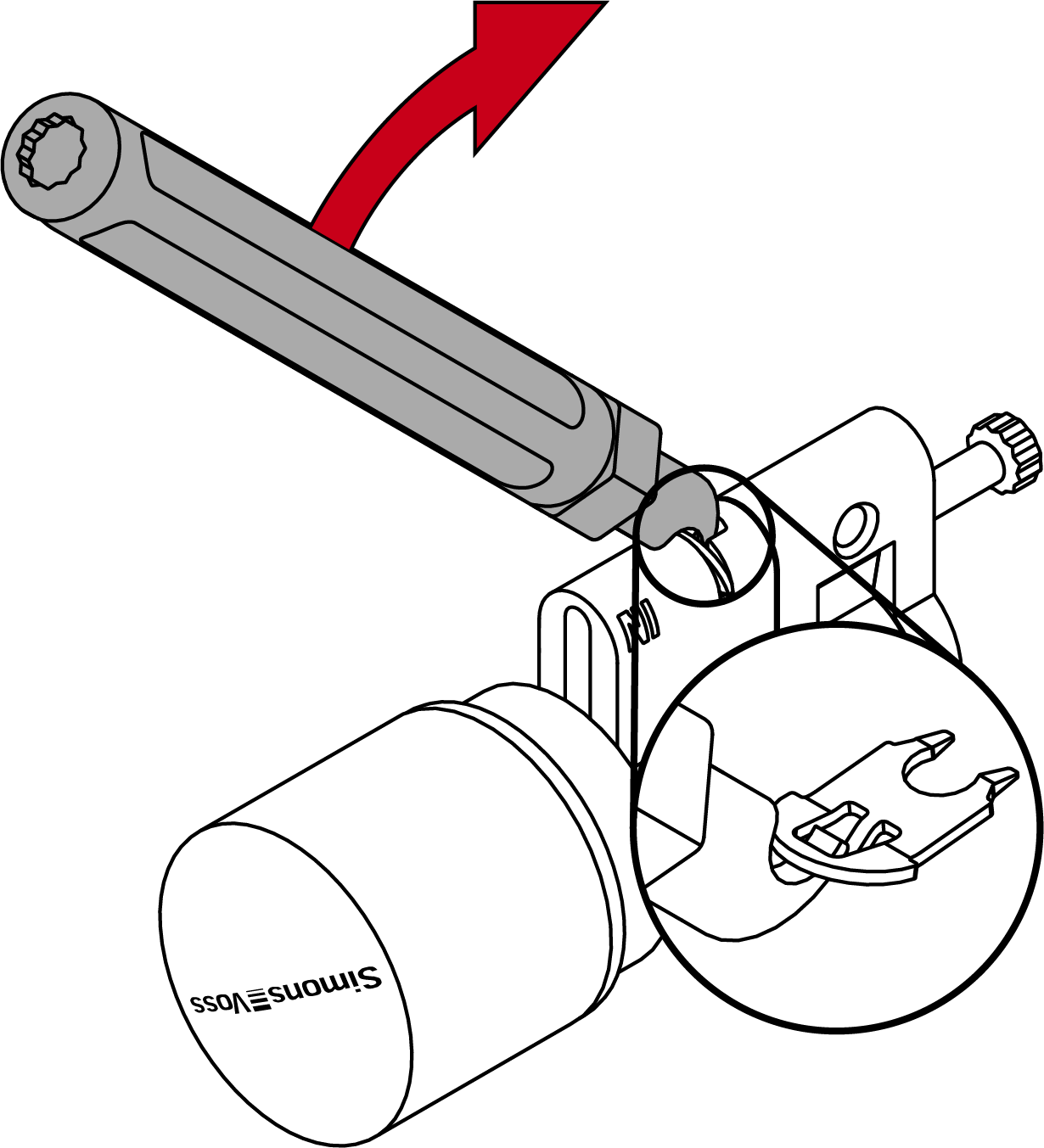
- Lever the second clamp out of the profile cylinder by positioning the lifter in the centre of the cylinder.
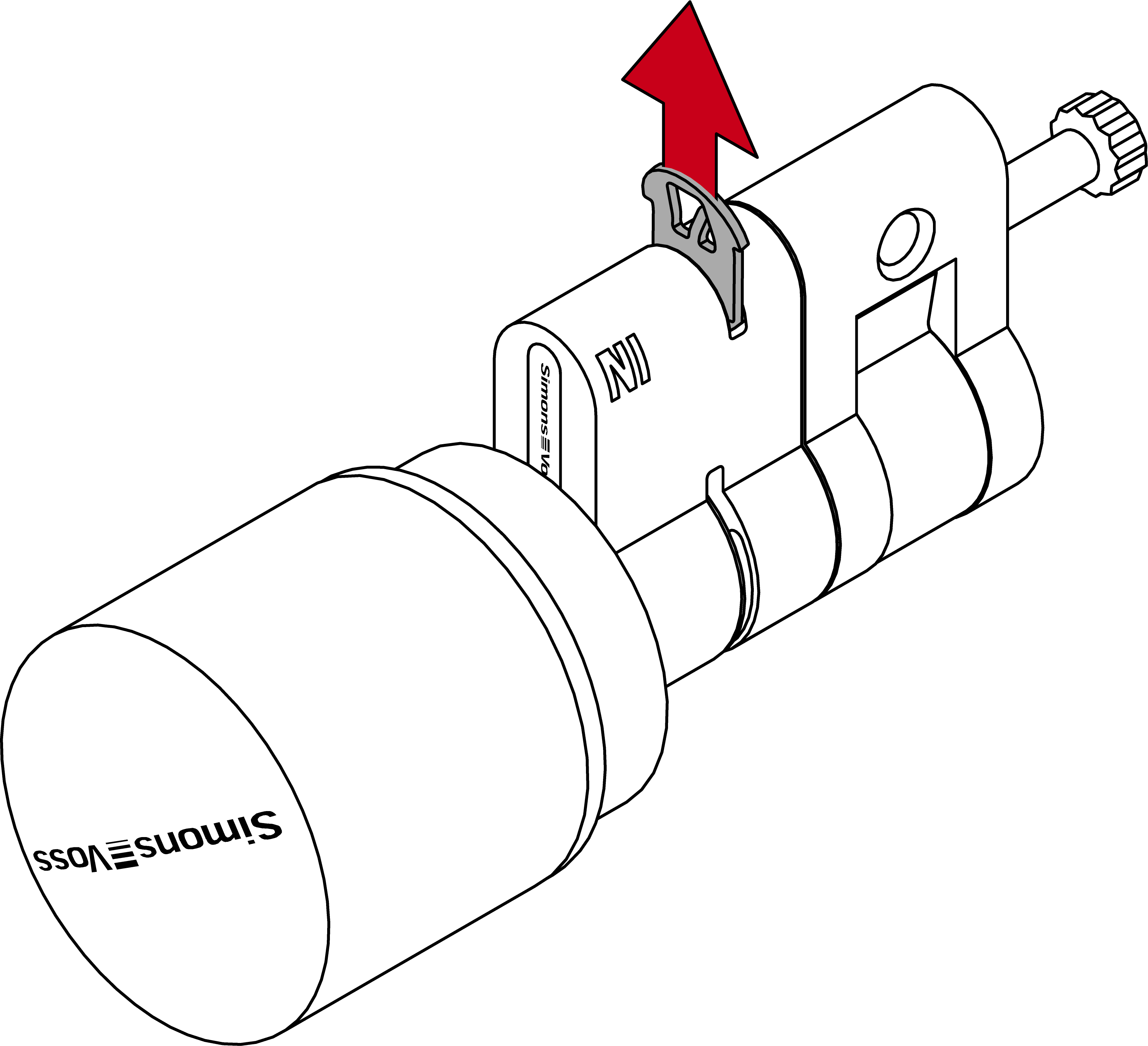
- Pull the second clamp completely out of the profile cylinder.
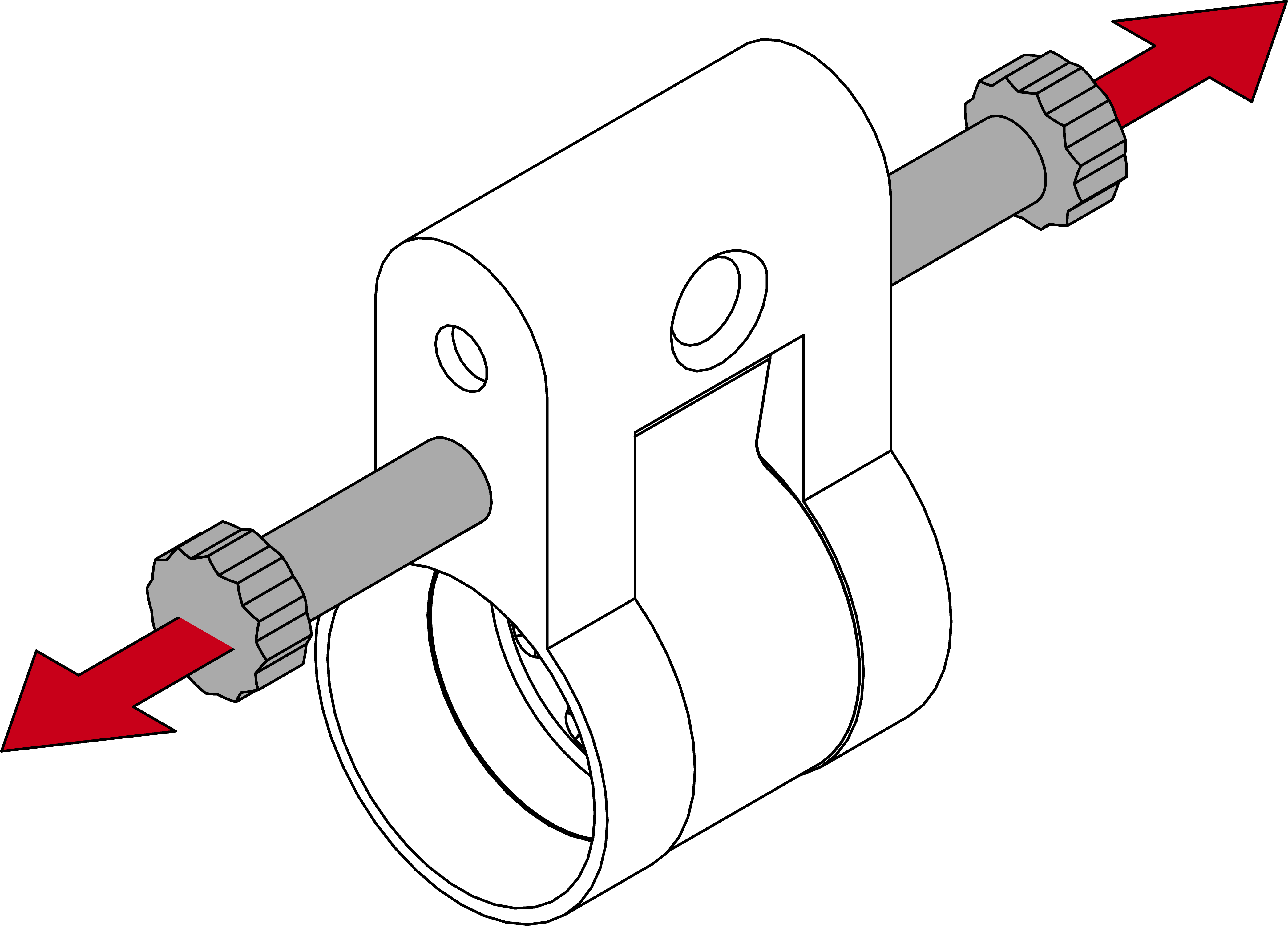
- Unscrew both extension bolts.
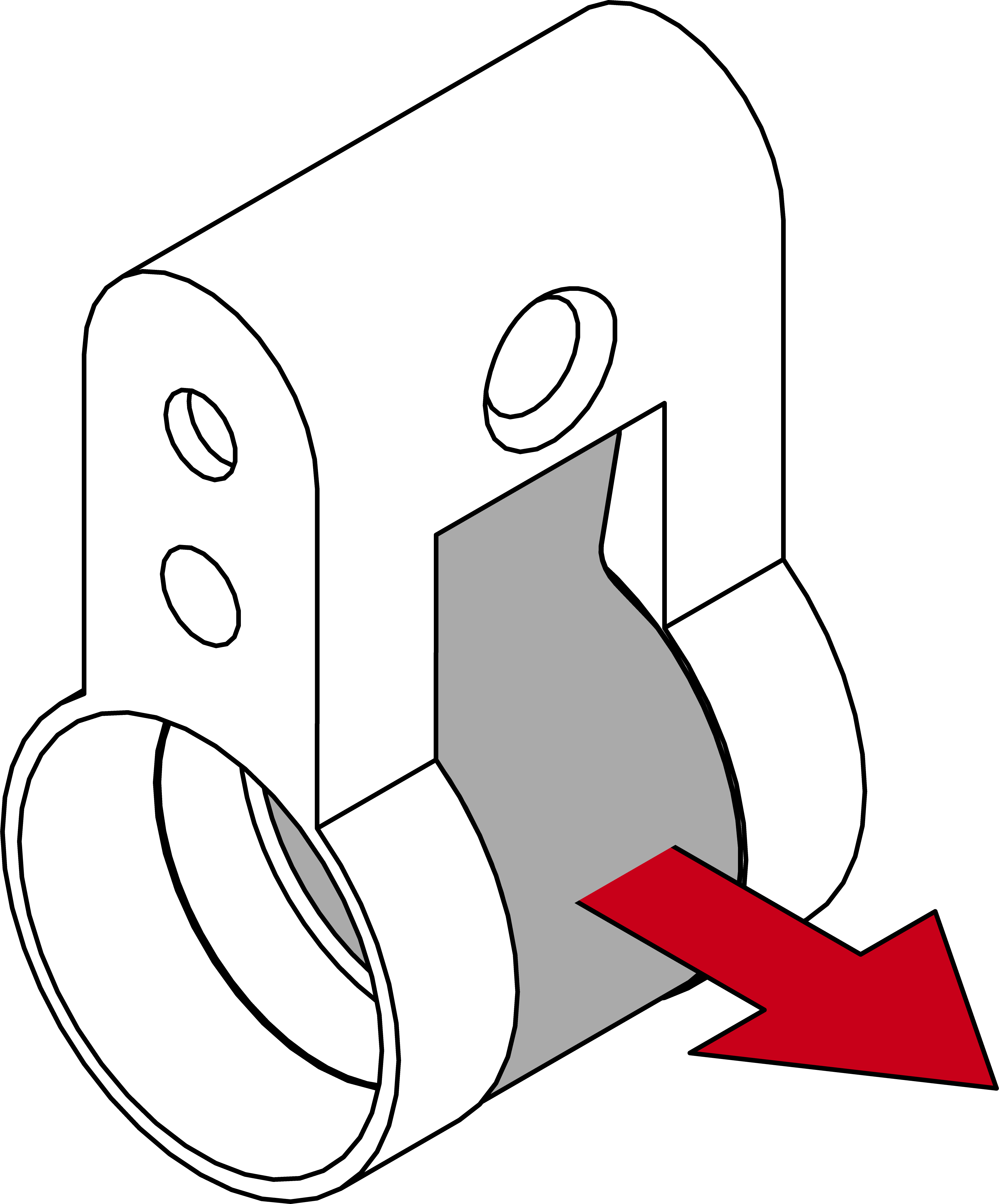
- Remove the cam.
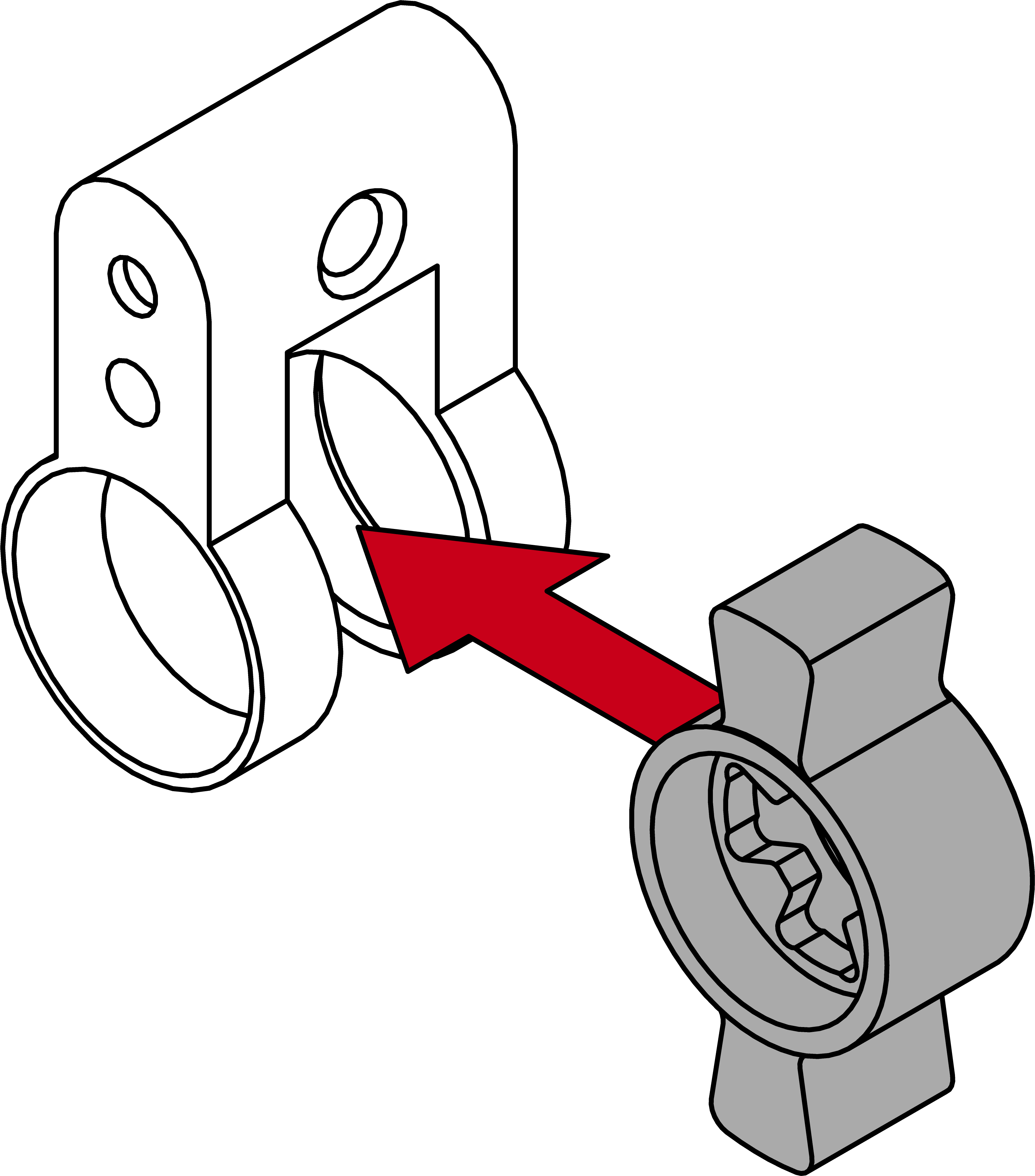
- Insert a new cam.
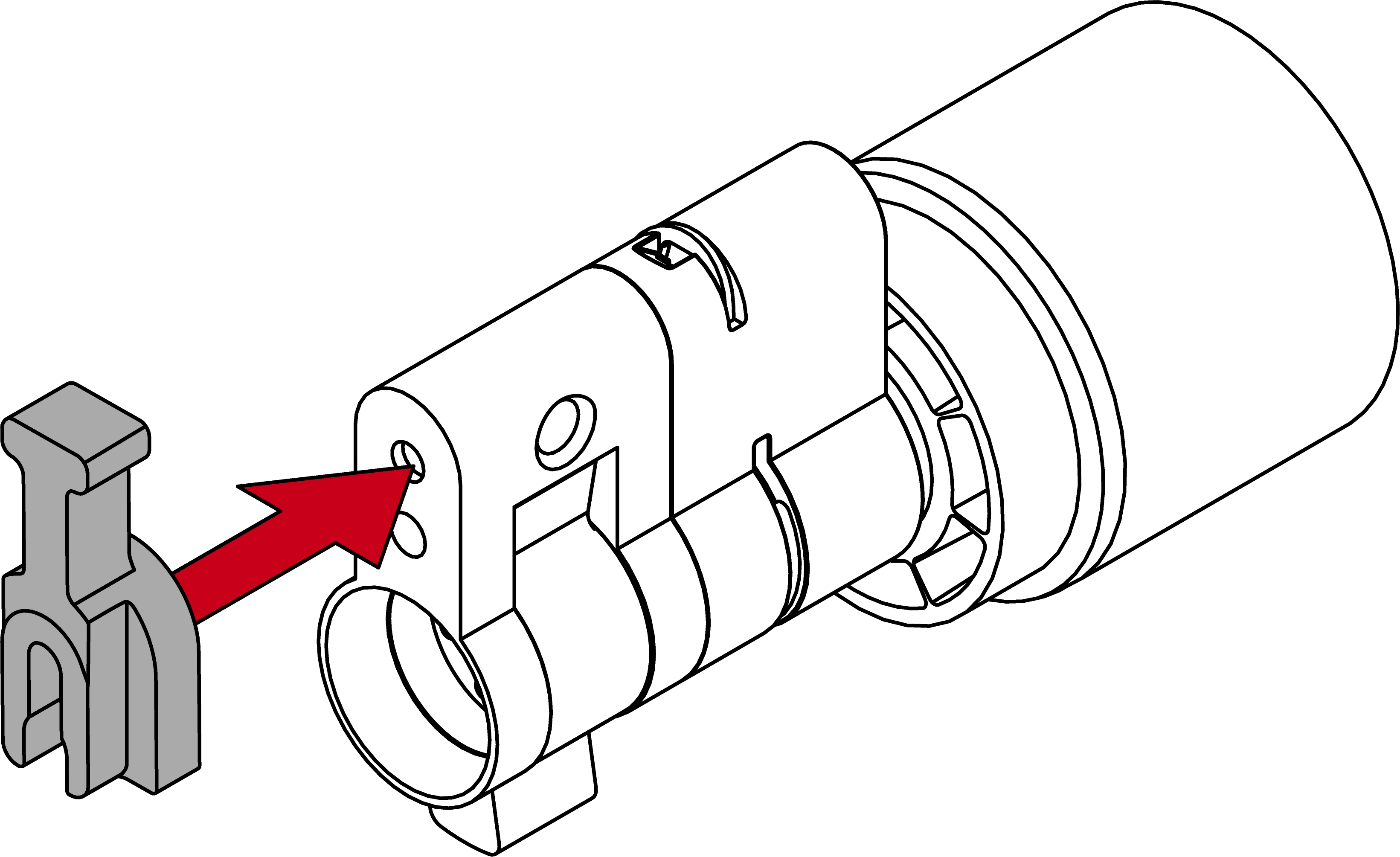
- Fit the spacer.
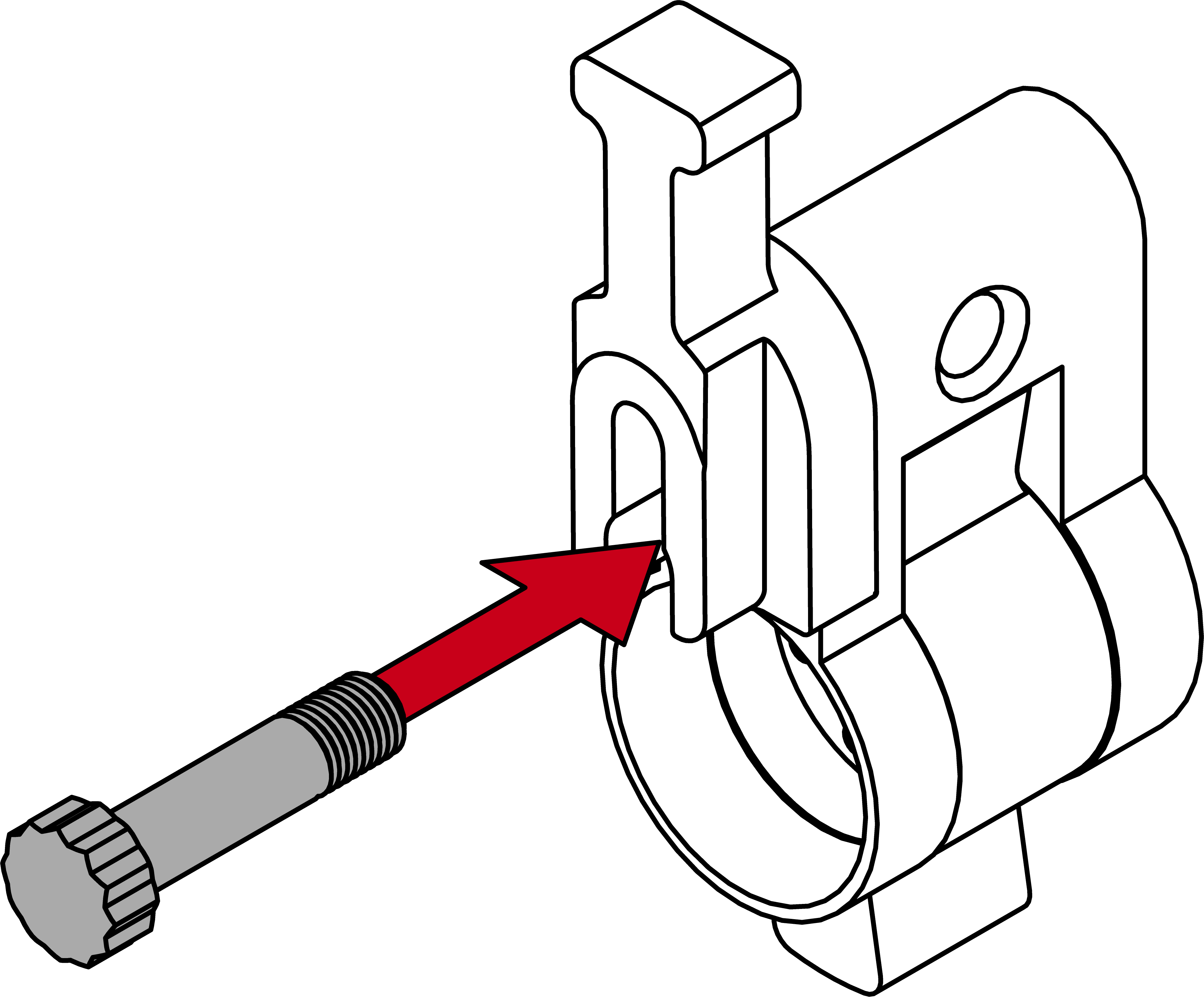
- Using the lifter, screw in a suitable extension bolt until it is in contact with the spacer.
NOTE

Length on bolt head
You will find a number on the bolt head. This number is the length of the cylinder profile to which the bolt fits.
- Place one half of the cylinder on the extension bolt.
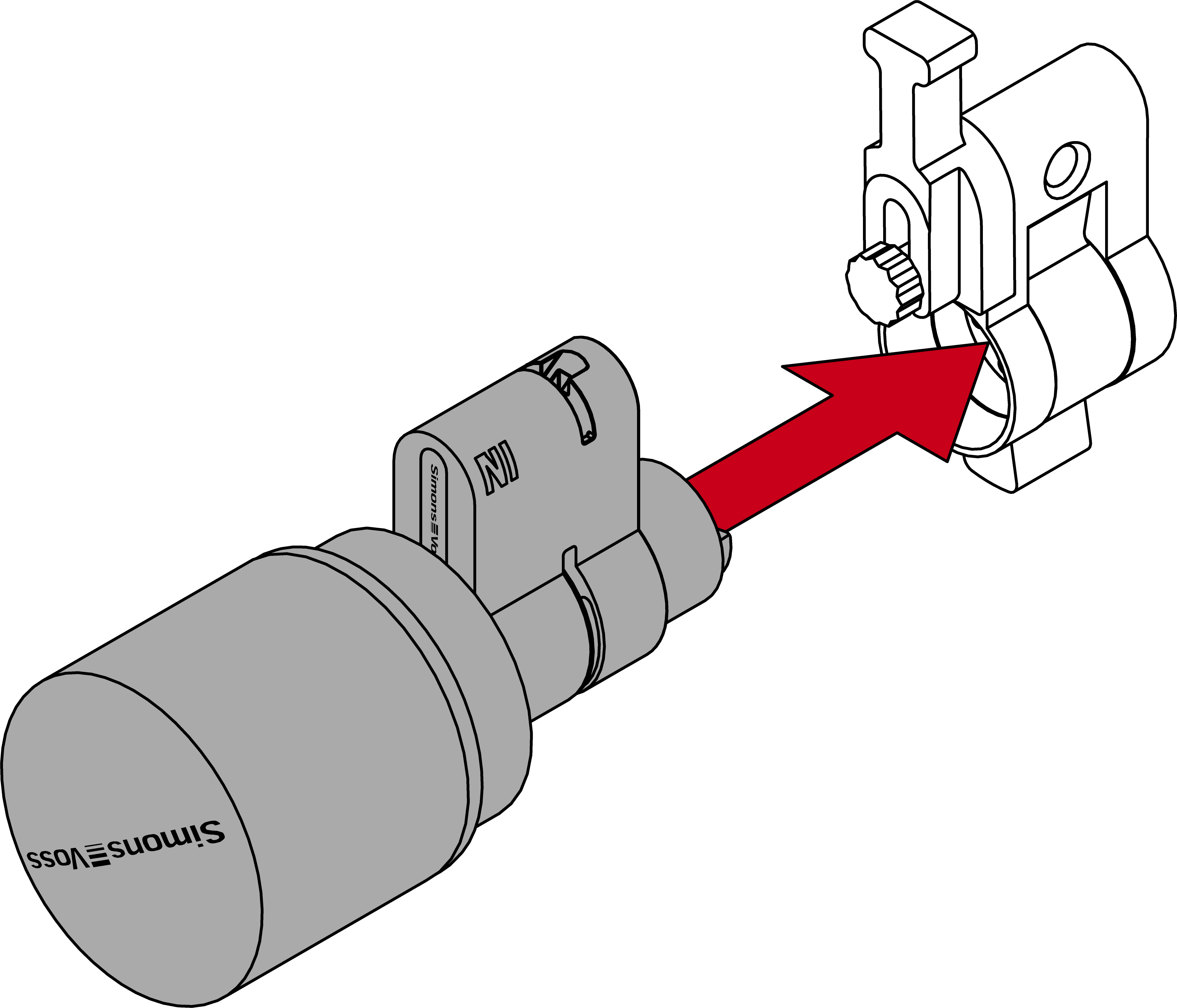
- Extension bolt is protected against twisting.
- Detach the spacer again.
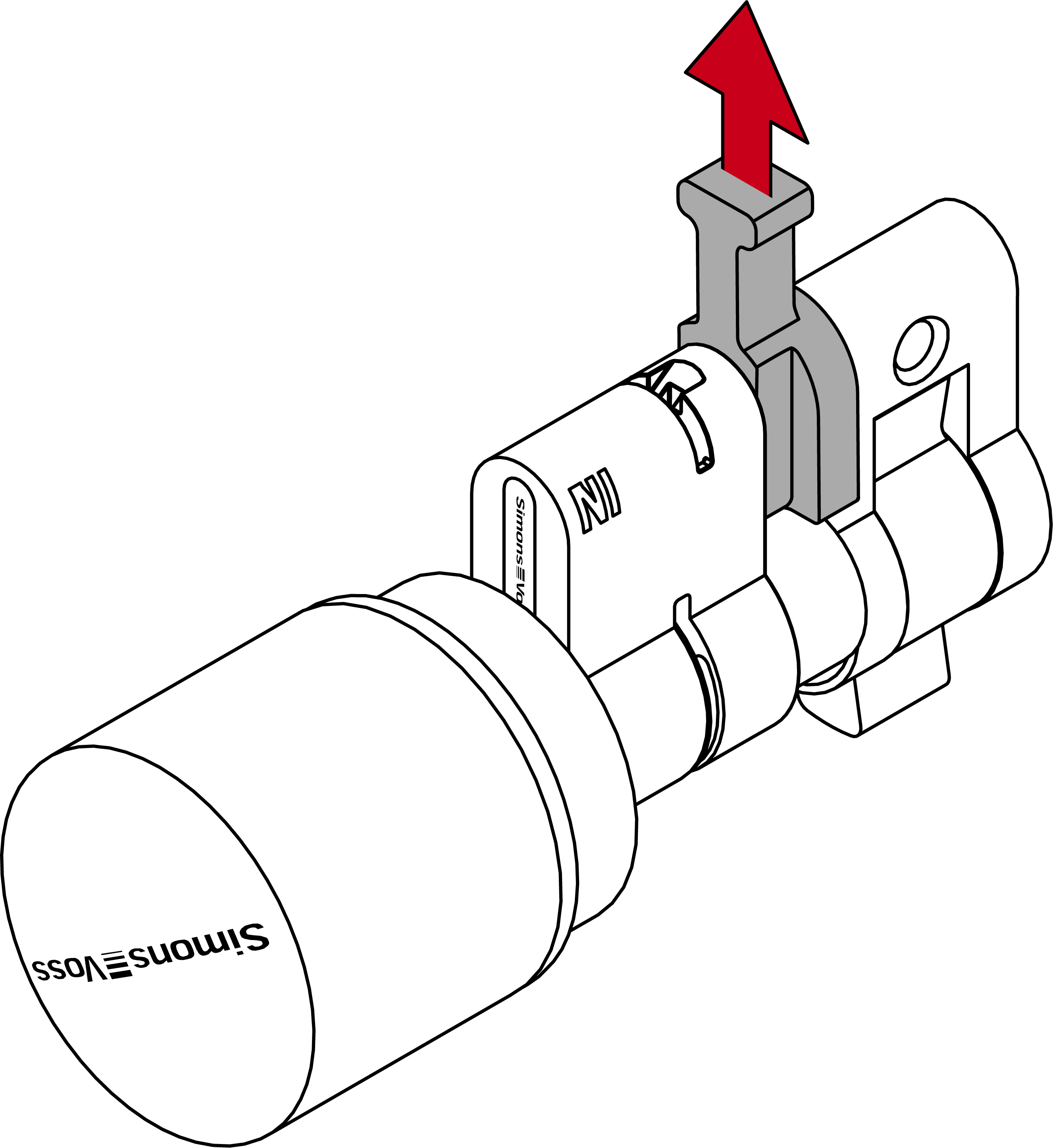
- Push the halves together completely.
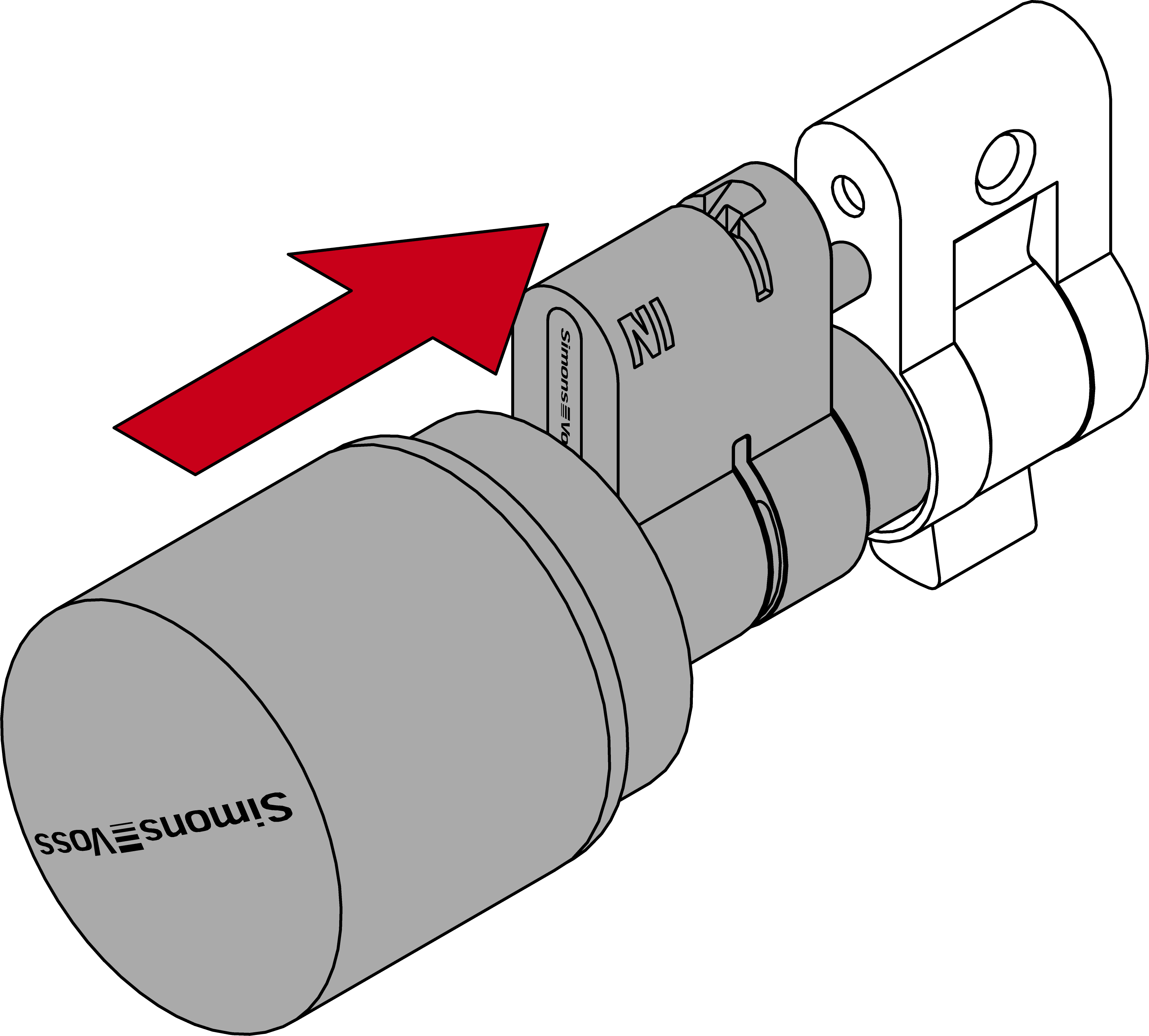
- Insert the clamp with the tab facing the fastening screw back into the slot in the profile cylinder. Then press the clamp firmly with your thumb so that it can no longer fall out.
- Press the clamp into the profile cylinder with a suitable tool (e.g. clamping block or fitting pliers).
NOTE
Clamping block incompatible with replacement cams
Some replacement cams do not fit into the recess in the clamping block. On cylinders with these cams, the clamps cannot be pressed in with the clamping block.
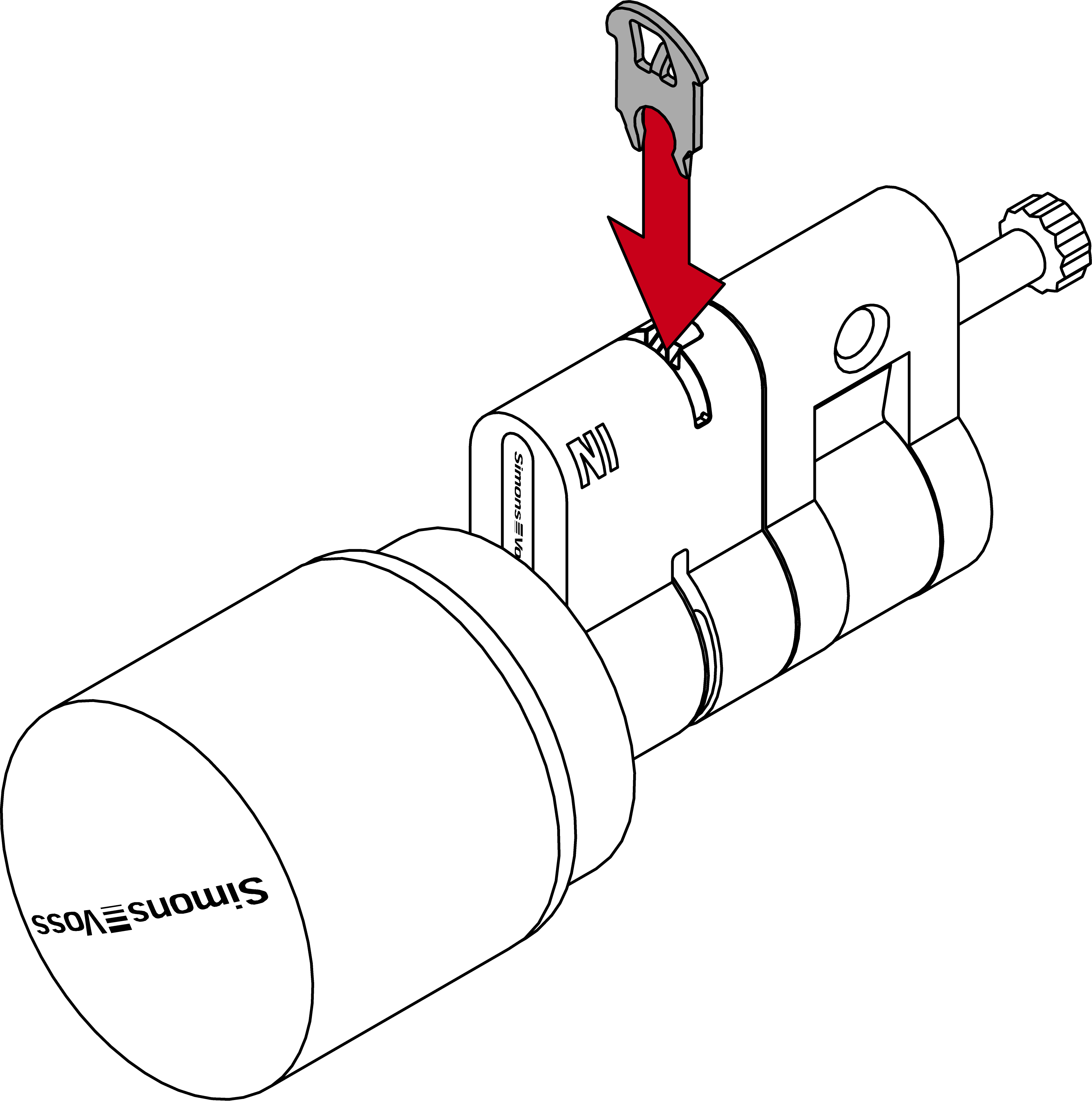
- Refit the spacer.
- Using the lifter, screw in a suitable extension bolt until it is in contact with the spacer.
NOTE
Length on bolt head
You will find a number on the bolt head. This number is the length of the cylinder profile to which the bolt fits.
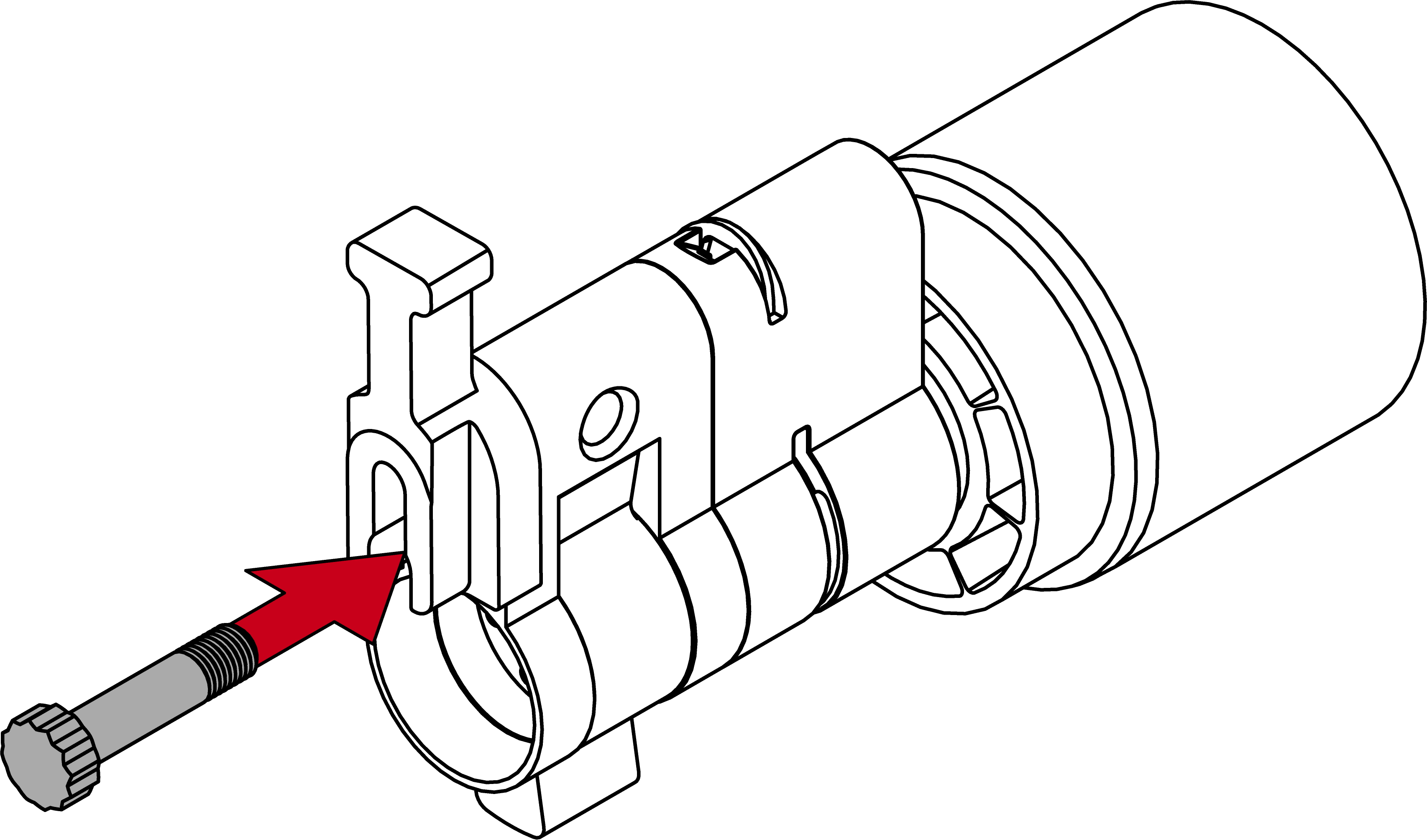
- Place one half of the cylinder on the extension bolt.
- Extension bolt is protected against twisting.
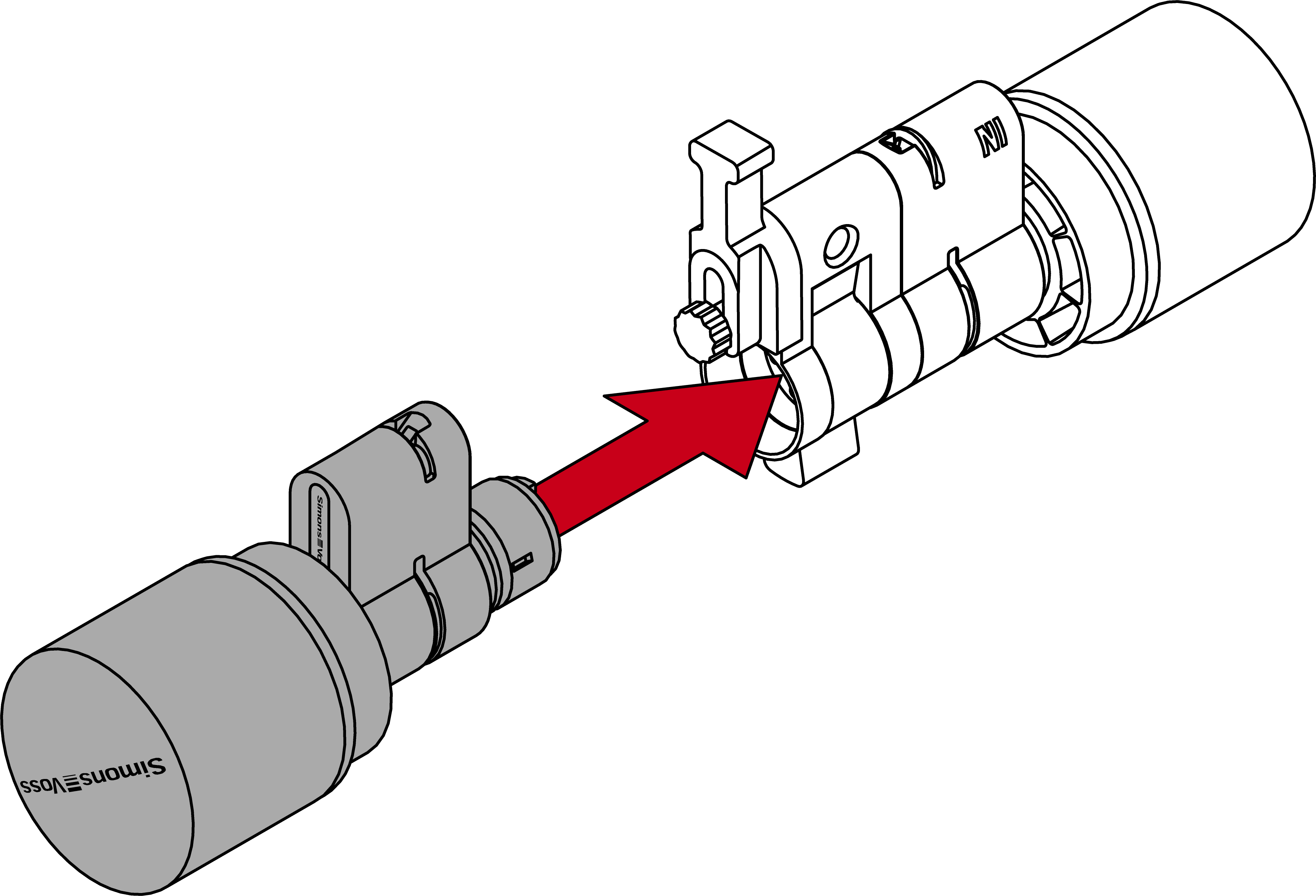
- Detach the spacer again.
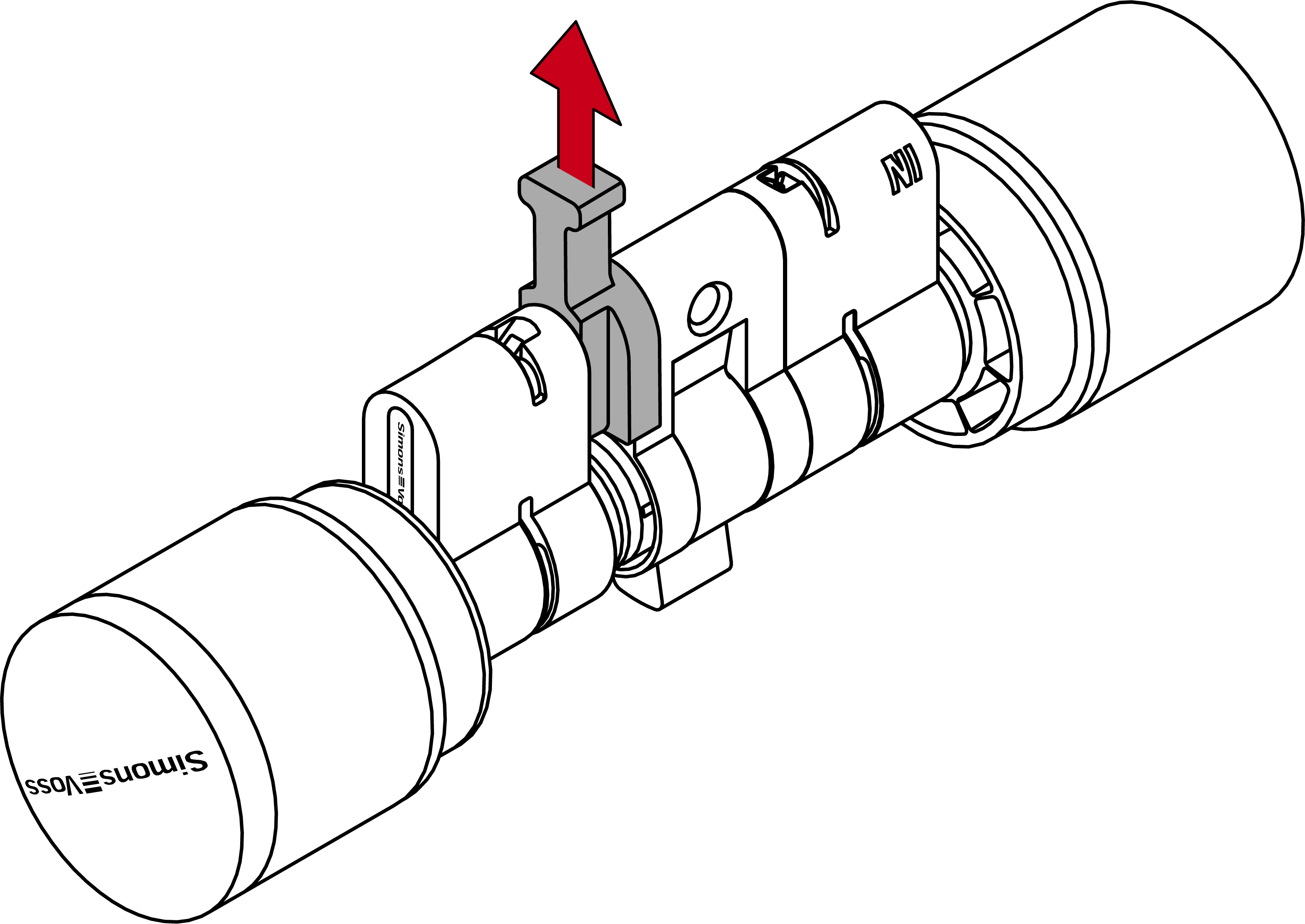
- Push the halves together completely.
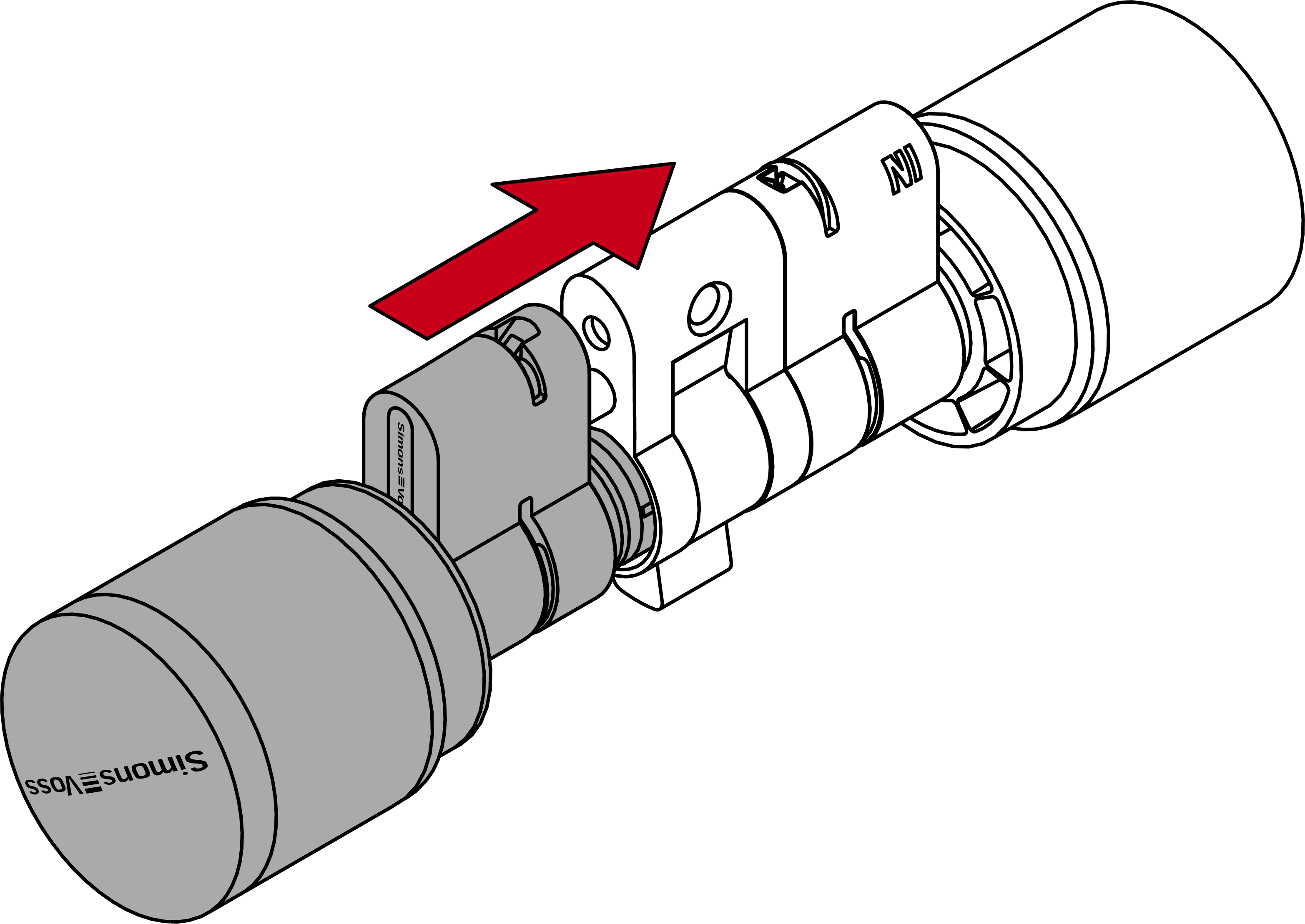
- Insert the clamp with the tab facing the fastening screw back into the slot in the profile cylinder. Then press the clamp firmly with your thumb so that it can no longer fall out.
- Press the clamp into the profile cylinder with a suitable tool (e.g. clamping block or fitting pliers).
NOTE
Clamping block incompatible with replacement cams
Some replacement cams do not fit into the recess in the clamping block. On cylinders with these cams, the clamps cannot be pressed in with the clamping block.
- Cam on the Digital Cylinder AX has been replaced.