Reset with integrator system - Step-by-Step SVCN
Preparation
- Integrator system open.
- In the navigation area, select the locking device that you want to reset.
- Create a task to reset the locking device.
- Click the button Add task, to add the task to the task list.
- Save the XML file.
Reset
- SmartIntego Tool (SVCN) opened.
- Programming device (SI SmartStick AX / SI.SmartCD) is connected.
- Manually import the locking device configuration using File and the entry . If you have activated automatic import/export, import the XML file manually the first time you use it.
- Select the imported task to reset the defective locking device.
- Prepare a programming device (SI SmartStick AX: Touch the card reader of the AX lock, SI.SmartCD: Place its radio symbol on the card reader).
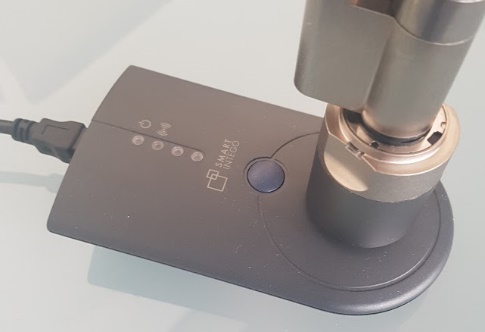
- Click on the button Execute task.
- Reset performed.
- If you have not activated automatic import/export (see ), select via and the entry .Automatically save and load XML file for transmission between SmartIntego tool (SVCN) and integrator systemFile
- Import the XML file into the integrator system.
- Locking device is displayed as unprogrammed.
- Locking device can be deleted.