Migrating a project subsequently to AX configuration - Step-by-Step SVCN
Parallel operation is possible to make a possible changeover in the project "soft" (see Different keys in the basic configuration). In order to use only one card configuration at a time, the project can be migrated to AX card configuration. This is also possible "soft" (with a gradual transition).
- All cards in the system have SmartIntego II and AX card configuration.
- Click on the Migrate to AX button.
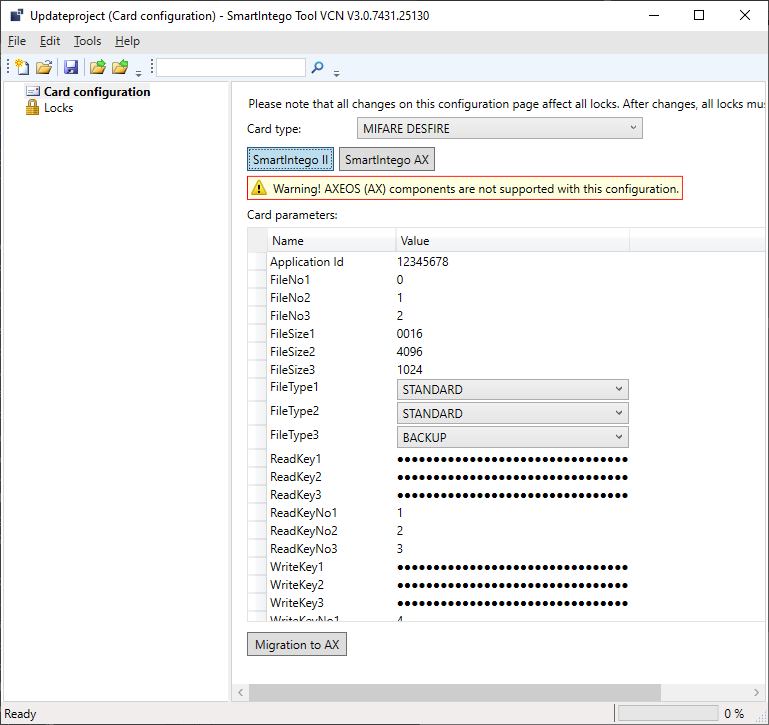
- Information messages are displayed.
- Read the notifications.
- If you meet the requirements, continue.
- SmartIntego II card configuration is blocked and deleted after restarting the SmartIntego tool (SVCN).
- From this moment on, all locking devices only use the AX card configuration.
- Reprogram all older locking devices.
The cards are compatible with both card configurations. You can therefore also reprogramme older locking devices later. SimonsVoss nevertheless recommends systematically reprogramming.
NOTE

Programming requirement not displayed
The locking devices in your project are not managed in the SmartIntego tool (SVCN). Therefore, the SmartIntego tool (SVCN) does not "know" whether programming is required after changes to the card configuration.