Create template (integrator) - Step-by-Step SVCN
- SmartIntego Tool (SVCN) opened.
- Select via File - .
- A window for creating a project opens.
- Assign a name to the template.
- Assign a project password for the template.
NOTE

Loss of passwords
Your passwords are the basis for managing your locking system. Lost or publicly known passwords are a serious security risk and/or lead to loss of control over the system.
- Make a note of your passwords.
- Store your passwords in a safe place.
- Activate the checkbox
 SI-Tool: Create as project template [offen].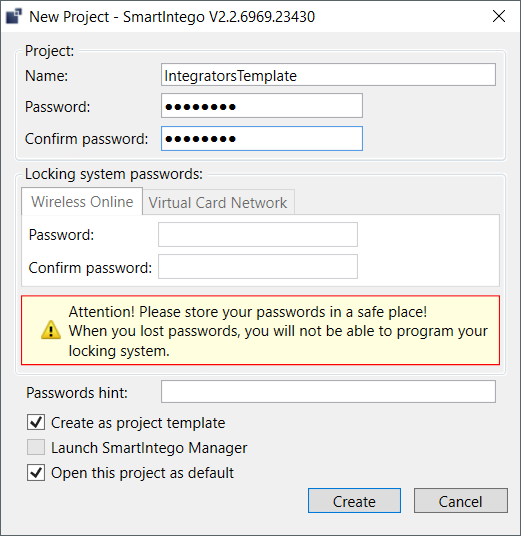
- Click on the button Create.
- Enter the card configuration (see Manual setup).
- Assign a password (see Protecting card configuration).
- Unintentional changes excluded.
- Save the template file (*.ikt).
- Template created.