Automatically save and load XML file for transmission between SmartIntego tool (SVCN) and integrator system - Step-by-Step SVCN
You can automatically save the XML file for data transfer and import it automatically.
- SmartIntego Tool (SVCN) opened.
- Via Tools select the entry .
- The message window opens.
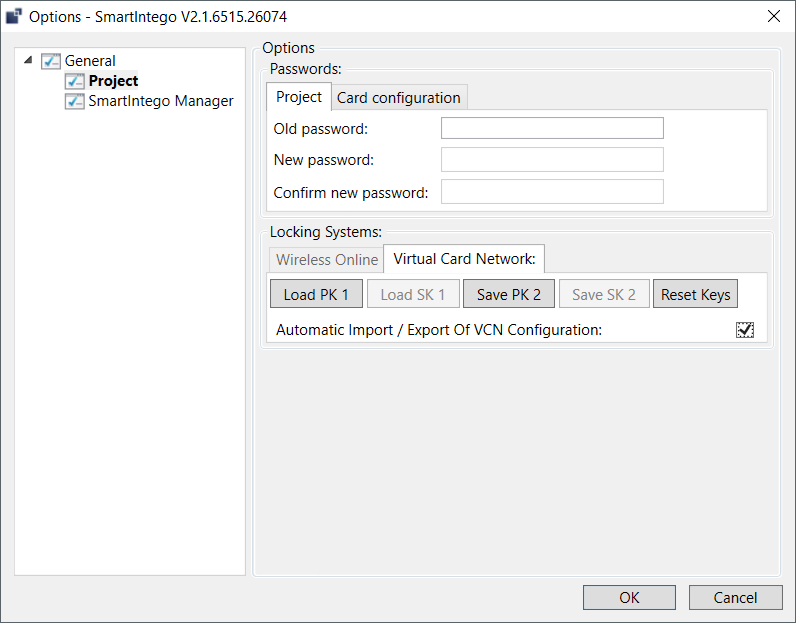
- Activate the checkbox
 Automatic Import / Export of VCN Configuration.
 - Click on the button OK.
- Automatic saving activated.
This file must be imported manually in the SmartIntego tool (SVCN) once. It is then automatically read in every time it is started.