Determining the PIN length - PIN code terminal
The length of the User PIN is set once in LSM during commissioning (4 to 8 digits) and applies to all User PINs.
- LSM open.
- Open the properties of your locking system using Edit - .
- Change to the PIN-Code Terminal tab.
- Enter the desired length in the field PIN-Code length.
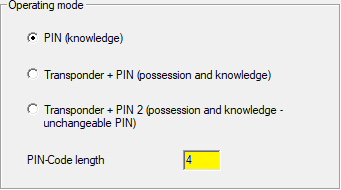
- Click on the Apply button.
- Length of User PIN changed.
NOTE

Subsequent modification of the length of the User PIN
The length of the User PIN applies to the entire locking system. If it is subsequently changed, considerable effort is required (programming requirement at all PIN code terminals available in the system, allocation of new onesUser PINs, ...).
- Do not change the length of the User PIN after programming the first PIN code terminal in the locking system.