Exporting personnel data - Smart.XChange
Export persons
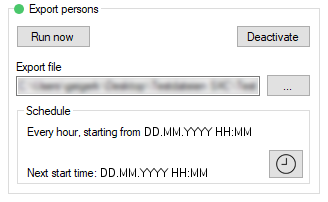
You export a CSV file with the following columns:
Column | Content |
|---|---|
Person.PersonalNumber | The person's personnel number |
Person.Firstname | Person's first name |
Person.Lastname | Person's last name |
Person.JobPlace | The employer's name |
Person.JobTitle | The person's title |
Person.Phone | Person's telephone number |
Person.Email | Person's email |
Person.StartDate | Date person joined organisation |
Person.EndDate | Date person left organisation |
Person.Address | Person's address |
Person.BirthDate | Person's date of birth |
Person.Department | Person's department |
Person.Description | Description of the person |
Transponder.Type | Type of transponder allocated to the person. |
Transponder.State | Status of transponder allocated to the person. 0 = Active |
TransponderGroup.Name | Name of the transponder group to which the person's transponder is assigned. |
LockingSystem.Name | Locking system from which the person's data record comes. |
Transponder.SerialNumber | Transponder serial number. Each transponder can be uniquely identified with the serial number. |
Transponder.ActivationDate | Activation time of the transponder |
Transponder.ExpirationDate | Expiration date of the transponder |
Transponder.TimeGroupG1ID | Entry in the dropdown menu in the area Time zone group in the tab Configuration |
Transponder.TimeGroupG2ID | Entry in the dropdown menu in the area Time zone group in the tab Configuration |
Transponder.DynamicTimeFrameMode | Selected option in the area Dynamic time window 0 = Do not change time window on gateway |
Transponder.DynamicTimeFrameValue | Value in the area Dynamic time window, that is dependent on Transponder.DynamicTimeFrameMode.
|
Transponder.G1TID | ID of the G2 transponder (only for G1 transponders). This ID assigns the transponder in the locking system. |
Transponder.G2TID | ID of the G2 transponder (only for G2 transponders). This ID assigns the transponder in the locking system. |
Person.CostAccount | Person's cost centre |