Manage all tasks - Smart.XChange
Tasks register
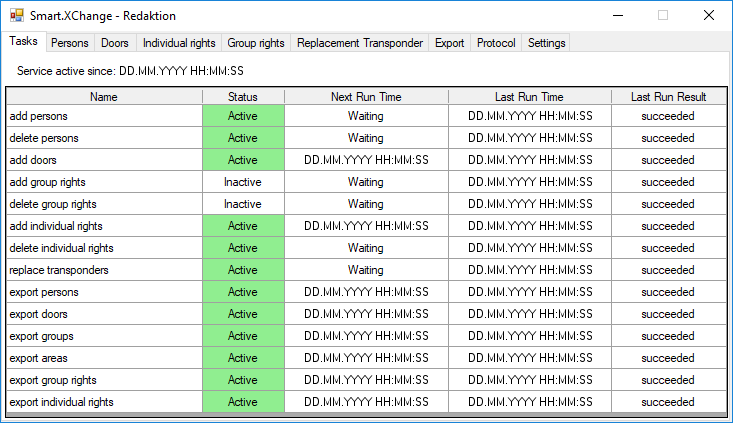
Here, you will find an overview of all tasks which Smart.XChange manages. A table displays the current status, the next begin time and the last time that the task was performed and the result of the action. Right-click on a task to open its context menu.
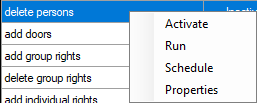
- Activate: This allows you to execute tasks as per the pre-set time schedule.
- Execute: This allows you to execute the task immediately. The task is then executed as per the pre-set time schedule.
- Time plan: This allows you to configure the task time schedule.
- Edit: This allows you to configure how the task behaves when it is executed.
Alternatively, you can double click to open the tab for the task concerned.