Connection with the database - Smart.XChange
- Database is registered for use with a Smart.XChange licence (see LSM manual for registration).
- Recommended: free user in the licence reserved solely for Smart.XChange.
- Launch Smart.XChange.
- An input mask will open.
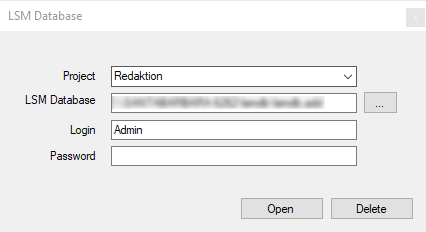
- Click on the arrow to select a project or create a new project. You can create a new project by entering a name for your project and continuing as indicated.
- Your program settings will be saved to the project.
- Click on the ... button to open Explorer.
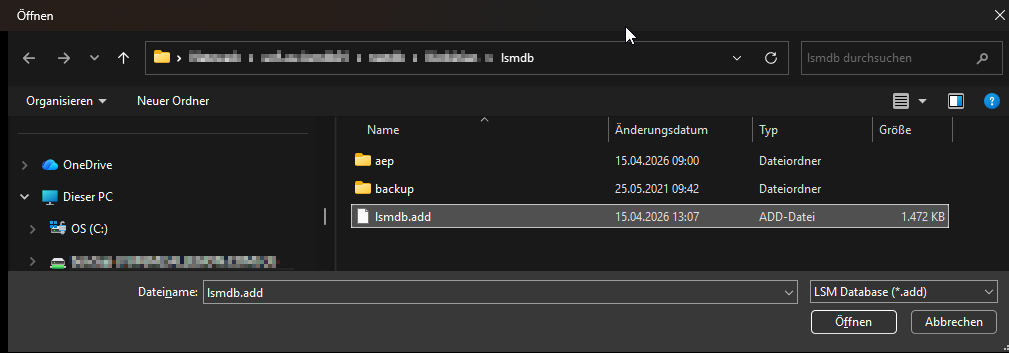
- The Explorer window will open.
- Navigate to the lsmdb.add file in Explorer.
NOTE

The database path
The path to the LSM database is displayed at "Setup" in the "Data source" field on the LSM login page.
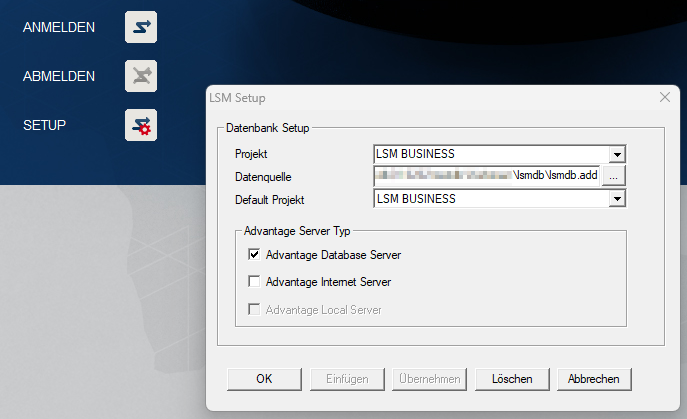
- Enter user name and password.
- Click on the OK button.
- A connection is established to the LSM database.
- The program launches.