Basic procedure - Smart.XChange
Export tab
You can use Smart.XChange to export data records from the LSM database using the CSV data exchange format. If you export files in this format, they can be easily further processed and imported into personnel administration systems, for example.
- Click on the ... button to open Explorer.
- The Explorer window will open.
- Establish the destination file.
- Click on the Save button to confirm your selection.
- Explorer window closes.
- Use the clock button to set the time schedule.
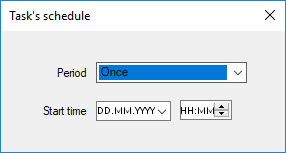
- Close the Task's schedule window again.
- Selection is saved automatically.
- Click on the Activate button to launch the service.
- The Activate button is replaced by the Deactivate button.
- Service exports the selected data as per the time schedule.