Configuring service - Smart.XChange
You can make more precise settings for Smart.XChangeService in this areaService. You can pause the service, configure the log's memory location and relocate the working folder.

Start/Stop
This is where you can launch and end the service SimonsVoss Smart.XChangeService responsible for synchronisation.
NOTE

Synchronisation and export paused by ending the service
Database synchronisation and export from the LSM database do not function without the service running. Synchronisation and export are executed as per the time schedule as soon as the service is re-started.
Settings blocked
The settings in the Service section cannot be changed whenever the service is running.
- Click on Start or Stop to launch or end the service.
- Service is launched or ended.
- Program shows the service's new status.
Protocol file
This is where you can determine where the log is to be saved. The log is generated automatically.
- Click on the ... button to open Explorer.
- The Explorer window will open.
- Determine the destination file.
- Click on the OK button.
- Explorer window closes.
- Working folder is relocated.
User Interface

Here you can set the language of the Smart.XChange interface.
- Select your desired language from the variable dropdown menu Language.
- The message window opens.
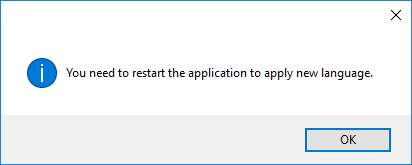
- Close the Smart.XChange interface.
- Reopen the Smart.XChange interface.
- Smart.XChange interface is in your desired language.