Checking the installation - Smart.XChange
- Press the letter R and the Windows key at the same time.
- A Run window will open.
- Enter the following:services.msc
- Click on the OK button to confirm your input.
- A list of Windows services will open.
- Look for the SimonsVoss Smart.XChangeService service.
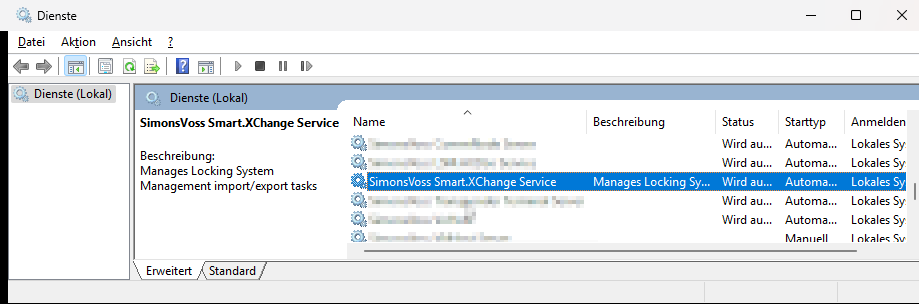
- It the entry is missing, it means that installation is not correct. Repeat installation if this is the case (see Installation).