Exporting doors - Smart.XChange
Export doors
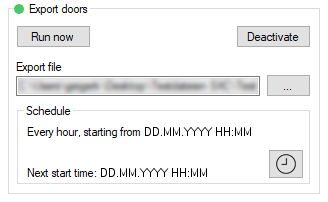
You export a CSV file with the following columns:
Column | Content |
|---|---|
Lock.DoorCode | Door code for the door where the locking device is located. |
Lock.DoorName | Name of the door where the locking device is located. |
Lock.BuildingAbr | Abbreviation for the building where the locking device is located. |
Lock.BuildingLocation | Location of the building where the locking device is located. |
Lock.BuildingFloor | Floor on which the locking device is located. |
Lock.RoomNumber | Room number for the room where the locking device is located. |
Lock.Description | Description of the locking device |
Lock.Type | Type of locking device |
Lock.Battery | Locking device battery status 0 = OK 1 = Low battery 2 = Very low battery 3 = Locking device in freeze mode due to low battery |
Lock.DoorMonitorState | Locking device DoorMonitoring status 0 = No DoorMonitoring 1 = Door is open 2 = Door is securely locked |
Lock.Errors | Locking device error messages 0 = No error 1 = Manipulation detected on sensors 2 = Hardware error detected |
Lock.Deactivation | Locking device deactivation 0 = Not deactivated 1 = Locking device deactivated |
Sector.Name | Name of the area to which the door with locking device belongs. |
LockingSystem.Name | Name of the locking system to which the locking device belongs. |
Lock.SerialNumber | Serial number of the locking device. Each locking device can be uniquely identified with the serial number. |
Lock.ID | ID of the locking device. This ID assigns the locking device in the locking system. |