Replacing the programming device - LSM Mobile
- Programming device to be used connected.
- Click on the Config Device button.
- The Configuration window will open.
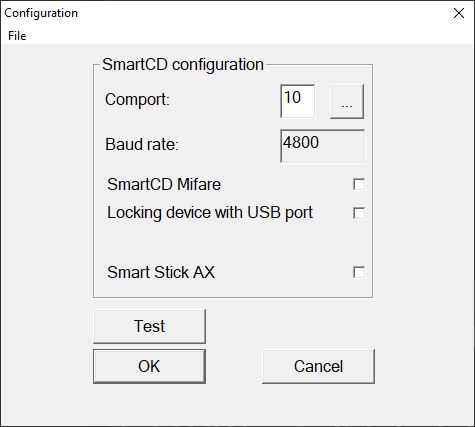
- Use the checkboxes to activate the required programming device (SmartCD.G2/SmartCD2.G2 → all checkboxes deactivated, SmartRelay 3 → locking device with USB connection activated).
- If you wish to use a SmartCD.G2/SmartCD2.G2, click on the ... button.
- COM port is automatically recognized and entered.
- Click on the Test button.
- The Connection device window will open and display information about the connected programming device.
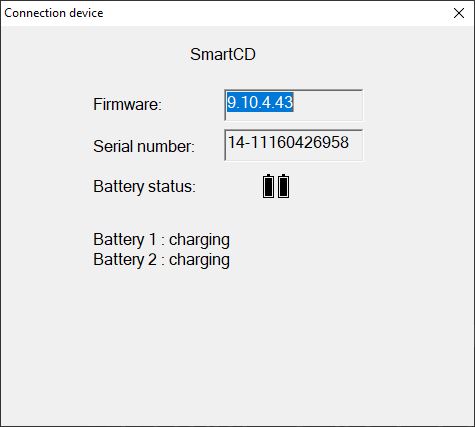
- Press the ESC key.
- Connection device window closes.
- Click on the OK button.
- Configuration window closes.