Read component - Locking cylinder (Z4) DoorMonitoring
A locking device's status can be read at any time
You can use a programming device to read locking devices which are not networked. You can read networked locking devices over the network from your workstation
- Highlight the locking device in the locking plan
- Click on 'Programming' in the menu
- Select 'Read locking device/set time'
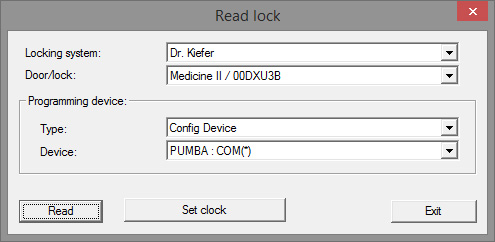
- Check locking system and door/locking device
- Choose the right programming device
- Config device: if the locking device is to be read with a programming
- LockNode: if the locking device is to be read online via an external LockNode
- WaveNet Node: if the locking device is to be read online via a WaveNet node and an integrated LockNode (LN.I) 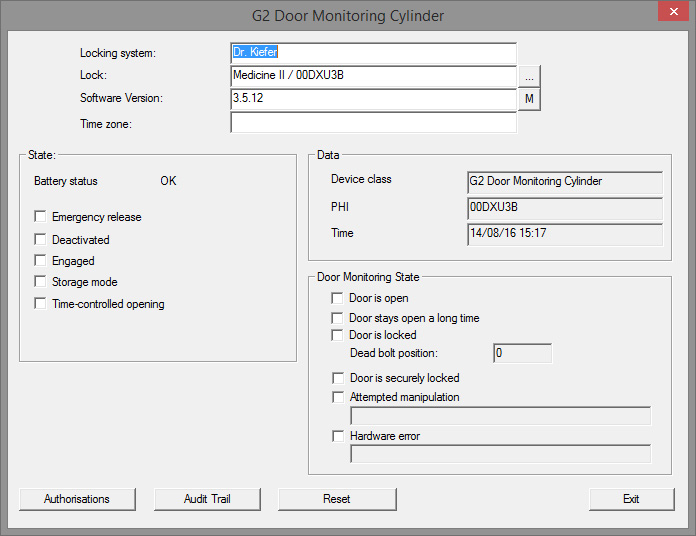
- You see the battery status and the door monitoring status
- Click on [Authorisations] to display the authorised ID media
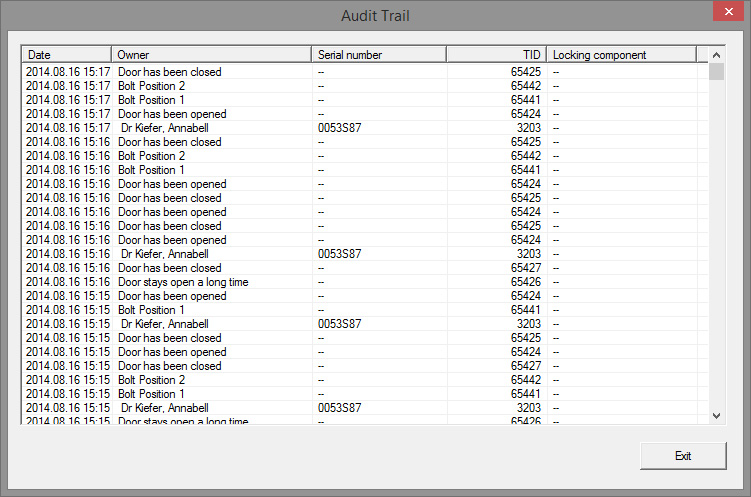
- Click on [Access list] to read accesses. Bolt positions and door statuses are also read with the DoorMonitoring Cylinder