Tasks - MobileKey Locking cylinder (Z4) DoorMonitoring
A task is a pre-defined job within LSM which the system is to carry out automatically. Such a task can be defined for one or more locking devices. The system can be configured in such a way that the tasks should be performed at a specific time or on a periodical basis.
These functions require that the system can be reached at all times. That is why they are only available in LSM Business with the LSM.Online module.
The tasks are set with priorities, so urgent tasks are performed first. You can determine the performance modalities (times, periods and type of task) using the menu item on the user interface. You can find more information in the 'LSM online' manual.
Two different tasks can be configured for the DM Cylinder, which are described in detail below:
- Configure DM Cylinder
- Read DM Cylinder
Task: DM Cylinder configuration
- CommNode server installed and launched
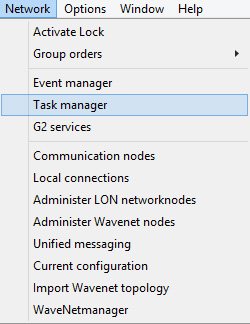
- Launch Task Manager by selecting 'Network' » 'Task manager'
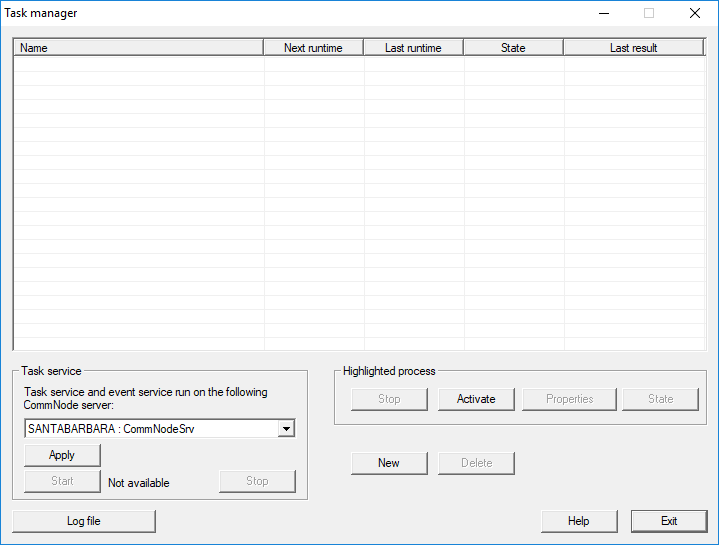
- Create a task by clicking on [New]
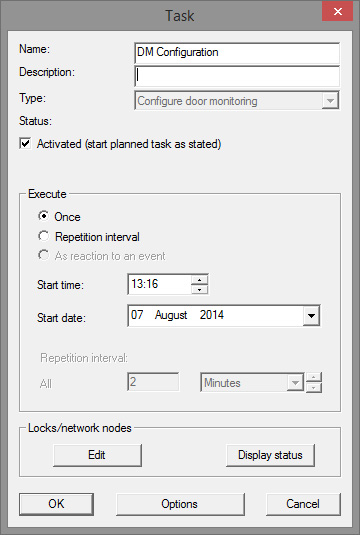
- Assign a name to the tasks
- Select the type of task, e.g. 'Configure DoorMonitoring'
- Set the repeat interval
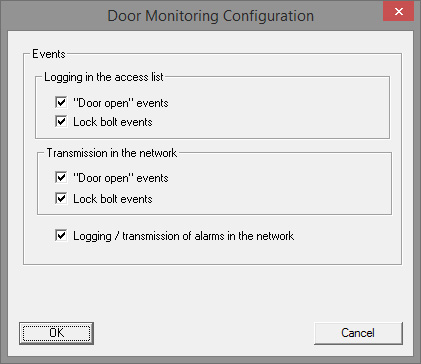
- Click on [Options] for other settings
- Logging 'Door open' events
- Logging of dead bolt events
- Forwarding of 'Door open' events
- Forwarding of dead bolt events
- Event logging/forwarding of alarms in the network
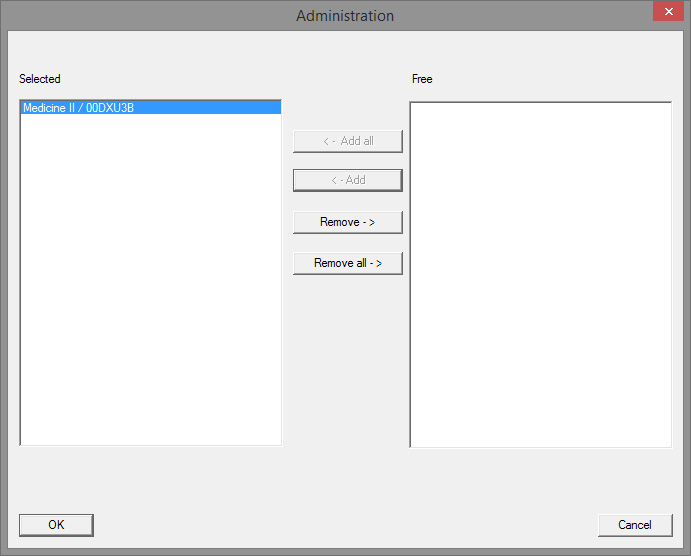
- Click on [Edit] in the 'Locking devices/network nodes' section
- Door administration will open. This is where you select the doors for the task
- Click on [OK] to exit the task menu
- Click on [Finish] to exit Task Manager
- Confirm the prompt by pressing 'Yes' if the configuration is to be forwarded directly
- Acknowledge the prompt by pressing 'No' if you would like to forward the configuration manually at a later stage using the 'Communication node' menu
- The task has been set up completely