Battery change - SmartLocker AX
- SmartLocker AX back accessible.
- Slot screwdriver available.
- Put the slot screwdriver in the intended notch.
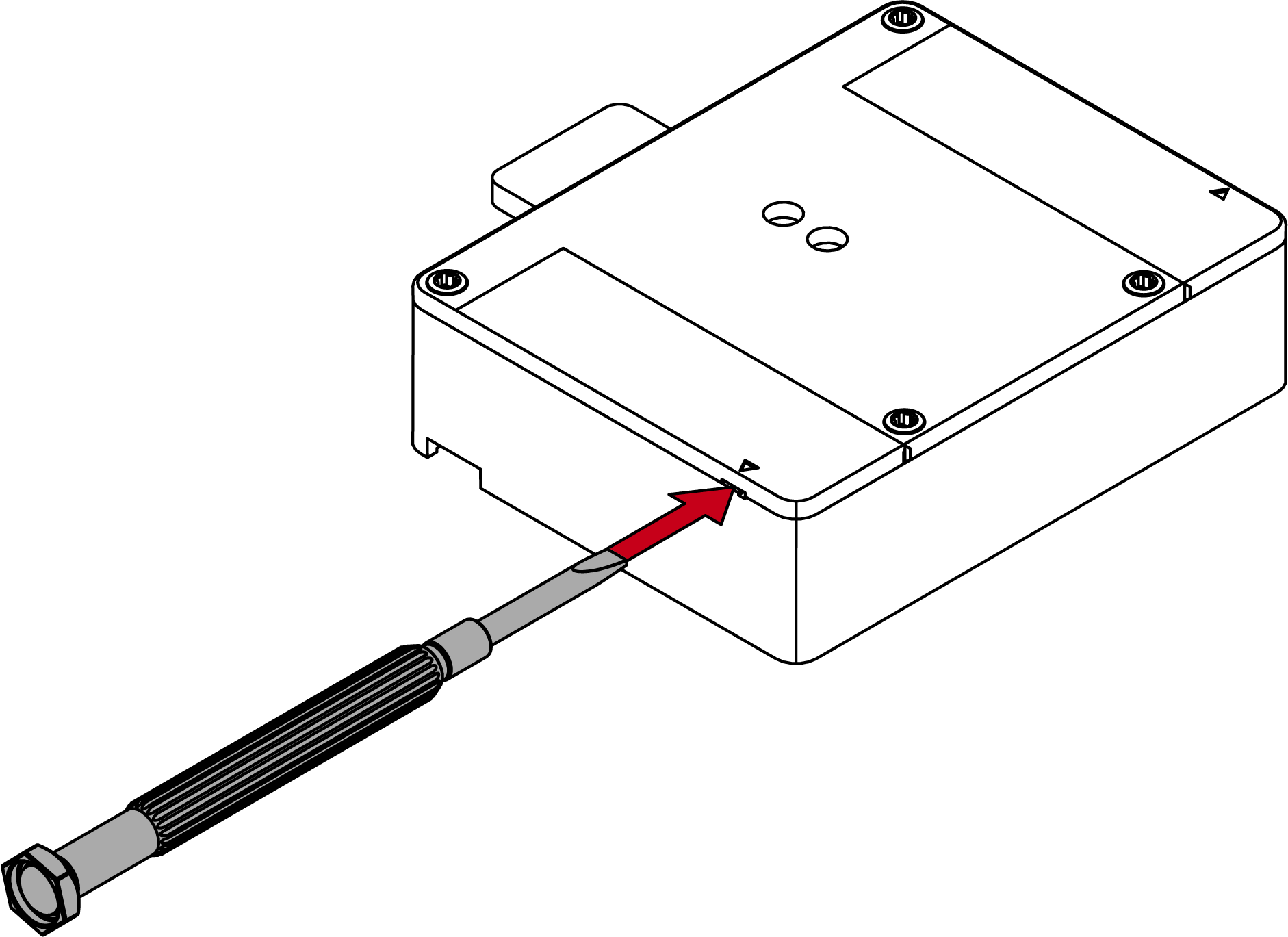
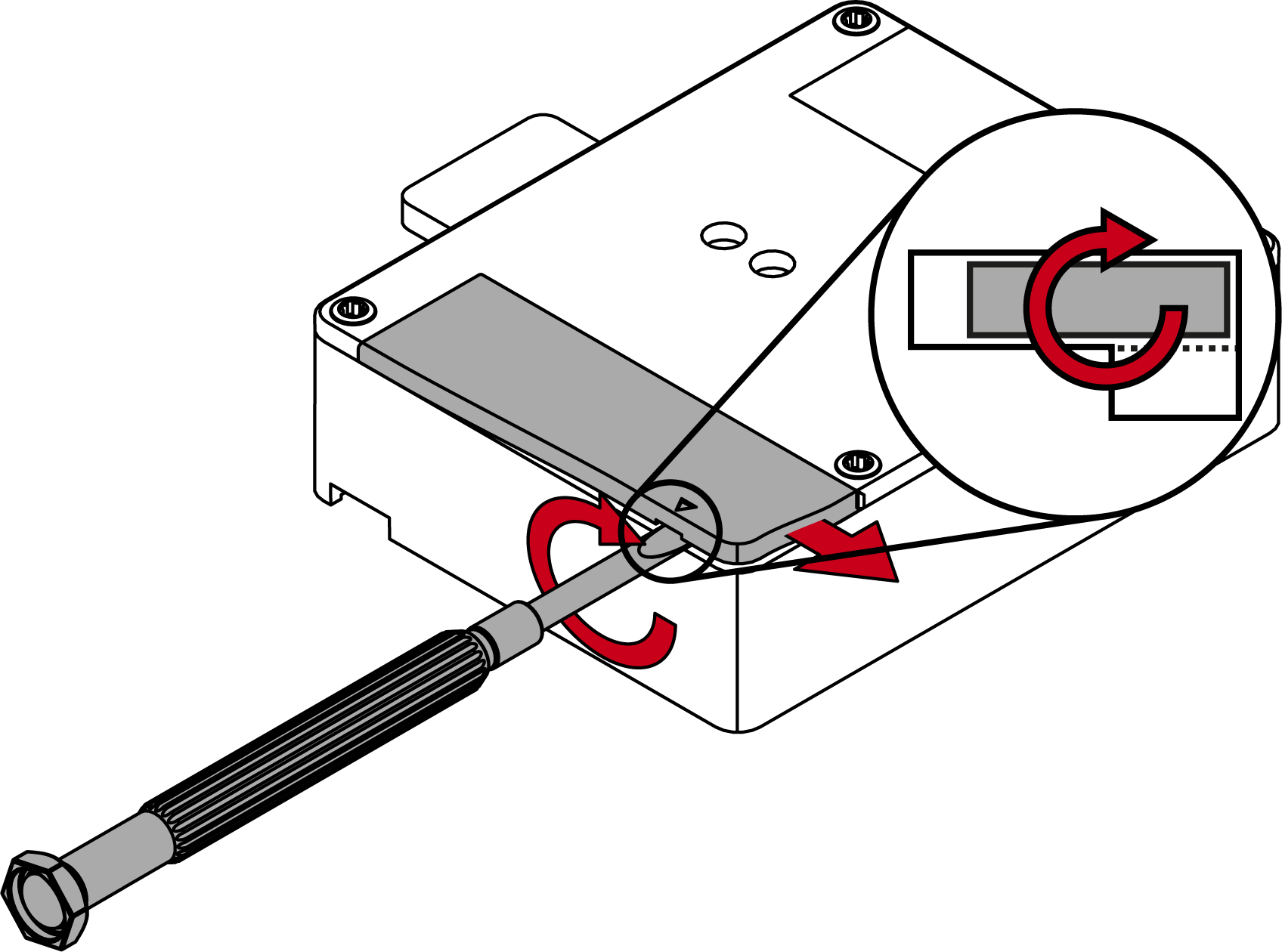
- Turn the screwdriver as shown to lift the battery lid. Push the lid to the case's edge.
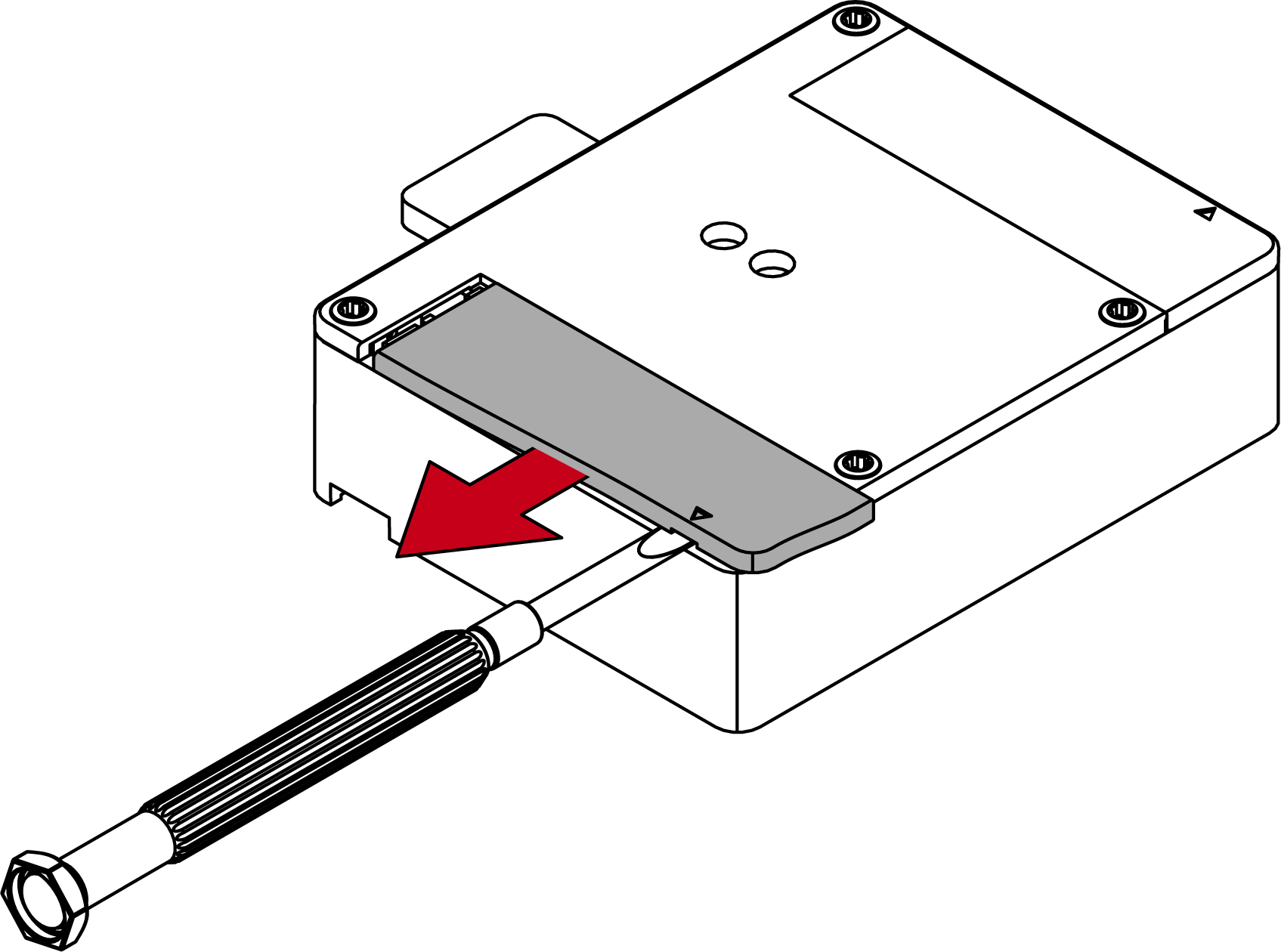
- Change the battery. (see Technical specifications).

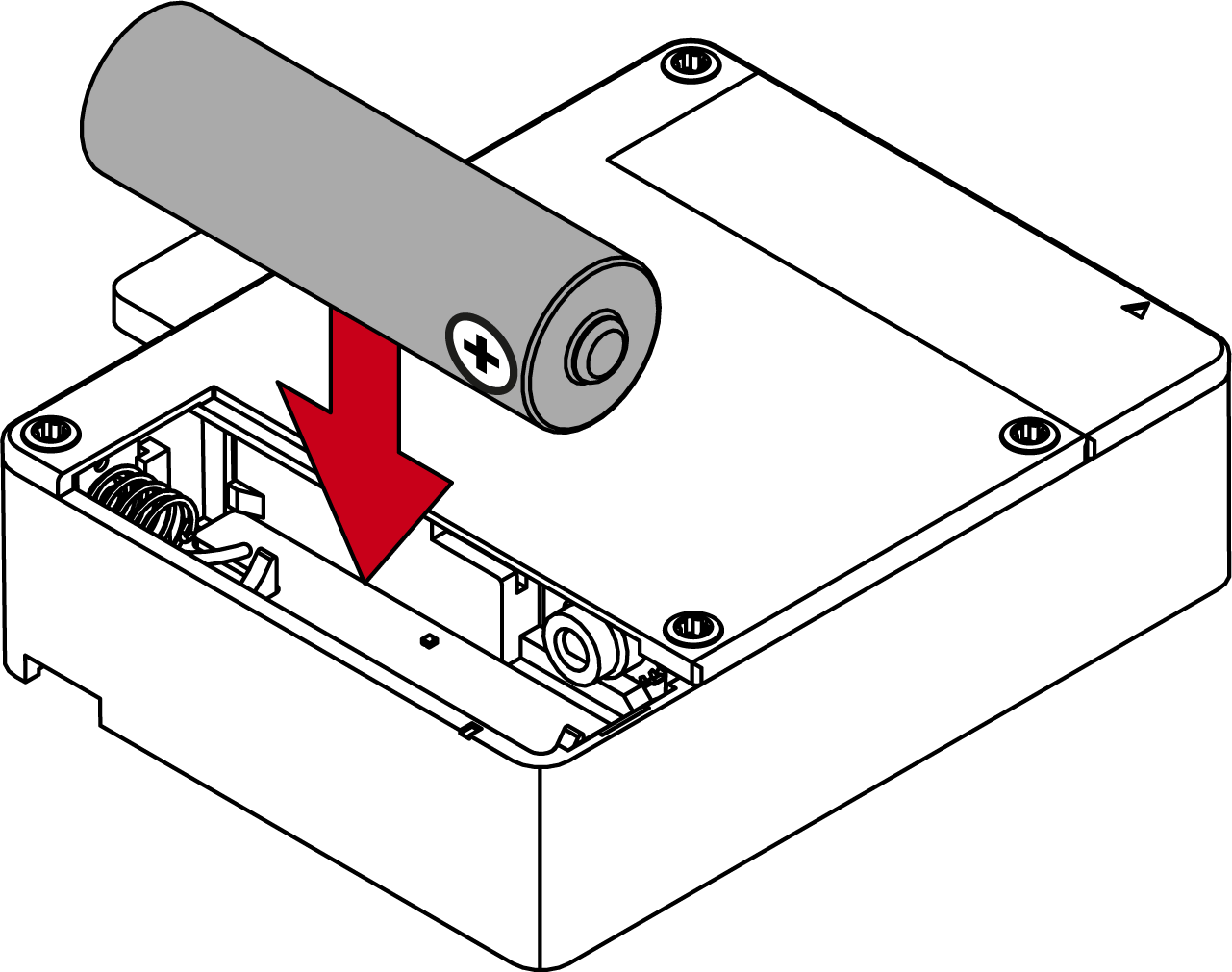
- Hook in the lid's long flap first, then hook in the the short flap.
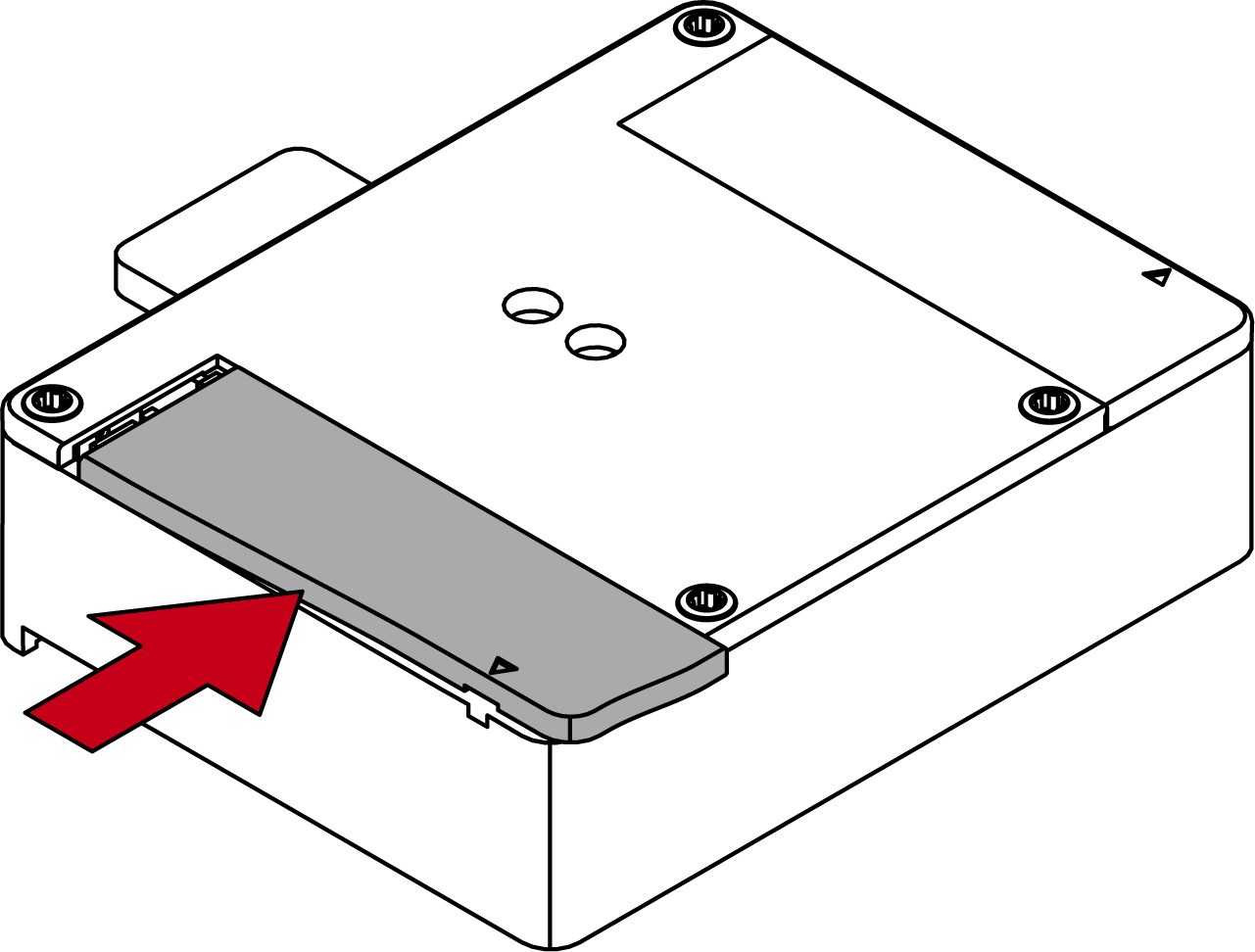
- Push the lid against the case and push it in the direction of the short flap until it snaps in.
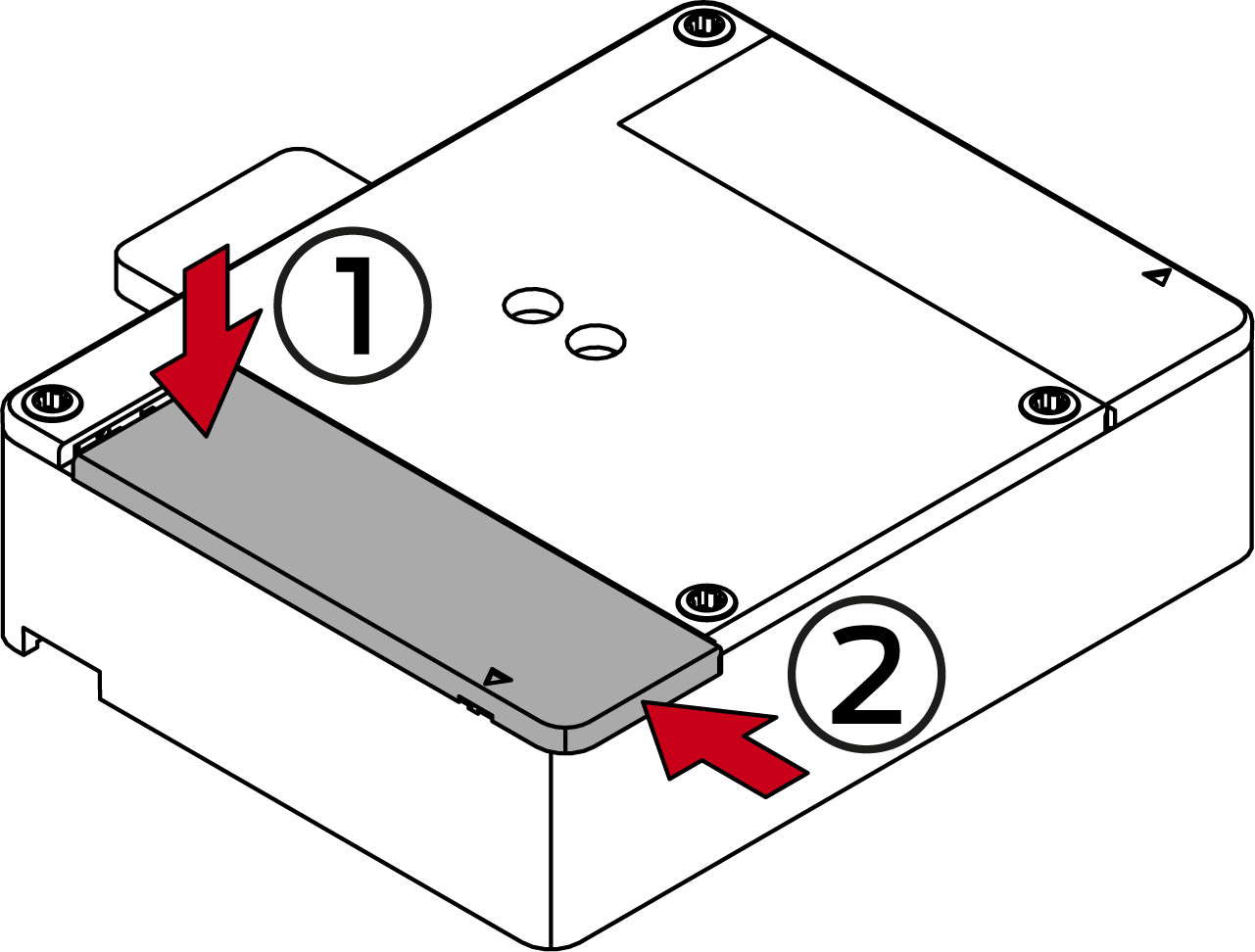
- Use the same procedure for the other battery.
- SmartLocker AX beeps three times.
- Batteries are changed.
IMPORTANT
Varying behaviour due to rechargeable batteries
Rechargeable batteries discharge differently compared to batteries. Using rechargeable batteries results in varying battery life and faulty battery warnings.
- Avoid using rechargeable batteries.
NOTE

Emergency supply if totally discharged
If you ignore the battery warnings, the SmartLocker AX may fail to open. If this happens the battery compartment is no longer accessible. You may connect an emergency power supply for changing the batteries.