Operating with DHCP - GatewayNode 3
- Configuration web page is open (see Initial configuration/find in LAN or Configuration interface).
- Open the NETWORK tab using CONFIGURATION.
- You will see the GatewayNode 3‘s network settings.
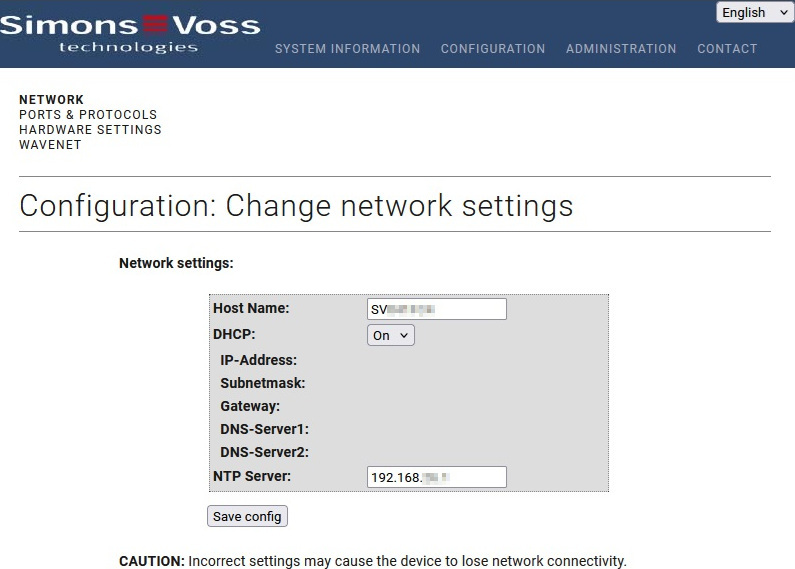
- Make sure that the On option is selected from the drop-down menu.
- Click the Save button.
- GatewayNode 3 is configured to operate with DHCP.
NOTE

Auto-IP in case of faulty DHCP function
If it is GatewayNode 3 configured for DHCP but does not receive a valid IP address within 30 seconds, it will automatically switch to Auto-IP.