Operation with fixed IP address - GatewayNode 3
- Configuration web page is open (see Initial configuration/find in LAN or Configuration interface).
- Open the NETWORK tab using CONFIGURATION.
- You will see the GatewayNode 3‘s network settings.
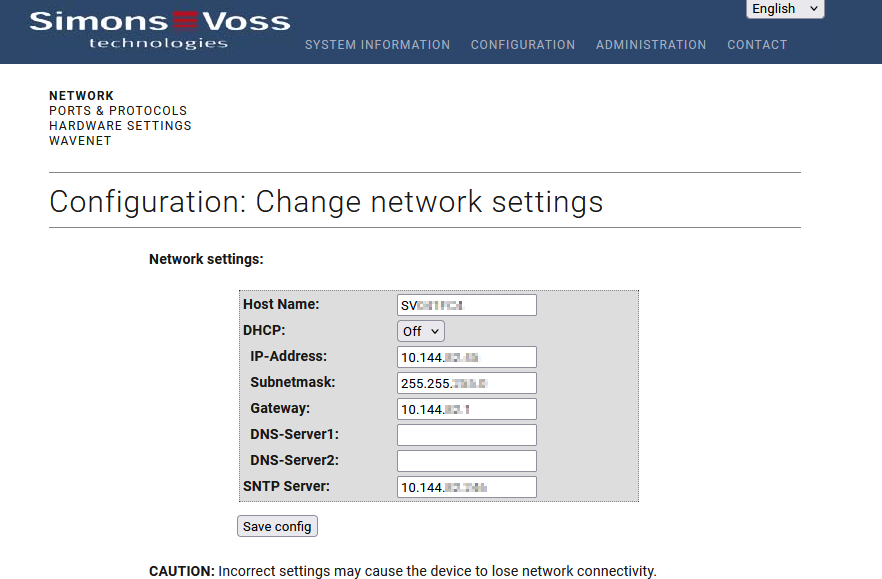
- Select item Off from the drop-down menu .
- Further network settings become available.
- Enter the required network settings such as the IP address.
(Minimum required information: IP address, subnet mask and gateway. DNS and NTP are not mandatory, but may be required depending on the situation). - Click the Save button.
- GatewayNode 3 is now configured to operate with a fixed IP address.