Battery replacement in SmartIntego - SmartHandle SmartIntego
- Slide the battery change tool from below into the cover of the inner fitting.
- Unlock the cover.
- Gently slide the cover towards the handle.
- Also slide the inner cover towards the handle.
- Carefully unlock the electronics.
- Fold the electronics away horizontally.
- Carefully pull both batteries out of the holder.
- Insert the new batteries into the holder quickly with the positive poles facing outwards.
- Fold the electronics back in.
- Carefully snap the electronics back into place.
- Using the mounting tool, push the metal bracket of the cover downwards as shown.
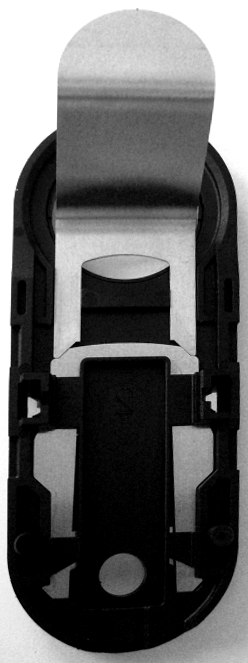
- Slide the inner cover flush on so that it is flush with the door.
- Slide the cover on and snap the cover into the inner cover.
- Hold a battery replacement card in front of the lock.
- A battery measurement is performed to detect the new batteries.
- No further (false) battery warnings are sent to the integrator system.