Installation Z4.MP.KA.SET - MobileKey Locking cylinder (Z4)
Freely rotating, digital locking cylinders only (except AP2.FD).
- Use the installation tool to remove the outer thumb-turn.
- Attach core protection adapter. While holding the inside thumb-turn, rotate until the adapter locks into the locking cylinder, so that it is flush.
- The notches on the core protection adapter now fit flush into those on the core tube.
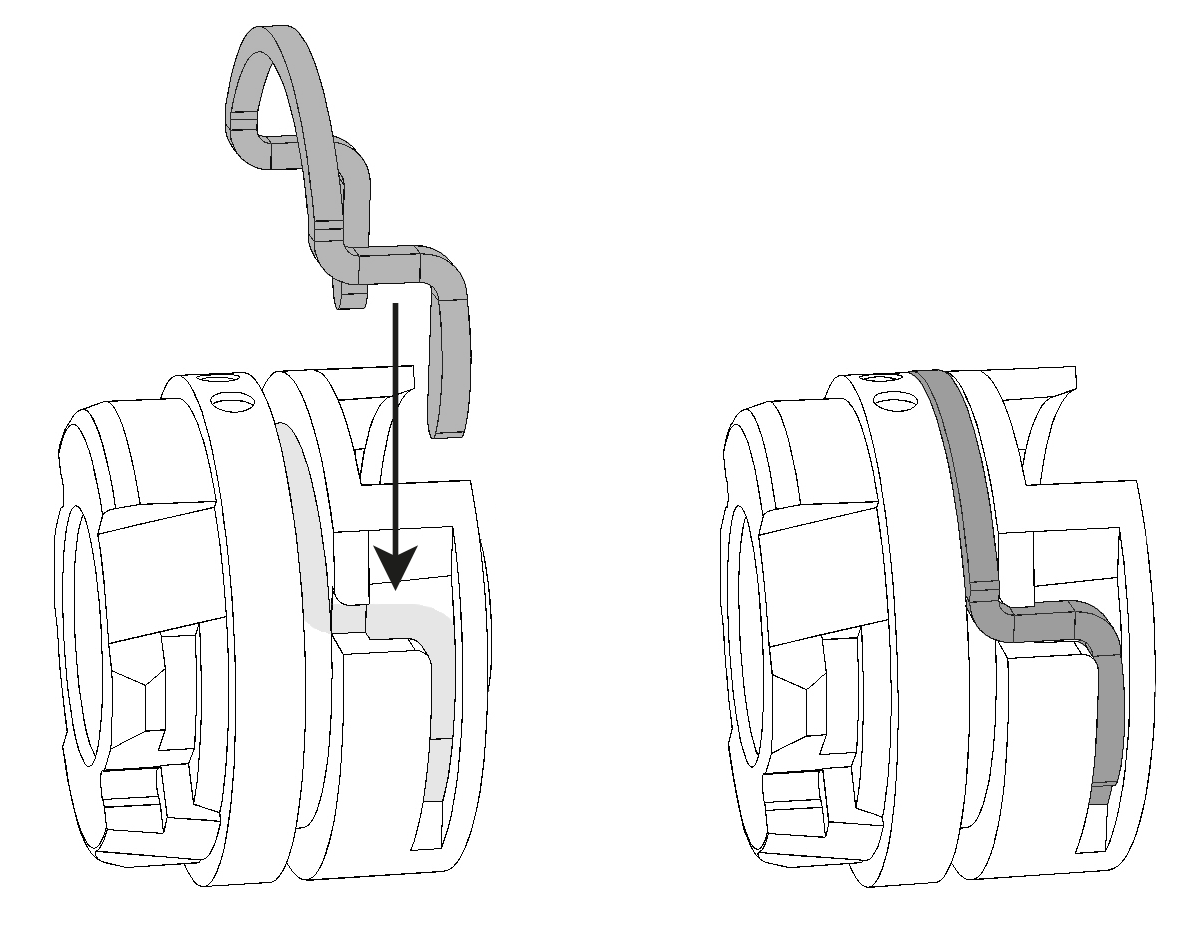
- Fasten core protection adapter using the supplied clip, as shown in the diagram:
- The two markings point in the direction of the core protection adapter.
- The clip must lock into position correctly on the core protection adapter.
- Check whether the clamp is fastened flush with the core protection adapter.
- Push locking cylinder into the door from the inside.
- Fasten locking cylinder with the fastening screw.
- Use the installation tool to fit outer thumb turn to the locking cylinder.