Installing a LockNode - MobileKey Locking cylinder (Z4)
- Cylinders manufactured after May 2008.
- Place the battery/installation key on the electronic side thumb-turn so that the two noses engage in the openings of the locking disc (if necessary, turn the thumb-turn until the noses engage).
NOTE

The battery/installation key must lie flat on the inside of the thumb-turn.
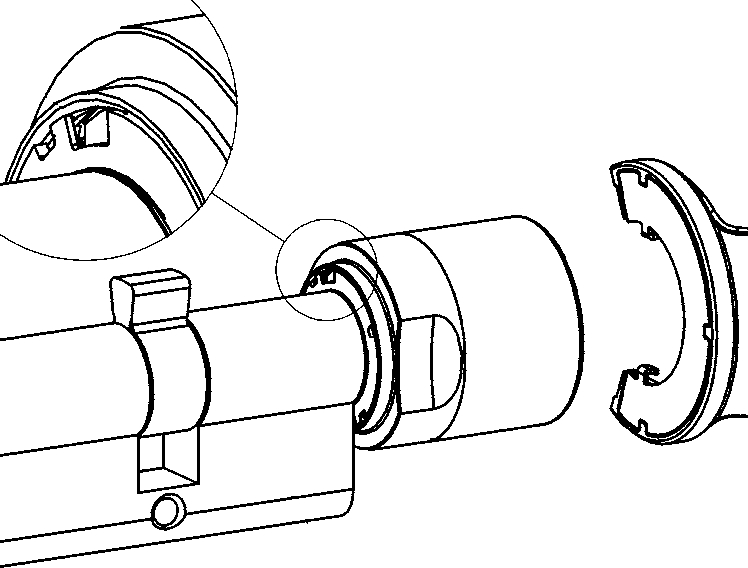
- Hold the thumb-turn firmly and turn the battery/installation key clockwise about 30°.
- The locking disc will click.
- Push the recessed grip inwards.
- Turn the thumb-turn cover counterclockwise until it stops.
- Remove the thumb-turn cover.
- Attach the thumb-turn cover with the LockNode as shown.
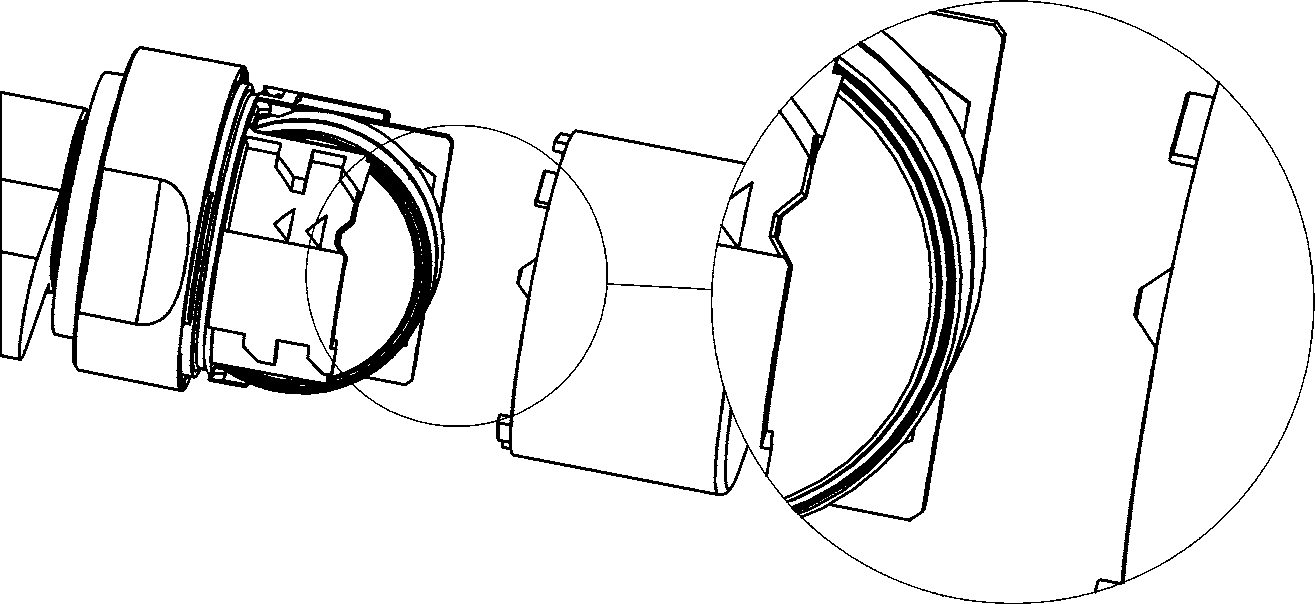
- Turn the thumb-turn cover clockwise until it stops.
- Cylinder beeps four times.
- Pull the recessed grip outwards until it is flush with the thumb-turn cover.
- Place the battery/installation key on the electronic side thumb-turn so that the two noses engage in the openings of the locking disc (if necessary, turn the thumb-turn until the noses engage).
- Hold the thumb-turn firmly and turn the battery/installation key about 30° counterclockwise.
- The locking disc will click.
- LockNode is mounted.
If the cylinder does not beep, check the battery condition.
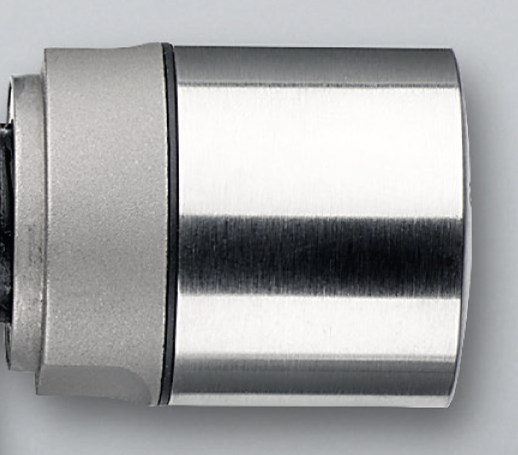
You can recognize a cylinder with LockNode by the black ring between the recessed grip and the thumb-turn cover.