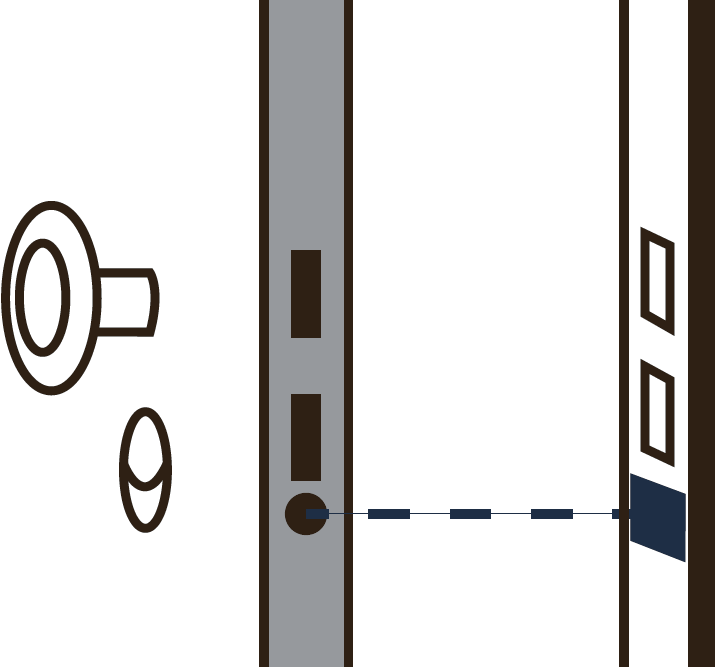
Installation - MobileKey Locking cylinder (Z4)
The inner side is marked on the cylinder body.

- PH2 SCREWDRIVER (or Z4.DM.SCREWDRIVER for DoorMonitoring variants)
- Installation or battery key
- Cylinder programmed.
- Remover the thumb-turn (CO: inside, FD: outside).

- Insert the cylinder into the door (CO: from outside; FD: from inside).
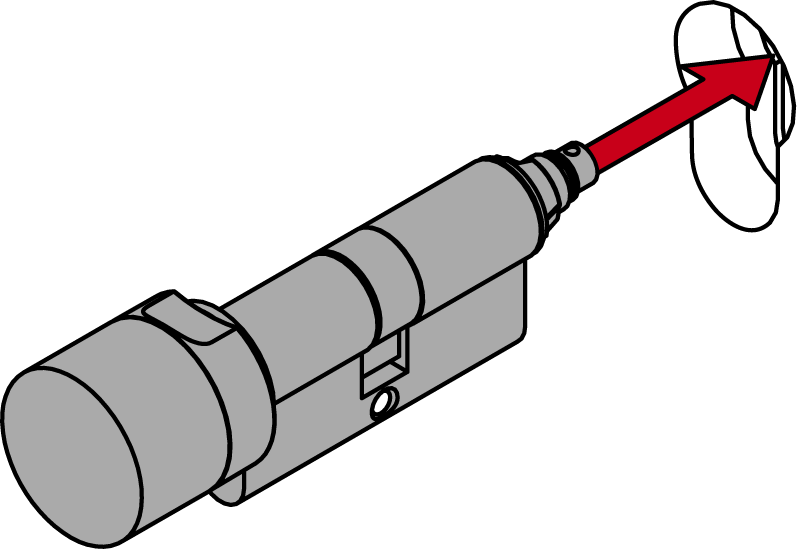
- Affix the cylinder with the fastening screw (3.5 Nm).

- Replace the thumb-turn.

- Turn the thumb-turn anticlockwise until it locks into the indents in the flange.
To do so, turn the locking disc back using the installation key if necessary. - Place the installation key on the thumb-turn from the rear so that it lies flat.
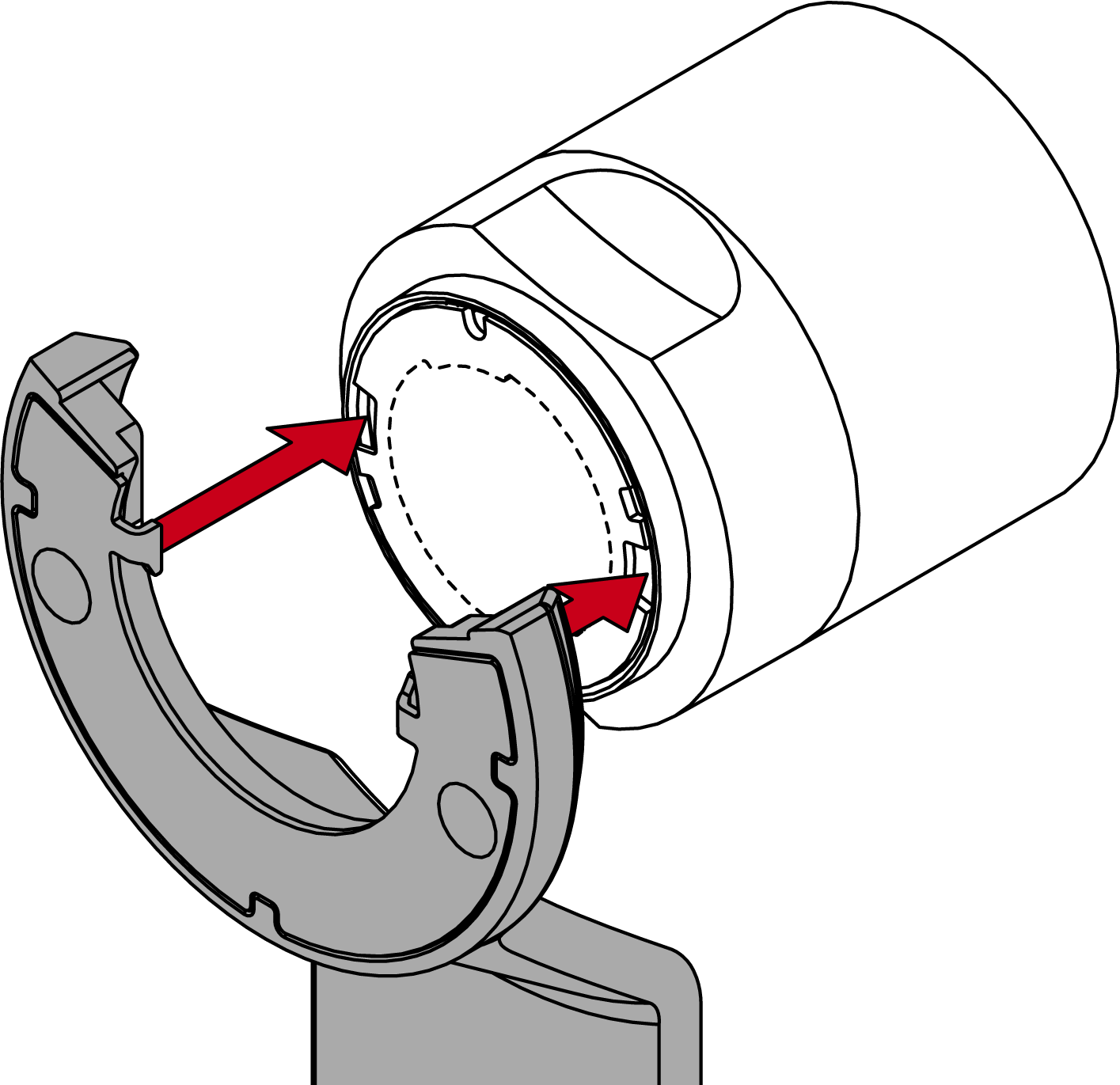
- Turn the thumb turn until the installation key teeth engage into the locking disc.
- Hold the thumb turn firmly and carefully turn the installation key about 30° counter-clockwise.
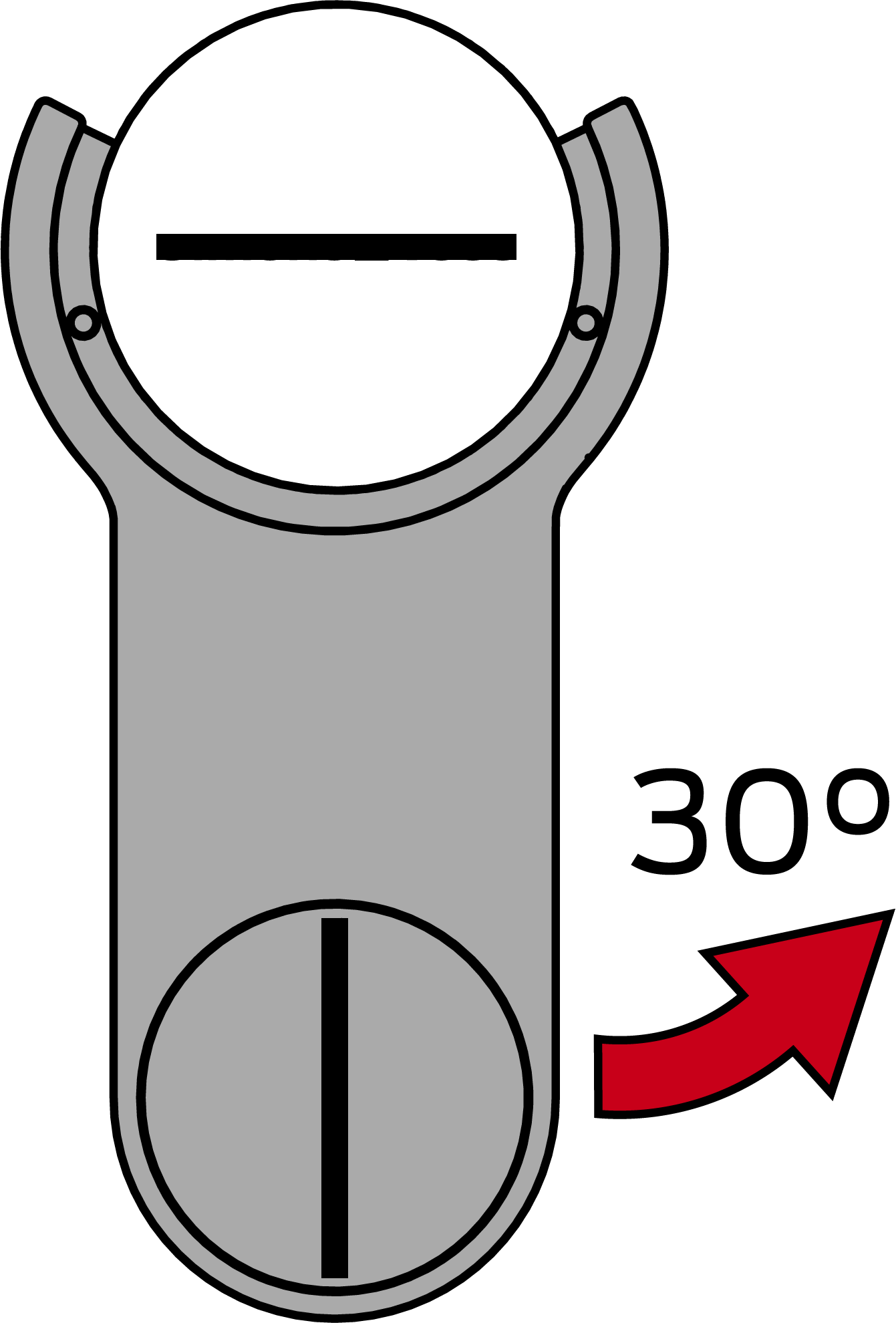
- The locking disc will click.
- VdS/SKG variants only: Screw the hex screw into the thumb-turn tightly.

- Cylinder fully installed.
DM variants
- Clean the door frame around the strike plate.
- Stick the magnetic tab onto the door frame in such a way that the fastening screw is exactly above it when the door is closed.