Fastening the outside thumb-turn - SmartIntego Locking cylinder (Z4)
Replace the thumb-turn and turn in an anti-clockwise direction while applying slight pressure until the outer thumb-turn grips into the indents in the flange. Possibly place the thumb-turn in this position by pressing it towards the profile cylinder housing.
NOTE

Turning the bayonet disc when not installed may prevent the thumb-turn from being fastened into position. In such a case, push the disc back into the original 'bayonet disc open' position using the installation tool. (see diagrams)
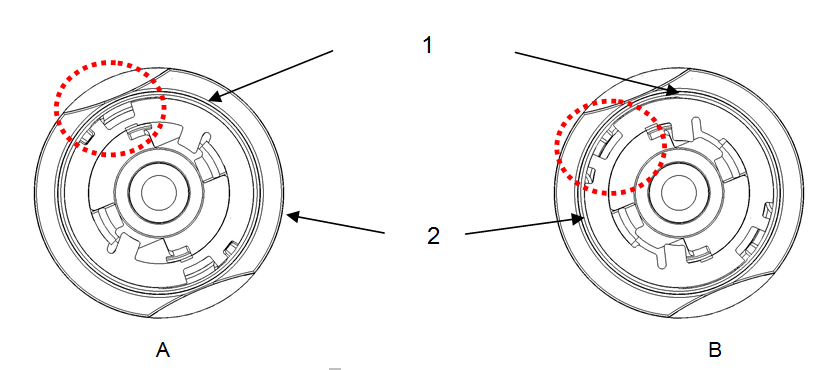
- Bayonet disc
- Knob
- Bayonet disc closed
- Bayonet disc open
Place the installation key on the outside thumb-turn in such a way that its two teeth engage into the outside thumb-turn; if necessary, turn the thumb-turn until both teeth lock into the locking disc. Lock the thumb-turn into position again by rotating it 30° in a clockwise direction.