Monitor - EventAgent
In the window, you can seeMonitor an overview of network messages received since the last start.
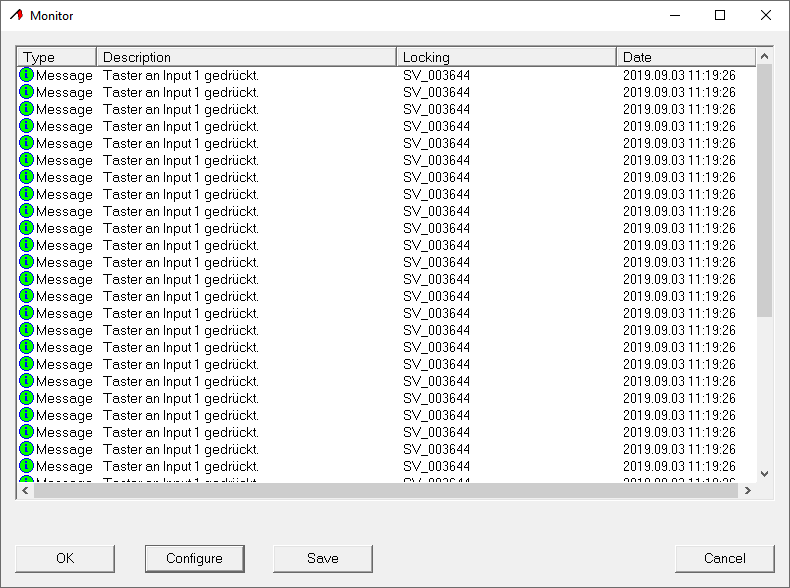
Exporting the messages in the window Monitor
You can use the button toSave export the network messages displayed in the window Monitor in a CSV file. This file contains the following information:
Entry | Meaning |
|---|---|
Type | Warning level of the network message. |
Description | Text of the network message. |
Locking device | Name of the locking device that triggered the network message. |
Date | Time of the network message. |
Entry number in the window Monitor | Position of the network message in the windowMonitor. Network messages hidden by the filter are included in the count. |
i-1=x | Position of the network message in the exported list. You can use this information to restore the original sorting order included in the export. |
g_Array | Internal value. |
addr=x | Internal value. |
sid | Internal value. |
Locking device ID | ID of the locking device that triggered the network message. |
Transponder ID | ID of the transponder that triggered the network message. |
Group ID | ID of the transponder group to which the transponder responsible for the message belongs. |
mid | Internal value. |
doorMonEvt.boltPos=x | DoorMonitoring status: Bolt position. |
doorMonEvt.doorOpen=x | DoorMonitoring status: Door open/closed. |
doorMonEvt.err=x | DoorMonitoring status: Error. |
doorMonEvt.manip=x | DoorMonitoring status: Attempted break-in/tampering. |
analogInput=X | Voltage value of the transmitted analogue value in VDC, where applicable. |