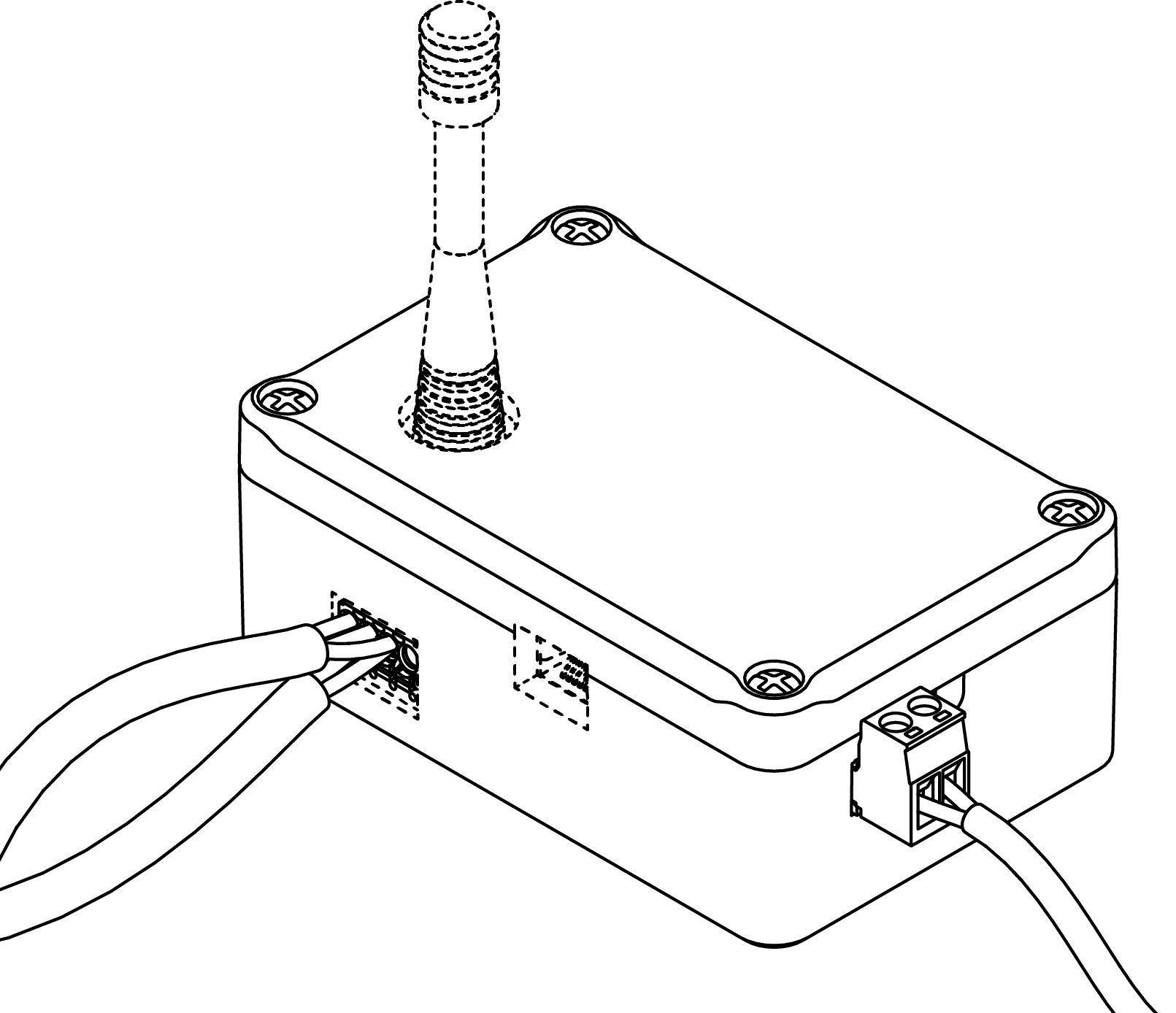
Initial operation - RouterNode
(shown as an example for CR).
- Unpack RouterNode.
- Check RouterNode for damages.
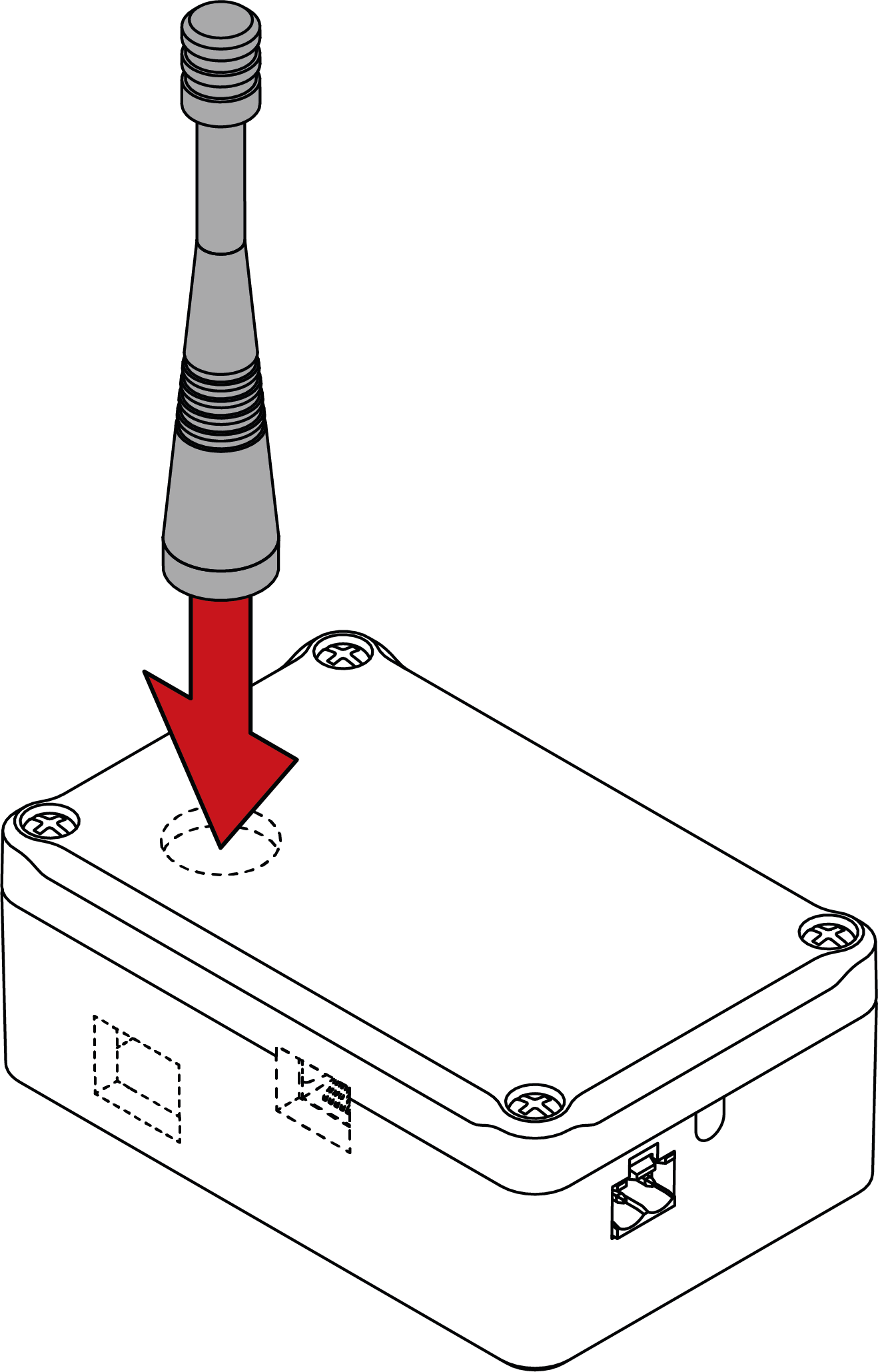
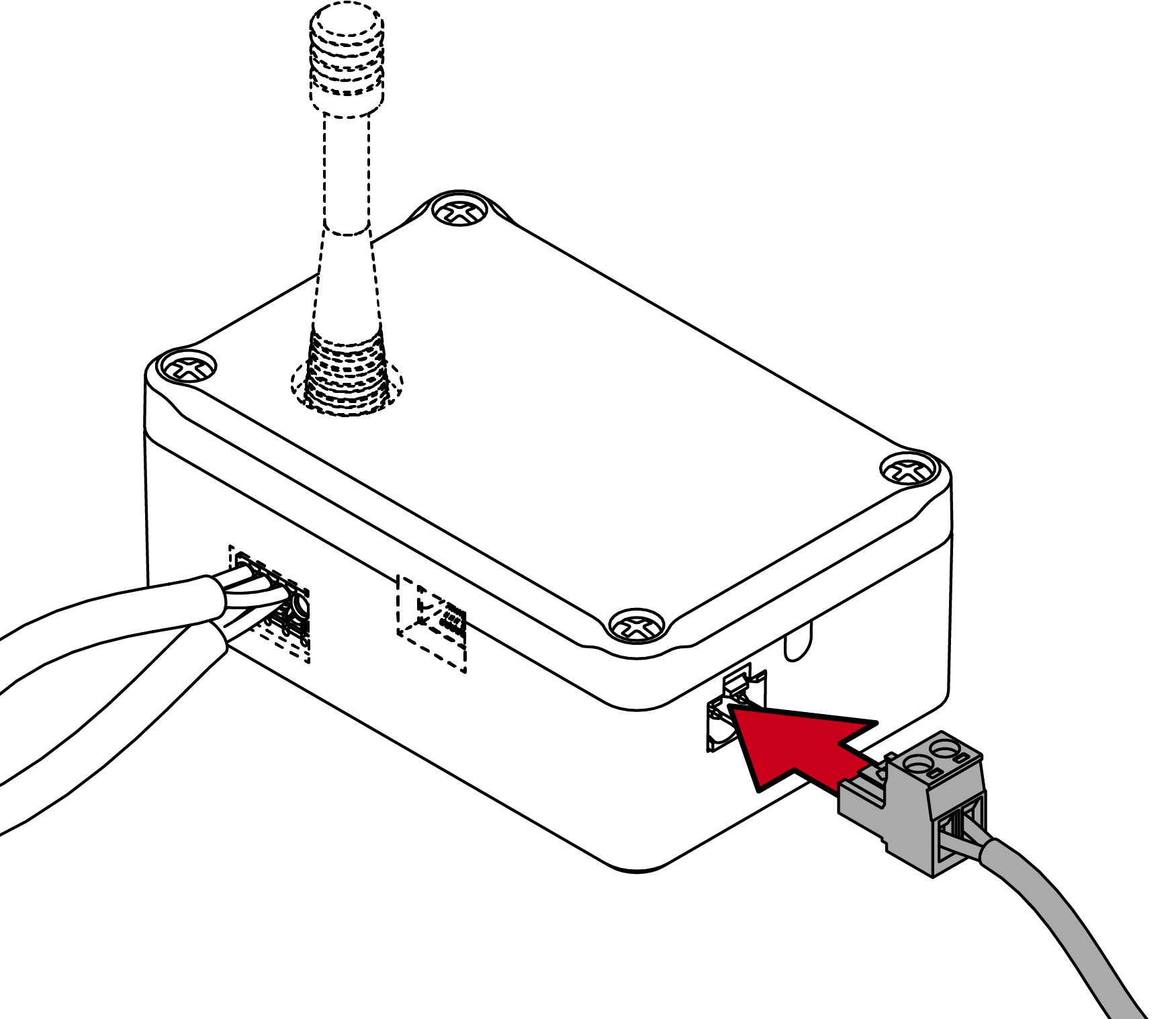
- Screw the antenna onto the FME socket (radio versions only).
- First plug the RS-485 cable into the RS-485 socket (RS-485 versions only).
For flexible conductors: Twist the conductors before inserting them. 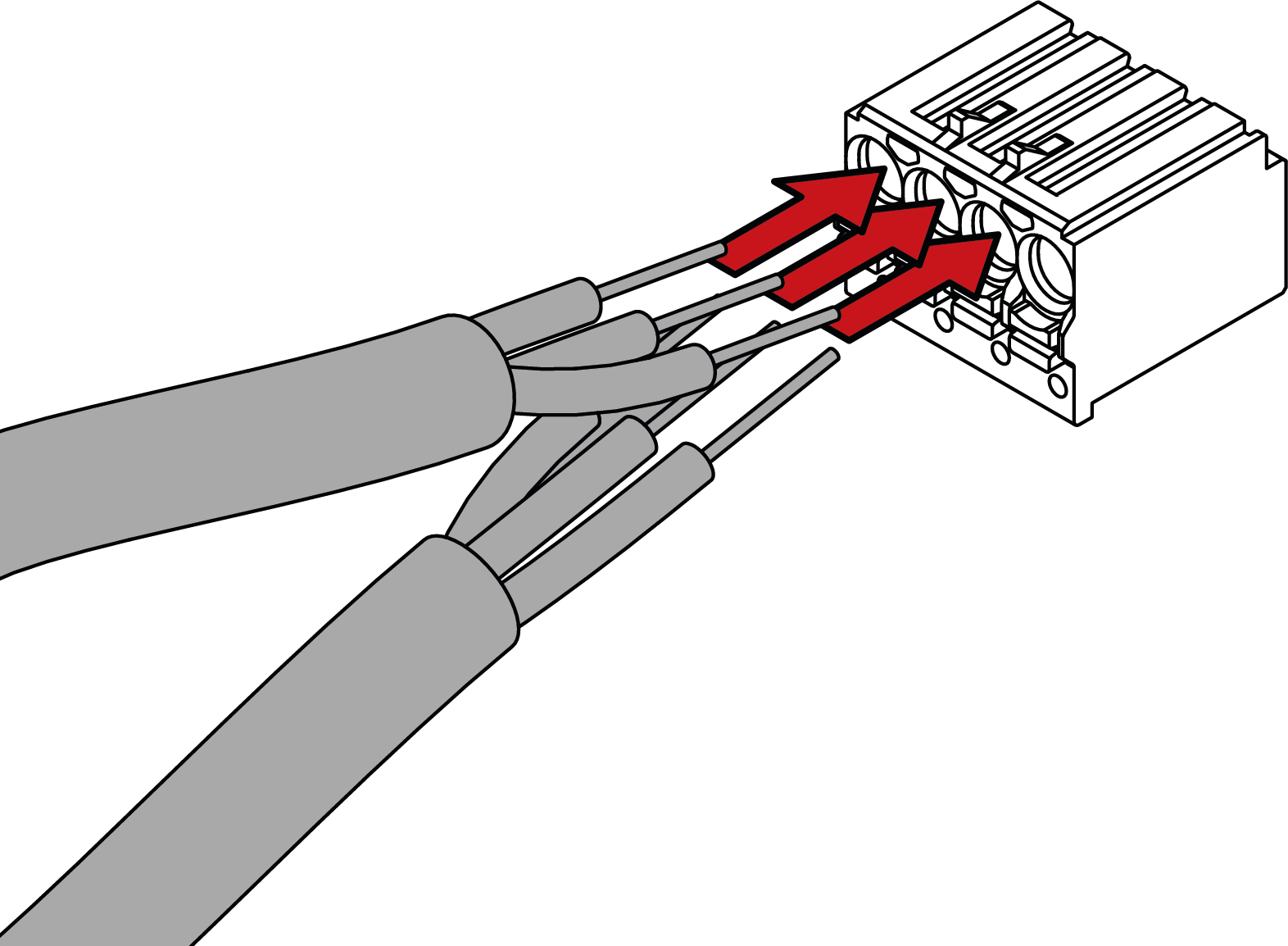
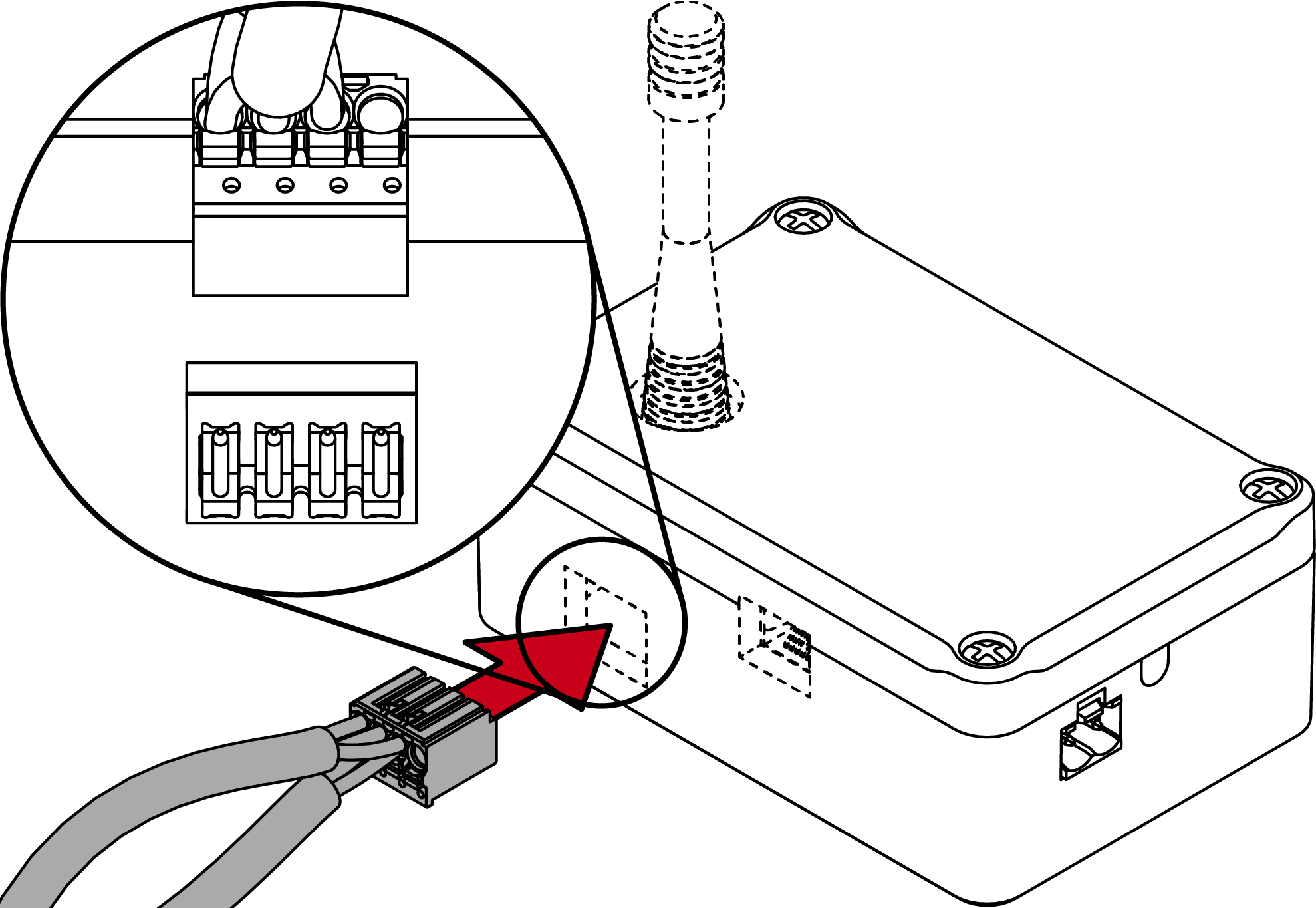
- Then plug the RS-485 cable together with the socket into the RS-485 connection (RS-485 versions only).
- Connect the network connection (Ethernet versions only).
- Ensure that the power supply corresponds to the technical data (see Technical specifications).
- Connect the power supply.
- LED lights green.
- Initialise the RouterNode with the WaveNet manager and the LSM.
- LSM displays the network ID (Group ID/Member ID) in the window Administer WaveNet node.
- RouterNode ready to use.